
Kiffius - Minecraft Skins & Skin History
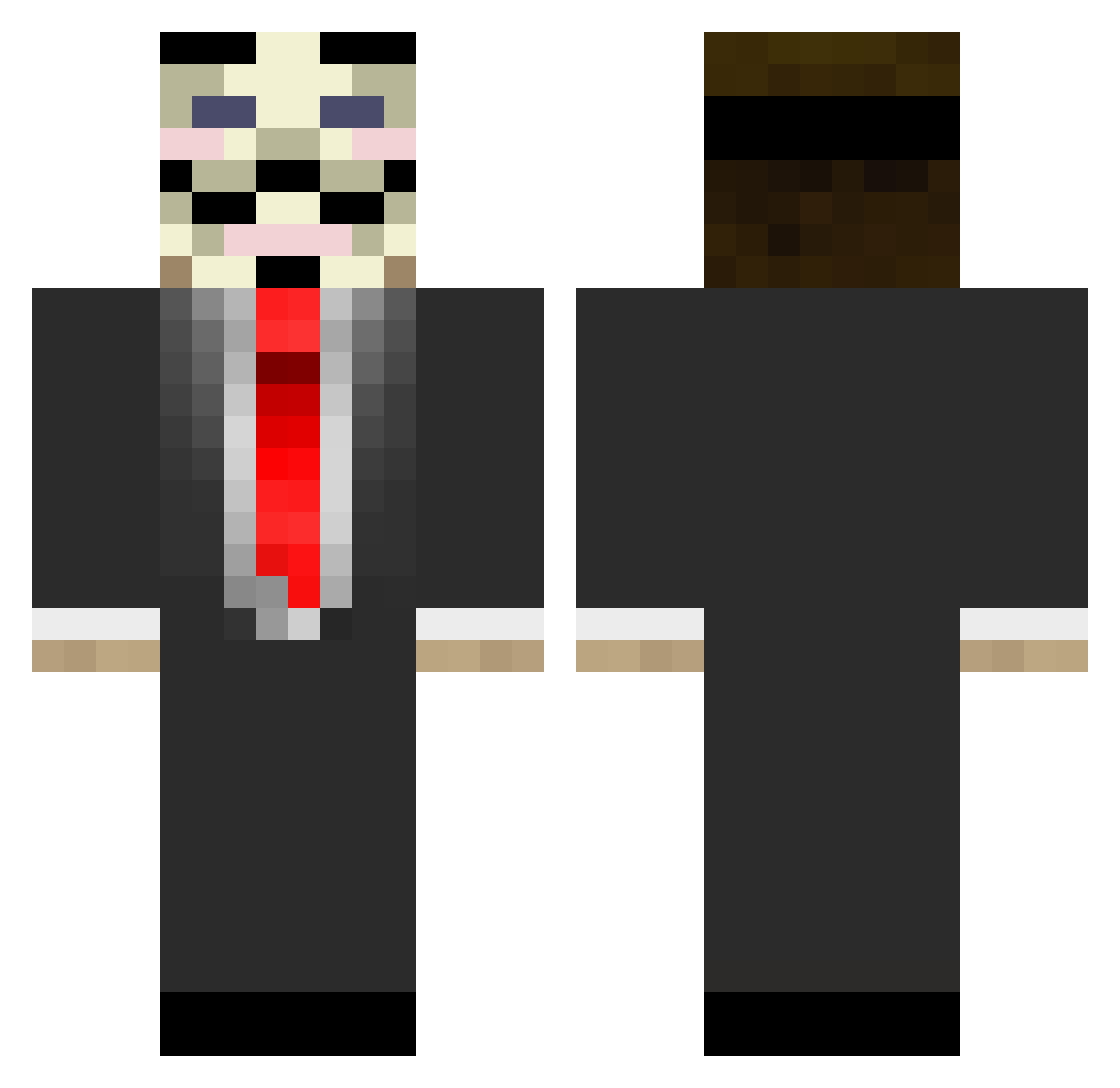
Current Minecraft skin of the player Kiffius, loaded from the official Mojang API. Rotate the 3D model with your mouse or finger, then download the skin as a PNG file and use it in Minecraft: Bedrock Edition or Java Edition for free. When Kiffius changes their skin, this page updates automatically and the old skin stays in the history below.
Other players with this skin (677)
Kiffius was the 484th player we have seen with this skin, first spotted on 29.09.2026. The same skin was seen on these players. Open a nickname to see their current skin and skin history.
 Hi_im_KP TongMaster wafflekiller237 ChunkThePunk Lorenzo_045 wamugolin RattleTank Narukin _R1GHT_1 Revamq Manzzo Makka165 TheOneWhoKnocked TheMoistyMachine H_A_C_K_E_R_ jimbxb PigletHD TheJunglekiller MvkIsMySon Amazac SleshFan kirbyfan1011014 LIL_Toxiic Nemesis781 PotsAlott MrProTim3s jordans_on_deck peTapawN N1oX justin1234566 wer87 allee08 LilCrowsr hami456 Turgerti DyvimZard Adjam triumph1281 richardthorp12 Contradictory Freakygamer308 DarkThunder obomb InfinityKid101 Kubah Bananenmilch LiptonOfTea MaGikModder14 TuckMac3 IsakAnderss iw0o0wi SN41L RebxF Myskoon profado TheGuyWhosChill YungNuTT rice_brett puppetry514 gustavotos
More V For Vendetta Minecraft skins
See all 259 V For Vendetta skins
How to install the Kiffius skin
- Press the Download button above to save the skin as a PNG file.
- Minecraft: Bedrock Edition (PE): open the Dressing Room from the main menu (or tap your character → Edit Character), go to Classic Skins → Owned, press the + (new skin) button, choose the downloaded PNG and pick the Classic (Steve) model. Works on PC and mobile; consoles cannot import custom skins.
- Minecraft: Java Edition: open the Minecraft Launcher, go to the Skins tab, click New Skin, load the PNG, pick the Classic (Steve) model and press Save & Use. You can also upload it at minecraft.net → Profile → Change Skin.
The skin does not show up after import - what should I do?
Restart Minecraft and open the Dressing Room again - imported skins sometimes appear only after a restart. Also make sure you selected the imported skin and picked the Classic (Steve) model.
Which model should I choose, Classic or Slim?
This skin is designed for the Classic (Steve) model. If you pick the wrong model, the arms of the skin will look stretched or squeezed.
Is the skin of Kiffius free to download?
Yes. Press Download, save the PNG file and use it in Minecraft: Bedrock Edition or Java Edition - no payment or registration needed. The skin also works on multiplayer servers and Realms.
More skins
Looking for more? Go back to all Minecraft skins and check the top skins of the week, month and all time, or find any player's skin by nickname.