
KifferMigi - Minecraft Skins & Skin History
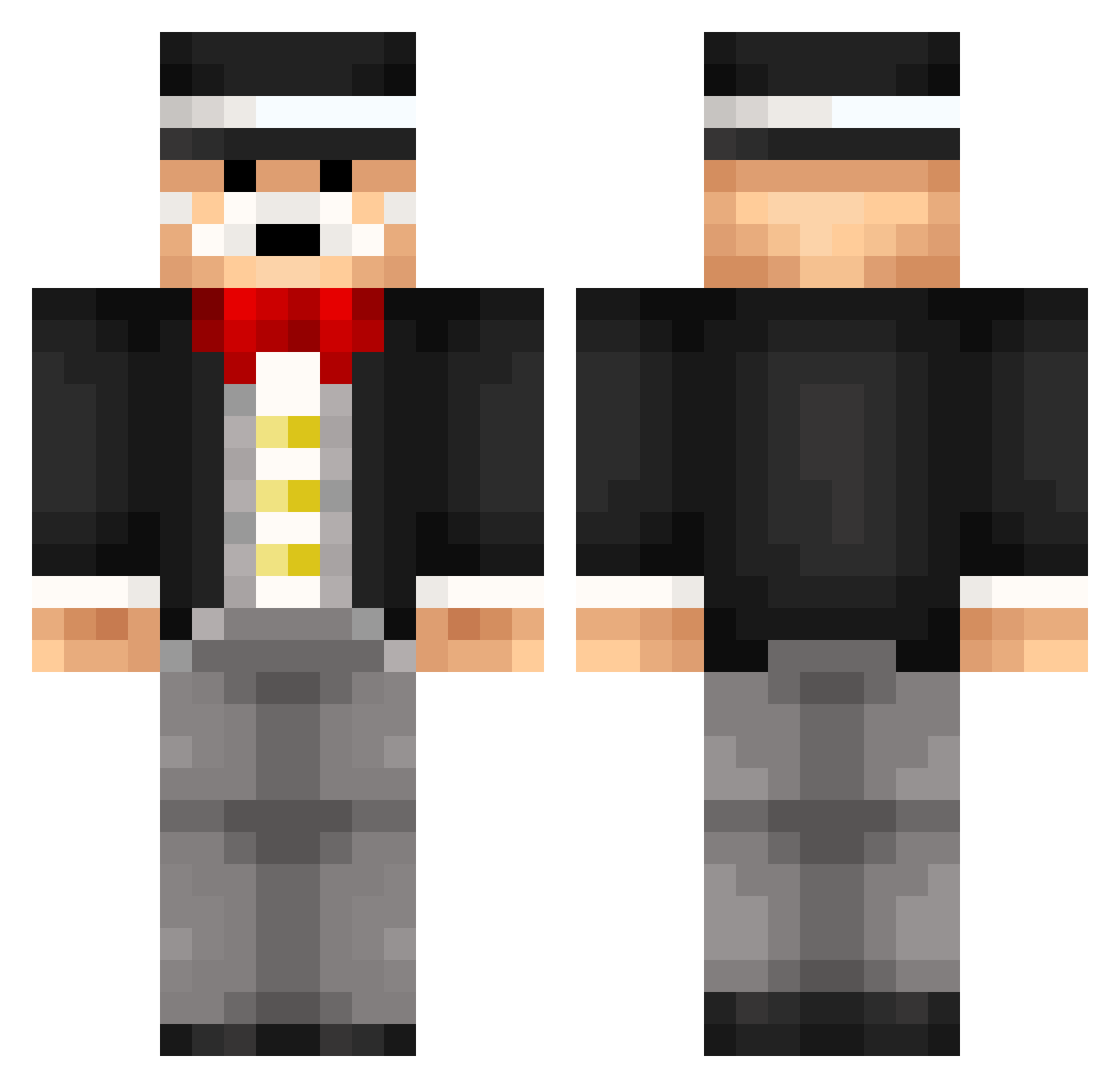
Current Minecraft skin of the player KifferMigi, loaded from the official Mojang API. Rotate the 3D model with your mouse or finger, then download the skin as a PNG file and use it in Minecraft: Bedrock Edition or Java Edition for free. When KifferMigi changes their skin, this page updates automatically and the old skin stays in the history below.
Other players with this skin (266)
KifferMigi was the 30th player we have seen with this skin, first spotted on 05.08.2026. The same skin was seen on these players. Open a nickname to see their current skin and skin history.
 Rossdavies17 oga2701 ryay12 TheMob_Hunter vicentecanepa Lady_Of_Flames JieXx UmbraEdge jackamo49 ToxickLive Fred_KBT scooterville hess06 5eh Babtupac spookyjet FusselGaming TeonWasTaken anconner wilmaofc KKgor HumanPowers UsaLacrosse MikeMinesG Hawk907 bambam4444 DebonairePort Mjuk0st LeMoonium bananen300 MrWhooopy Thozzzz Flo3800 _DelRay_ Handbooks hRettep Ysbra AmericanMoose45 Prodix DrChuletas Du0blek1ll Tois2 SgtSpunky gillner 9NV gblock_33 voske_94 passtheapplesauc Vasagralem Voglimogli SirTomNiklas Doiii lolwut668 Juglito
 avirouz iiKyle52 stuf90 Volkqn_ dannygregson iJohnnyTTV
More Monopoly Minecraft skins
How to install the KifferMigi skin
- Press the Download button above to save the skin as a PNG file.
- Minecraft: Bedrock Edition (PE): open the Dressing Room from the main menu (or tap your character → Edit Character), go to Classic Skins → Owned, press the + (new skin) button, choose the downloaded PNG and pick the Classic (Steve) model. Works on PC and mobile; consoles cannot import custom skins.
- Minecraft: Java Edition: open the Minecraft Launcher, go to the Skins tab, click New Skin, load the PNG, pick the Classic (Steve) model and press Save & Use. You can also upload it at minecraft.net → Profile → Change Skin.
The skin does not show up after import - what should I do?
Restart Minecraft and open the Dressing Room again - imported skins sometimes appear only after a restart. Also make sure you selected the imported skin and picked the Classic (Steve) model.
Which model should I choose, Classic or Slim?
This skin is designed for the Classic (Steve) model. If you pick the wrong model, the arms of the skin will look stretched or squeezed.
Is the skin of KifferMigi free to download?
Yes. Press Download, save the PNG file and use it in Minecraft: Bedrock Edition or Java Edition - no payment or registration needed. The skin also works on multiplayer servers and Realms.
More skins
Looking for more? Go back to all Minecraft skins and check the top skins of the week, month and all time, or find any player's skin by nickname.