
KetlerHawk - Minecraft Skins & Skin History
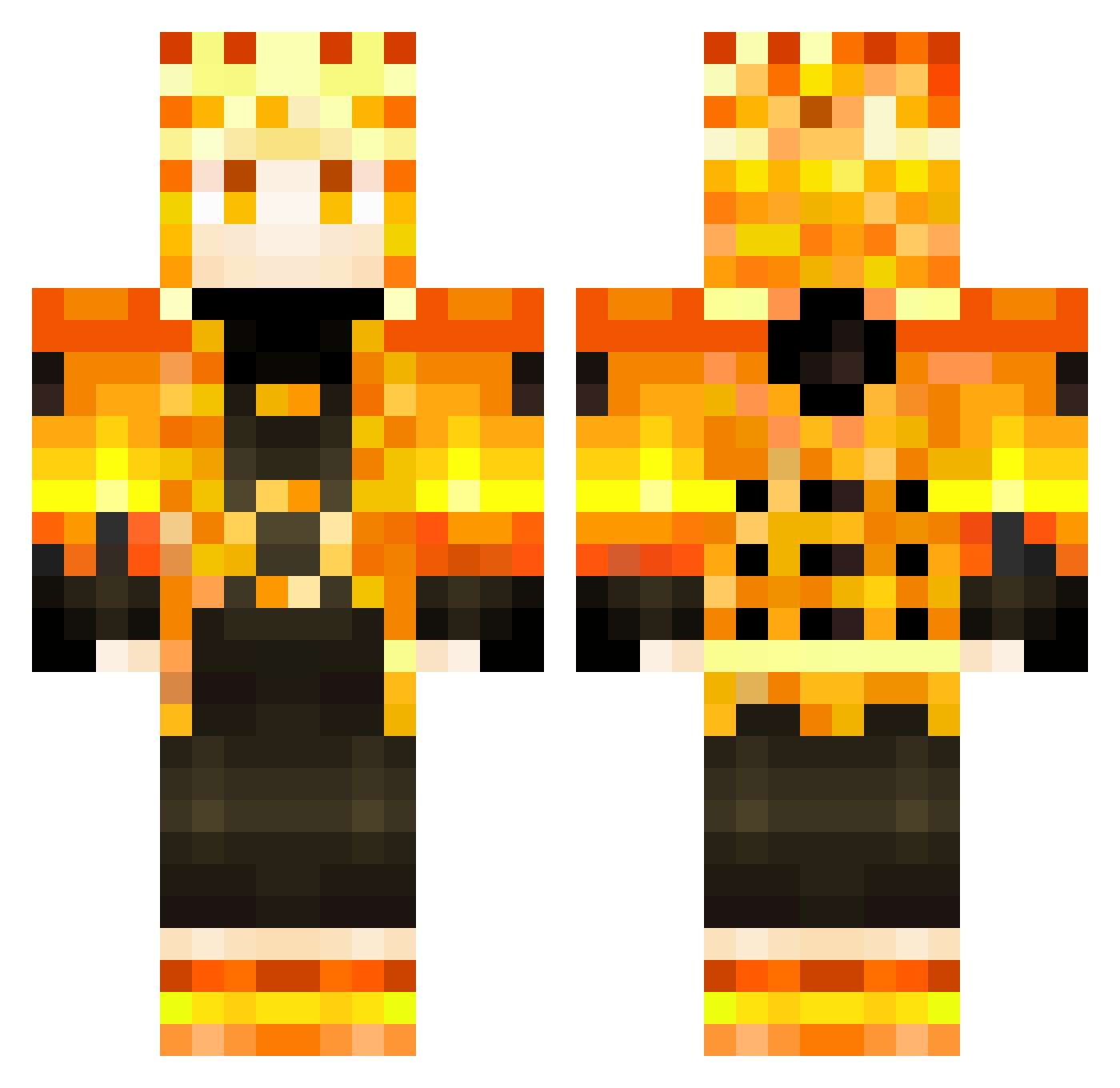
Current Minecraft skin of the player KetlerHawk, loaded from the official Mojang API. Rotate the 3D model with your mouse or finger, then download the skin as a PNG file and use it in Minecraft: Bedrock Edition or Java Edition for free. When KetlerHawk changes their skin, this page updates automatically and the old skin stays in the history below.
Other players with this skin (353)
KetlerHawk was the 255th player we have seen with this skin, first spotted on 14.10.2026. The same skin was seen on these players. Open a nickname to see their current skin and skin history.
 Yonahdude PAULLEPRO1234 h0bos_kz fibermaker michaelspidey LandOfGods2011 LUMPIK97 benyavuz GiorgioMagnifico aleksoui yArthTHEDISK Knight_Krenlor V4npire_ valzzer charlemeign antonyiu NikkiMester lesnoopher chenthewolf Efedlg01 Indh_ Frixayde zscfortnite BeimP UltiGuerilla Xpressooo20 Angelossss painnappuru Raulman30 Ratten_Hero SirToille_ALT2 M1ch4lSVK Jowy99 Akoes edzingg7 LBS9912 Arges31 VOXI_YT _____shadow__ MARCIUS_11 PONC1_ Soysoke002 mimivas HarryDekuMon milbando Seaweed0920_HK Nijuu E51011 bffbffbf Sinistro__ Cariioca407 BigodeSwag NaujXz Sunf10werZ GlaucioLIma Diegunon7 NarutoUzuumaki naruto_uchiha YonaDanyKings Narutokurosaki23
More Zenitsu Agatsuma Minecraft skins
See all 205 Zenitsu Agatsuma skins
How to install the KetlerHawk skin
- Press the Download button above to save the skin as a PNG file.
- Minecraft: Bedrock Edition (PE): open the Dressing Room from the main menu (or tap your character → Edit Character), go to Classic Skins → Owned, press the + (new skin) button, choose the downloaded PNG and pick the Classic (Steve) model. Works on PC and mobile; consoles cannot import custom skins.
- Minecraft: Java Edition: open the Minecraft Launcher, go to the Skins tab, click New Skin, load the PNG, pick the Classic (Steve) model and press Save & Use. You can also upload it at minecraft.net → Profile → Change Skin.
The skin does not show up after import - what should I do?
Restart Minecraft and open the Dressing Room again - imported skins sometimes appear only after a restart. Also make sure you selected the imported skin and picked the Classic (Steve) model.
Which model should I choose, Classic or Slim?
This skin is designed for the Classic (Steve) model. If you pick the wrong model, the arms of the skin will look stretched or squeezed.
Is the skin of KetlerHawk free to download?
Yes. Press Download, save the PNG file and use it in Minecraft: Bedrock Edition or Java Edition - no payment or registration needed. The skin also works on multiplayer servers and Realms.
More skins
Looking for more? Go back to all Minecraft skins and check the top skins of the week, month and all time, or find any player's skin by nickname.