
KennyCarlile - Minecraft Skins & Skin History
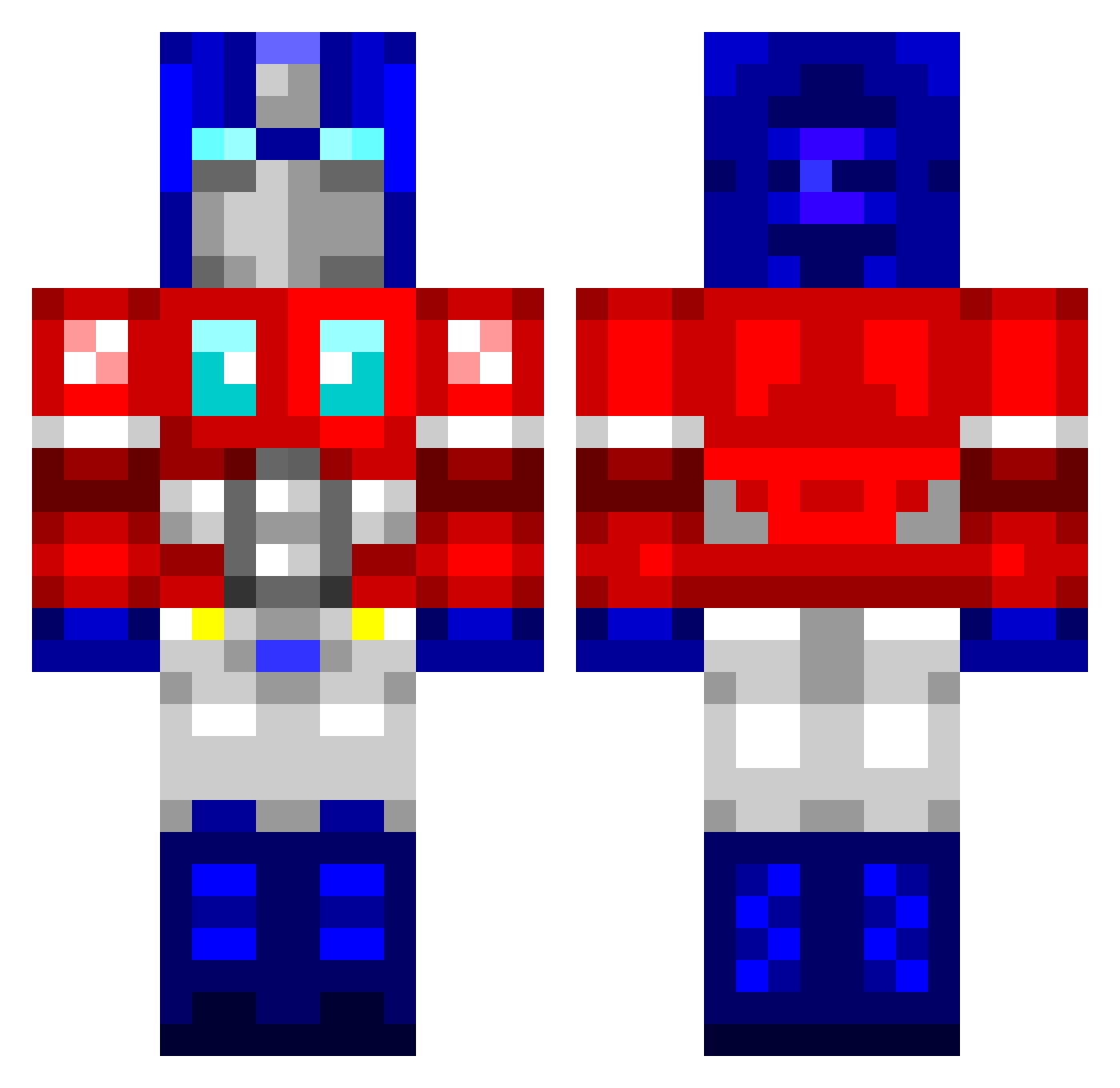
Current Minecraft skin of the player KennyCarlile, loaded from the official Mojang API. Rotate the 3D model with your mouse or finger, then download the skin as a PNG file and use it in Minecraft: Bedrock Edition or Java Edition for free. When KennyCarlile changes their skin, this page updates automatically and the old skin stays in the history below.
Other players with this skin (950)
KennyCarlile was the 902nd player we have seen with this skin, first spotted on 13.11.2026. The same skin was seen on these players. Open a nickname to see their current skin and skin history.
 lkysa Snapdragon184 vinnyboy318 clicker123456 Jackaboylit habber16 Noobstermunch JKelly1995 forte96 ivysaur52 desert_eagle40 octavirus peanutlasko NYG4Life yapple_dapple Crasz TekkiMekki Dragic4 LePorticus King3600 Terrorbita bojangles5656 RedRuby FurnoXL0310 emssi Darkin0u_ Patlad96 Mabuse371 Redwing94 zlokovich Harjoht123 gold_filou criminal_chris Creacher lyranktaynne kruggs81 Rumpel4SkinOU ChouTse maxsekender Exzoro davehx Reconcil rtgriff trockn9ne XTC_Spawn Lolosoc77 _bun moritz_both ThadiusThor Obesandjo kt01 lieurichard IrishGod_ mears76 peterspalding ADrunkDillweed kamilos96343 NoRSpecies Mattt1505 scabiez
More Optimus Prime Minecraft skins
See all 102 Optimus Prime skins
How to install the KennyCarlile skin
- Press the Download button above to save the skin as a PNG file.
- Minecraft: Bedrock Edition (PE): open the Dressing Room from the main menu (or tap your character → Edit Character), go to Classic Skins → Owned, press the + (new skin) button, choose the downloaded PNG and pick the Classic (Steve) model. Works on PC and mobile; consoles cannot import custom skins.
- Minecraft: Java Edition: open the Minecraft Launcher, go to the Skins tab, click New Skin, load the PNG, pick the Classic (Steve) model and press Save & Use. You can also upload it at minecraft.net → Profile → Change Skin.
The skin does not show up after import - what should I do?
Restart Minecraft and open the Dressing Room again - imported skins sometimes appear only after a restart. Also make sure you selected the imported skin and picked the Classic (Steve) model.
Which model should I choose, Classic or Slim?
This skin is designed for the Classic (Steve) model. If you pick the wrong model, the arms of the skin will look stretched or squeezed.
Is the skin of KennyCarlile free to download?
Yes. Press Download, save the PNG file and use it in Minecraft: Bedrock Edition or Java Edition - no payment or registration needed. The skin also works on multiplayer servers and Realms.
More skins
Looking for more? Go back to all Minecraft skins and check the top skins of the week, month and all time, or find any player's skin by nickname.