
Kenderspirit - Minecraft Skins & Skin History
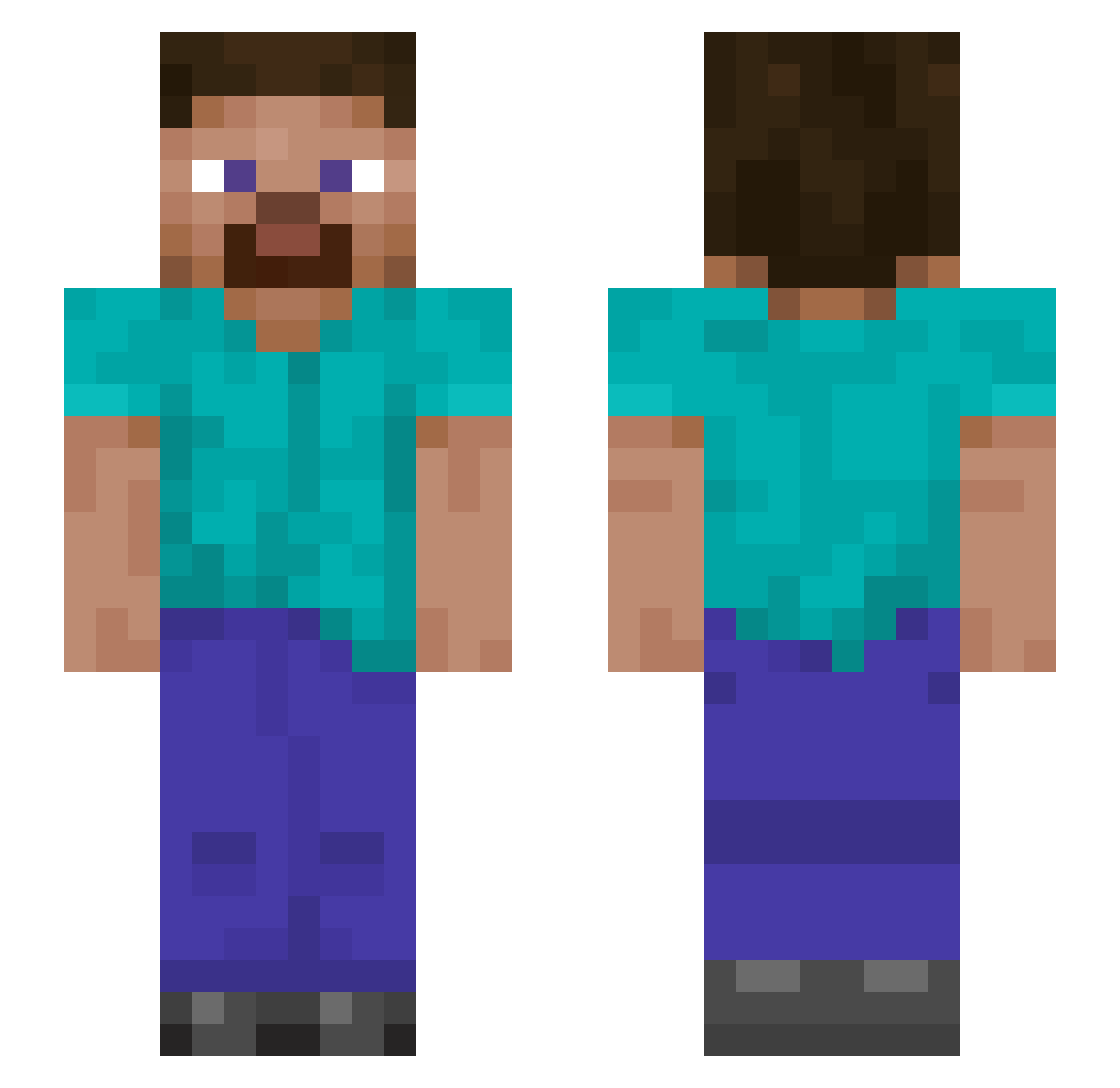
Current Minecraft skin of the player Kenderspirit, loaded from the official Mojang API. Rotate the 3D model with your mouse or finger, then download the skin as a PNG file and use it in Minecraft: Bedrock Edition or Java Edition for free. When Kenderspirit changes their skin, this page updates automatically and the old skin stays in the history below.
Other players with this skin (895)
Kenderspirit was the 382nd player we have seen with this skin, first spotted on 03.09.2026. The same skin was seen on these players. Open a nickname to see their current skin and skin history.
 ulterlot Acidrian Tiabella_Jr yin016 shadowsong168 vaggos0762 vegaz997 11woer MalSul52 InwardDolphin91 SoAq7 Seblockstian JDCLcountry hhbhhbhhb itronox PhatZeno Ashen_Wren KaranTakhar YoungFortnite88 bobbyoinn todest hers_444 Edward_Snowden_ papasuss _TANGYU_ Baazul zhihui123 cheese_bar Chopefacio GIUPPO1212 SquishyMoon1195 mo444 Arslan96 SuperBadger7631 CARLOS20229 Holst988 DavidB1999 Ethanos2008 StevePro52 Littlescars TundraCreeper candynow Panda_619 Poguemahoneuc TroddenCactus30 ratsmacker73 xjh123456 RafaelD20 MrFygo Akira_Narita Digdinn PikerLMD03 masterjack89 watermilon Sterblich_e l2625 slimjoel14 ImStupidoYT noa918 EMackey06
How to install the Kenderspirit skin
- Press the Download button above to save the skin as a PNG file.
- Minecraft: Bedrock Edition (PE): open the Dressing Room from the main menu (or tap your character → Edit Character), go to Classic Skins → Owned, press the + (new skin) button, choose the downloaded PNG and pick the Slim (Alex) model. Works on PC and mobile; consoles cannot import custom skins.
- Minecraft: Java Edition: open the Minecraft Launcher, go to the Skins tab, click New Skin, load the PNG, pick the Slim (Alex) model and press Save & Use. You can also upload it at minecraft.net → Profile → Change Skin.
The skin does not show up after import - what should I do?
Restart Minecraft and open the Dressing Room again - imported skins sometimes appear only after a restart. Also make sure you selected the imported skin and picked the Slim (Alex) model.
Which model should I choose, Classic or Slim?
This skin is designed for the Slim (Alex) model. If you pick the wrong model, the arms of the skin will look stretched or squeezed.
Is the skin of Kenderspirit free to download?
Yes. Press Download, save the PNG file and use it in Minecraft: Bedrock Edition or Java Edition - no payment or registration needed. The skin also works on multiplayer servers and Realms.
More skins
Looking for more? Go back to all Minecraft skins and check the top skins of the week, month and all time, or find any player's skin by nickname.