
KenD - Minecraft Skins & Skin History
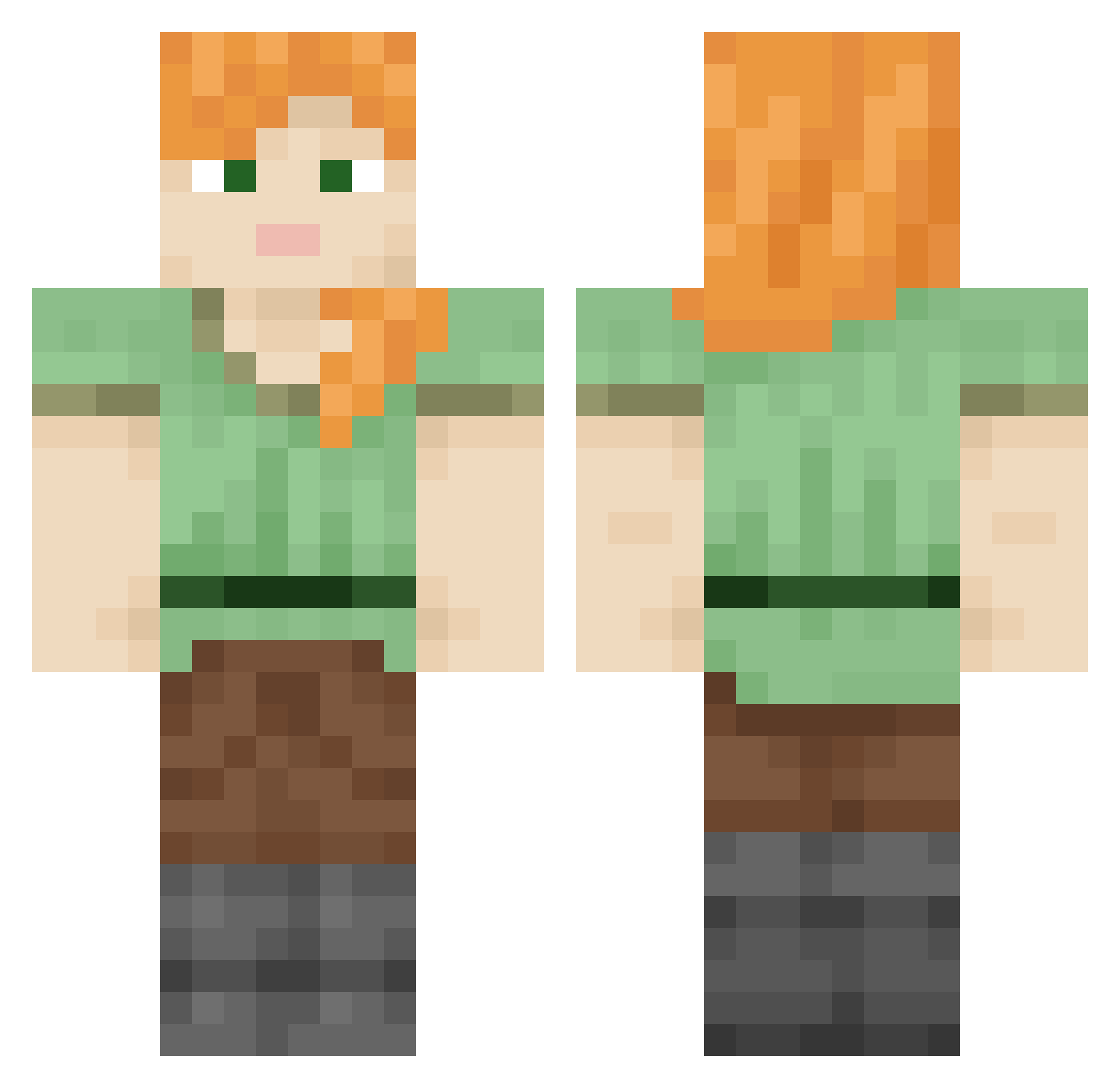
Current Minecraft skin of the player KenD, loaded from the official Mojang API. Rotate the 3D model with your mouse or finger, then download the skin as a PNG file and use it in Minecraft: Bedrock Edition or Java Edition for free. When KenD changes their skin, this page updates automatically and the old skin stays in the history below.
Other players with this skin (849)
KenD was the 304th player we have seen with this skin, first spotted on 07.09.2026. The same skin was seen on these players. Open a nickname to see their current skin and skin history.
 Staidey DuHastVerloren jannettt adam_af dracomistaja expedite Amphibium WhaleTwo Phelia Bugbear ApexRaffnix Endemicity forclose polster ryanfrench1 SYUN enfeeblement metalwork coventrate VIREOS Zng0gunner Deinas Gutweed pickee Candleholder
 Anlynx Lund___ BiliousMoth65 Conveyed Shandry Woodworking VeroNike MAKAR0V047 Arymageddon Yorkist DSPA1 PachelinSZ
 imGiacky bradypode Tractive RealBadHabit Pinchfist adam860 eer Mykidsarenuts Zirconian glis Tarasco DaddyClang Anybodies TropiCube Sv2M2hdE5RUdzSv2 Pataco slowworms koukyuu P0tat0PC voicedtime AcridOne Flooey sadye
How to install the KenD skin
- Press the Download button above to save the skin as a PNG file.
- Minecraft: Bedrock Edition (PE): open the Dressing Room from the main menu (or tap your character → Edit Character), go to Classic Skins → Owned, press the + (new skin) button, choose the downloaded PNG and pick the Classic (Steve) model. Works on PC and mobile; consoles cannot import custom skins.
- Minecraft: Java Edition: open the Minecraft Launcher, go to the Skins tab, click New Skin, load the PNG, pick the Classic (Steve) model and press Save & Use. You can also upload it at minecraft.net → Profile → Change Skin.
The skin does not show up after import - what should I do?
Restart Minecraft and open the Dressing Room again - imported skins sometimes appear only after a restart. Also make sure you selected the imported skin and picked the Classic (Steve) model.
Which model should I choose, Classic or Slim?
This skin is designed for the Classic (Steve) model. If you pick the wrong model, the arms of the skin will look stretched or squeezed.
Is the skin of KenD free to download?
Yes. Press Download, save the PNG file and use it in Minecraft: Bedrock Edition or Java Edition - no payment or registration needed. The skin also works on multiplayer servers and Realms.
More skins
Looking for more? Go back to all Minecraft skins and check the top skins of the week, month and all time, or find any player's skin by nickname.