
Keinity - Minecraft Skins & Skin History
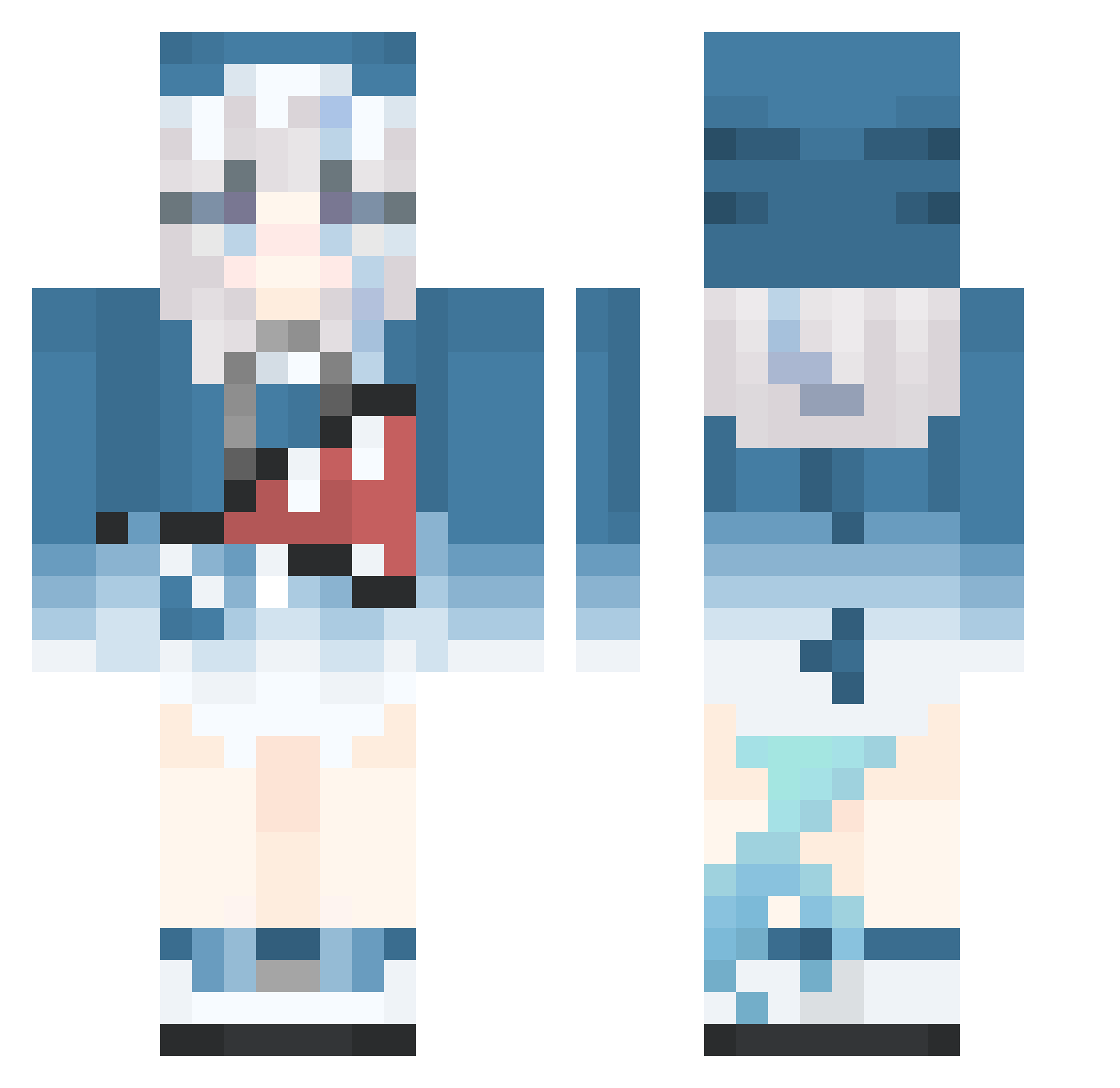
Current Minecraft skin of the player Keinity, loaded from the official Mojang API. Rotate the 3D model with your mouse or finger, then download the skin as a PNG file and use it in Minecraft: Bedrock Edition or Java Edition for free. When Keinity changes their skin, this page updates automatically and the old skin stays in the history below.
Other players with this skin (515)
Keinity was the 483rd player we have seen with this skin, first spotted on 30.10.2026. The same skin was seen on these players. Open a nickname to see their current skin and skin history.
 huaxi superstarzds furinazzz luochiioi Reshtins mozyakou0925 raccplaysgames GXHAAA _NTFV_ Lin051029 MyNameIsNathan_ dfq180 momenga ZCYiCHEN Darek_hu lightifree Mew233 Perko_12 Loveis Bat00l zhuyeee wanxiao520 xb626 underwuved csz7 SukiQiQi Nicolaixx96 oPTfran luminousclouds Sloth_6677 flover_milkly XiaoXiao7291 Mookerbear Zasxsx GYKQ caileb666 le_mon_loli StarryOwO Mengfan_4264 Demacian XBG666 SoyKingdra DimondDrifty11 xianyu33 th_plato Arca233 lzhhzllzh xiaoyuuuu Wesley369 Henry1837123 yangbaiya man_ba_out_11451 SaKaBu32 Kandrox ggive xSaKe 2_w_33kh Asriel33 Gooheji Ice_Maple_ice
More Gawr Gura Minecraft skins
How to install the Keinity skin
- Press the Download button above to save the skin as a PNG file.
- Minecraft: Bedrock Edition (PE): open the Dressing Room from the main menu (or tap your character → Edit Character), go to Classic Skins → Owned, press the + (new skin) button, choose the downloaded PNG and pick the Classic (Steve) model. Works on PC and mobile; consoles cannot import custom skins.
- Minecraft: Java Edition: open the Minecraft Launcher, go to the Skins tab, click New Skin, load the PNG, pick the Classic (Steve) model and press Save & Use. You can also upload it at minecraft.net → Profile → Change Skin.
The skin does not show up after import - what should I do?
Restart Minecraft and open the Dressing Room again - imported skins sometimes appear only after a restart. Also make sure you selected the imported skin and picked the Classic (Steve) model.
Which model should I choose, Classic or Slim?
This skin is designed for the Classic (Steve) model. If you pick the wrong model, the arms of the skin will look stretched or squeezed.
Is the skin of Keinity free to download?
Yes. Press Download, save the PNG file and use it in Minecraft: Bedrock Edition or Java Edition - no payment or registration needed. The skin also works on multiplayer servers and Realms.
More skins
Looking for more? Go back to all Minecraft skins and check the top skins of the week, month and all time, or find any player's skin by nickname.