
KeTry - Minecraft Skins & Skin History
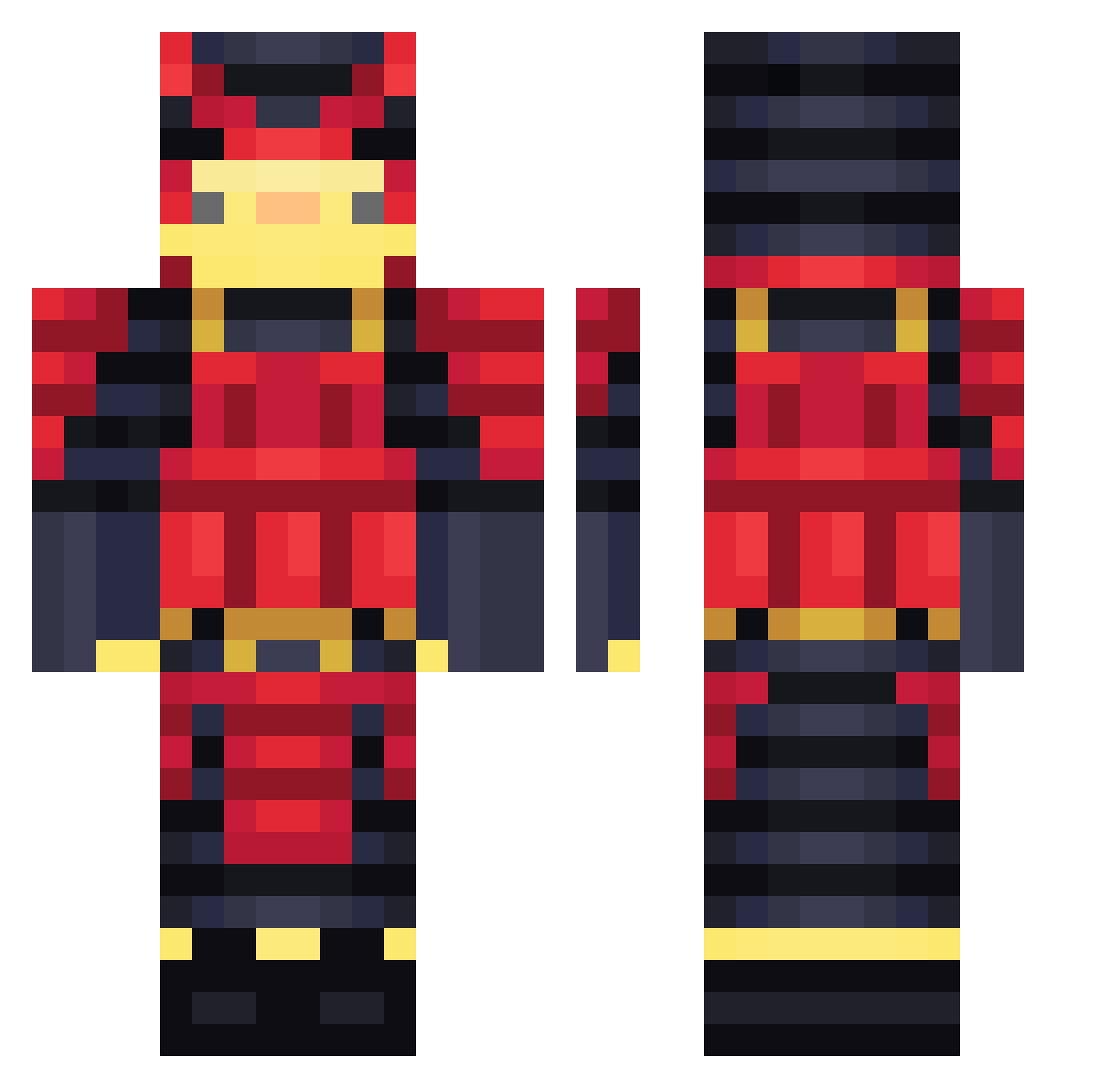
Current Minecraft skin of the player KeTry, loaded from the official Mojang API. Rotate the 3D model with your mouse or finger, then download the skin as a PNG file and use it in Minecraft: Bedrock Edition or Java Edition for free. When KeTry changes their skin, this page updates automatically and the old skin stays in the history below.
Other players with this skin (561)
KeTry was the 528th player we have seen with this skin, first spotted on 12.11.2026. The same skin was seen on these players. Open a nickname to see their current skin and skin history.
 endereye126 Terijakii Vvixo14 GambleMF THC_Merlin Shint_ POZOA 0Ewen0 SomRandomDuck shvabroid MysticMacaw16 Veeertigo JJPeppapig GBcraft Xquinn1709X essa112 whoisoguzhn Titan_Bada_Bing nisobi AltoDuck Patoricko Gamerstahin Anunidir ParadoxGa2 sonictheeggnog The_Big_Jojo akiyuki380 OneTruePretzel FFLego12 Joony224 technicallyEli oftea Thunski01 Robbiewydd periperichicken_ N3ri_ MirzaD Bangue0 kvban AdanaKebap01 Medyk9 _DarkOcean_ SomeGuy4145 Srapotatowo homeless_samurai BertoVIBE lucterreur yDetetiveP Basttoshha FluxyPT Quackenhausen kirregamer Skyk1ng4 tim980408 felix2312 jojeee16 Clumsy432 SGFK_ JUMPMAN0525 thedaksoul3
More Samurai Minecraft skins
How to install the KeTry skin
- Press the Download button above to save the skin as a PNG file.
- Minecraft: Bedrock Edition (PE): open the Dressing Room from the main menu (or tap your character → Edit Character), go to Classic Skins → Owned, press the + (new skin) button, choose the downloaded PNG and pick the Classic (Steve) model. Works on PC and mobile; consoles cannot import custom skins.
- Minecraft: Java Edition: open the Minecraft Launcher, go to the Skins tab, click New Skin, load the PNG, pick the Classic (Steve) model and press Save & Use. You can also upload it at minecraft.net → Profile → Change Skin.
The skin does not show up after import - what should I do?
Restart Minecraft and open the Dressing Room again - imported skins sometimes appear only after a restart. Also make sure you selected the imported skin and picked the Classic (Steve) model.
Which model should I choose, Classic or Slim?
This skin is designed for the Classic (Steve) model. If you pick the wrong model, the arms of the skin will look stretched or squeezed.
Is the skin of KeTry free to download?
Yes. Press Download, save the PNG file and use it in Minecraft: Bedrock Edition or Java Edition - no payment or registration needed. The skin also works on multiplayer servers and Realms.
More skins
Looking for more? Go back to all Minecraft skins and check the top skins of the week, month and all time, or find any player's skin by nickname.