
Kawh - Minecraft Skins & Skin History
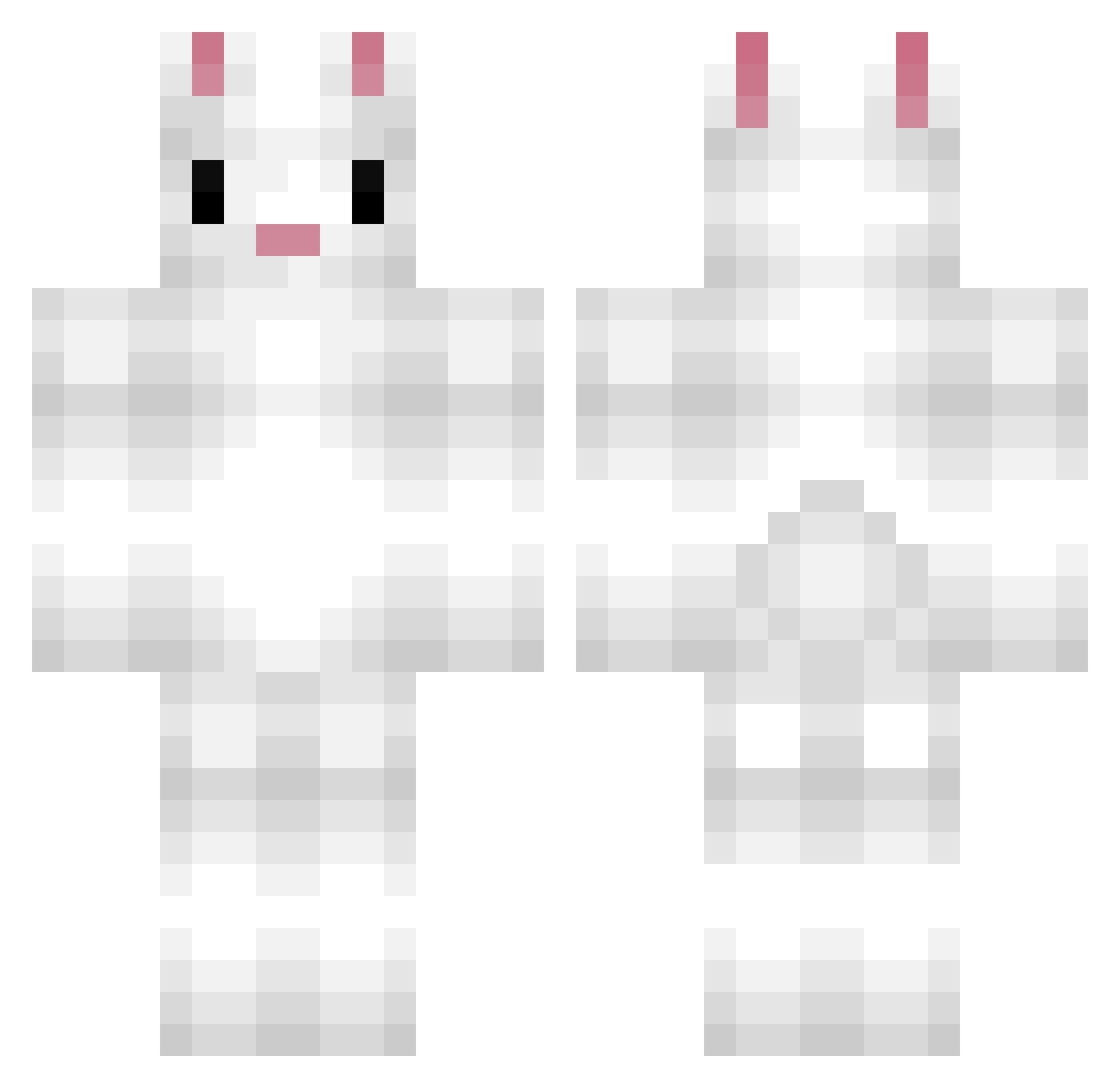
Current Minecraft skin of the player Kawh, loaded from the official Mojang API. Rotate the 3D model with your mouse or finger, then download the skin as a PNG file and use it in Minecraft: Bedrock Edition or Java Edition for free. When Kawh changes their skin, this page updates automatically and the old skin stays in the history below.
Other players with this skin (190)
Kawh was the 154th player we have seen with this skin, first spotted on 15.10.2026. The same skin was seen on these players. Open a nickname to see their current skin and skin history.
 Distinq antonyuri02 Mine_Leo Rabitator christo7330 HasiIain JayTheBean Biggest_fi5h Xaroum LeMumDead Sudalnom DaviidWeeD EchoLeader nielsssss CrispyMaiMai zurim_ PrincessHuggle CleverCatz Jake_at_12 Peeckz Kawii12 Lev1 Goalroom iDenied Thinss pongon idas12345 BunnytheBunny rurire MrFunnyBunny15 s_mey SaturnOG Yubin0613 EdwardWabbit kjMeerkat Bsspencer choihanna Elarinha yeony0212 Builder_4 soooDonut CheeseCake315425 hokey1pokey js94567 lulu50005 Yaraatje williamthomason xMajesticBacon26 bingaling03 pineapple353 Flanpin goldenboarder Callummmm Miccaster _you_ni_ ReflexVest justjansen12345 Vanillahop iDjango__ CasperKjar
More Rabbit Minecraft skins
How to install the Kawh skin
- Press the Download button above to save the skin as a PNG file.
- Minecraft: Bedrock Edition (PE): open the Dressing Room from the main menu (or tap your character → Edit Character), go to Classic Skins → Owned, press the + (new skin) button, choose the downloaded PNG and pick the Classic (Steve) model. Works on PC and mobile; consoles cannot import custom skins.
- Minecraft: Java Edition: open the Minecraft Launcher, go to the Skins tab, click New Skin, load the PNG, pick the Classic (Steve) model and press Save & Use. You can also upload it at minecraft.net → Profile → Change Skin.
The skin does not show up after import - what should I do?
Restart Minecraft and open the Dressing Room again - imported skins sometimes appear only after a restart. Also make sure you selected the imported skin and picked the Classic (Steve) model.
Which model should I choose, Classic or Slim?
This skin is designed for the Classic (Steve) model. If you pick the wrong model, the arms of the skin will look stretched or squeezed.
Is the skin of Kawh free to download?
Yes. Press Download, save the PNG file and use it in Minecraft: Bedrock Edition or Java Edition - no payment or registration needed. The skin also works on multiplayer servers and Realms.
More skins
Looking for more? Go back to all Minecraft skins and check the top skins of the week, month and all time, or find any player's skin by nickname.