
Kaura35tragic95 - Minecraft Skins & Skin History
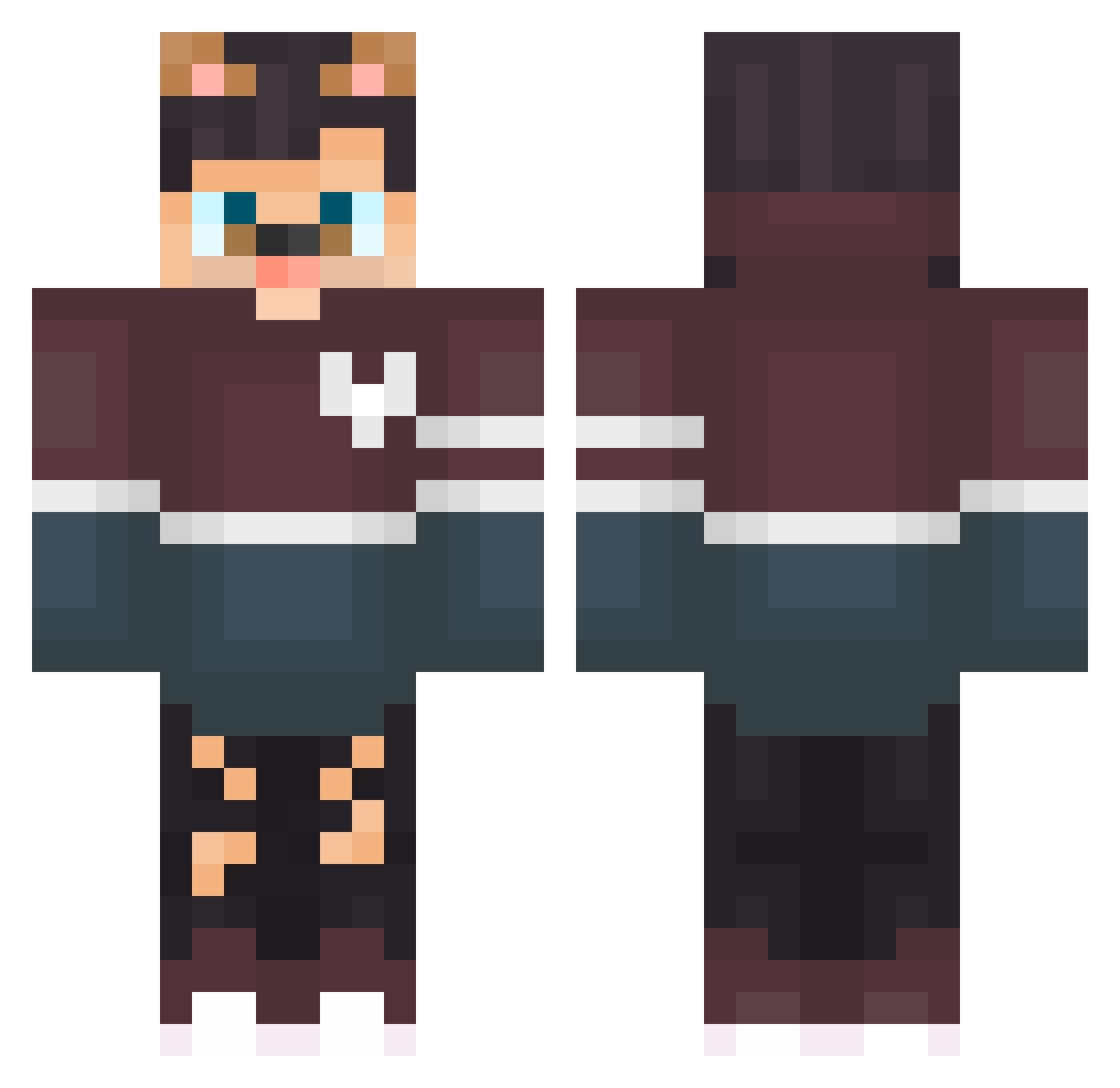
Current Minecraft skin of the player Kaura35tragic95, loaded from the official Mojang API. Rotate the 3D model with your mouse or finger, then download the skin as a PNG file and use it in Minecraft: Bedrock Edition or Java Edition for free. When Kaura35tragic95 changes their skin, this page updates automatically and the old skin stays in the history below.
Other players with this skin (122)
Kaura35tragic95 was the 86th player we have seen with this skin, first spotted on 01.10.2026. The same skin was seen on these players. Open a nickname to see their current skin and skin history.
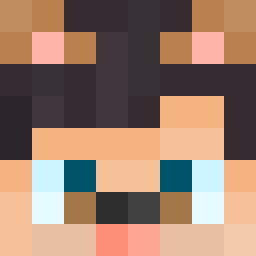 Mega6002 z8i_msmc_y6z matankaaaaaaaaa Pollutde FlatzerA nat_shadow_xs6 woxexgod bc4_msmc_7a7 KoneserSp3rmy OlcayYay az_14bA9_10_10 Pecoraserpente sql_nicegen_he6 Sixtothe6god Dodya03212 Huley_pungent579 Cowins_blaring8 iens_constant800 y5j_msmc_n5q ChefyKat Oraganji lf_3c84C_09_15 gsrud_bustling07 odenhoff_twin752 MystHit_8bdug8u solaralts_TTUZjv petful wokry appletest Maibenhomely376 Karst25loose731 Canalla13 MeowAlts_Nz20Iwx SeanTimm1 lyar3passionate8 cm2_moschi_azw 9ny_msmc_sqr Luffyzera_ 5hl_msmc_mcf DortHit_s5GK6GBF not_n1nx_ Novocaiiine dAavi01 pet_Abdou_fhi nyder03forsaken3 fc5_msmc_416 zzxgp_PqcEF kirushenkaa zzxgp_vqxOy t99_cube_2hm GarotaDoHylex ehlman6rotten291 EthnicAeag5XD wpf_x8RZR_09_15 Houppelande Ethnicek45UwL isaac141968 Huzz_e5647Ks Mal_PWeQSy dasvi999
More Dog Ears Minecraft skins
How to install the Kaura35tragic95 skin
- Press the Download button above to save the skin as a PNG file.
- Minecraft: Bedrock Edition (PE): open the Dressing Room from the main menu (or tap your character → Edit Character), go to Classic Skins → Owned, press the + (new skin) button, choose the downloaded PNG and pick the Classic (Steve) model. Works on PC and mobile; consoles cannot import custom skins.
- Minecraft: Java Edition: open the Minecraft Launcher, go to the Skins tab, click New Skin, load the PNG, pick the Classic (Steve) model and press Save & Use. You can also upload it at minecraft.net → Profile → Change Skin.
The skin does not show up after import - what should I do?
Restart Minecraft and open the Dressing Room again - imported skins sometimes appear only after a restart. Also make sure you selected the imported skin and picked the Classic (Steve) model.
Which model should I choose, Classic or Slim?
This skin is designed for the Classic (Steve) model. If you pick the wrong model, the arms of the skin will look stretched or squeezed.
Is the skin of Kaura35tragic95 free to download?
Yes. Press Download, save the PNG file and use it in Minecraft: Bedrock Edition or Java Edition - no payment or registration needed. The skin also works on multiplayer servers and Realms.
More skins
Looking for more? Go back to all Minecraft skins and check the top skins of the week, month and all time, or find any player's skin by nickname.