
KasaiHikari - Minecraft Skins & Skin History
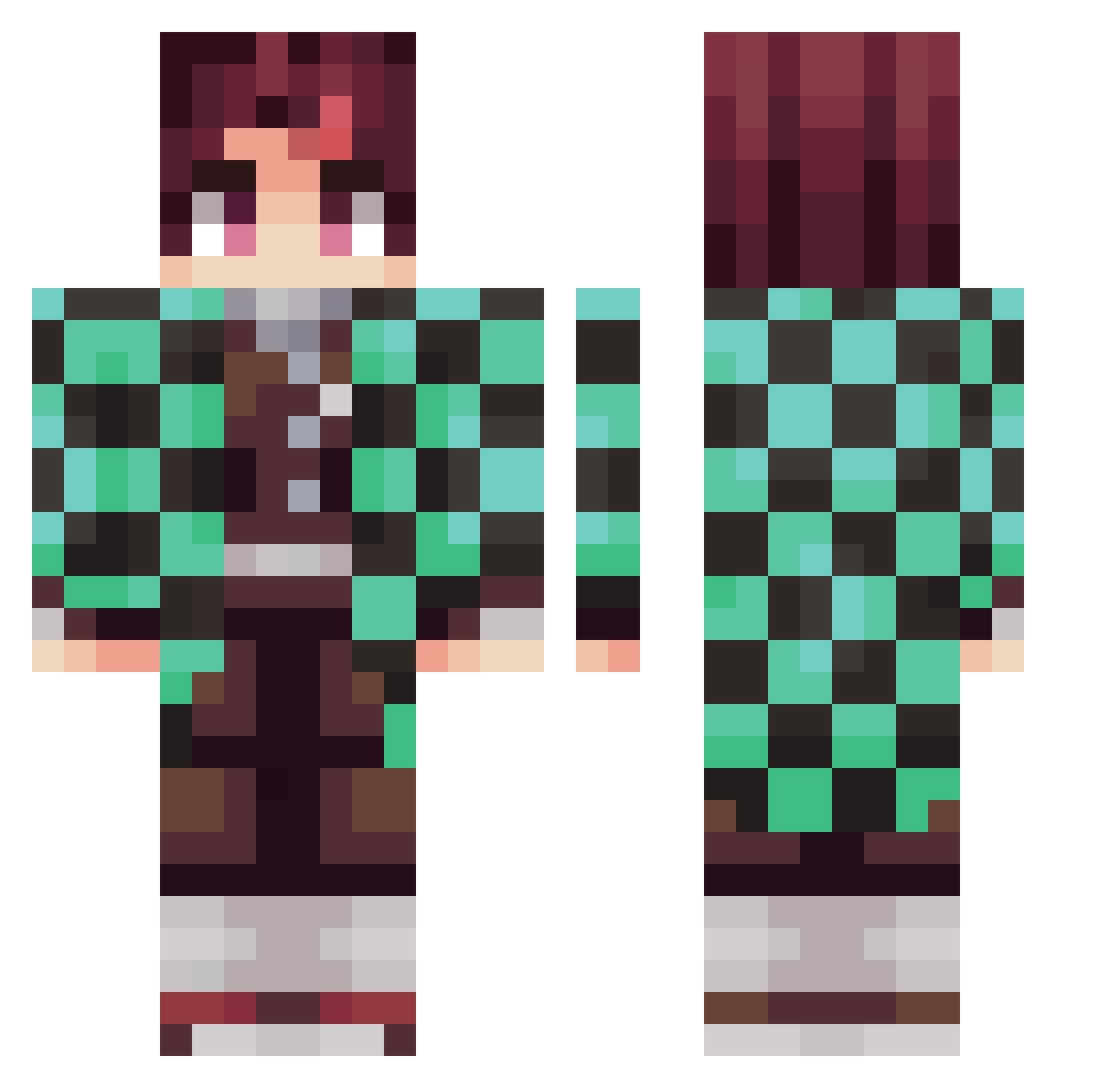
Current Minecraft skin of the player KasaiHikari, loaded from the official Mojang API. Rotate the 3D model with your mouse or finger, then download the skin as a PNG file and use it in Minecraft: Bedrock Edition or Java Edition for free. When KasaiHikari changes their skin, this page updates automatically and the old skin stays in the history below.
Other players with this skin (281)
KasaiHikari was the 158th player we have seen with this skin, first spotted on 25.09.2026. The same skin was seen on these players. Open a nickname to see their current skin and skin history.
 K_YHa amanes0309 Bession Samu1441997 MiltonMC Drago_the_Drake _mateo__ lonewolf114 F1uffyP JPlayz617 Smjlee DiddlesJr Mr_S0me0ne HAOTIAN6 AT3NA_Nic Convictions_RC Laptop_pone skullcandy08 WeepingAngel711 kojaemin Rubarellaa Pallas_The_Great Iminent Nzoid Classic_Thomas J073 Ferreirazao Psycho_jalvaro Tribblo axelpro1 samselpoivre fish777 thieflink JNHAY01 Zach920 Hellothere73 Mhykulll Koworai Hibikick23 BeautyJustice PASM321 MOJJI_STRAWBERRY Mr_briteside Raull21 Zunderbuechse LilGekyumii iZaiiKo Carlitossxd2 Mehrrr twotungs ggasparr Nacho_coconut Justadrian1 Promartin04 Stille_ Eason052899 Adriuh_ Viidarru craZeyFPS niMgnoJ
More Tanjiro Kamado Minecraft skins
See all 436 Tanjiro Kamado skins
How to install the KasaiHikari skin
- Press the Download button above to save the skin as a PNG file.
- Minecraft: Bedrock Edition (PE): open the Dressing Room from the main menu (or tap your character → Edit Character), go to Classic Skins → Owned, press the + (new skin) button, choose the downloaded PNG and pick the Classic (Steve) model. Works on PC and mobile; consoles cannot import custom skins.
- Minecraft: Java Edition: open the Minecraft Launcher, go to the Skins tab, click New Skin, load the PNG, pick the Classic (Steve) model and press Save & Use. You can also upload it at minecraft.net → Profile → Change Skin.
The skin does not show up after import - what should I do?
Restart Minecraft and open the Dressing Room again - imported skins sometimes appear only after a restart. Also make sure you selected the imported skin and picked the Classic (Steve) model.
Which model should I choose, Classic or Slim?
This skin is designed for the Classic (Steve) model. If you pick the wrong model, the arms of the skin will look stretched or squeezed.
Is the skin of KasaiHikari free to download?
Yes. Press Download, save the PNG file and use it in Minecraft: Bedrock Edition or Java Edition - no payment or registration needed. The skin also works on multiplayer servers and Realms.
More skins
Looking for more? Go back to all Minecraft skins and check the top skins of the week, month and all time, or find any player's skin by nickname.