
Kartoffel335 - Minecraft Skins & Skin History
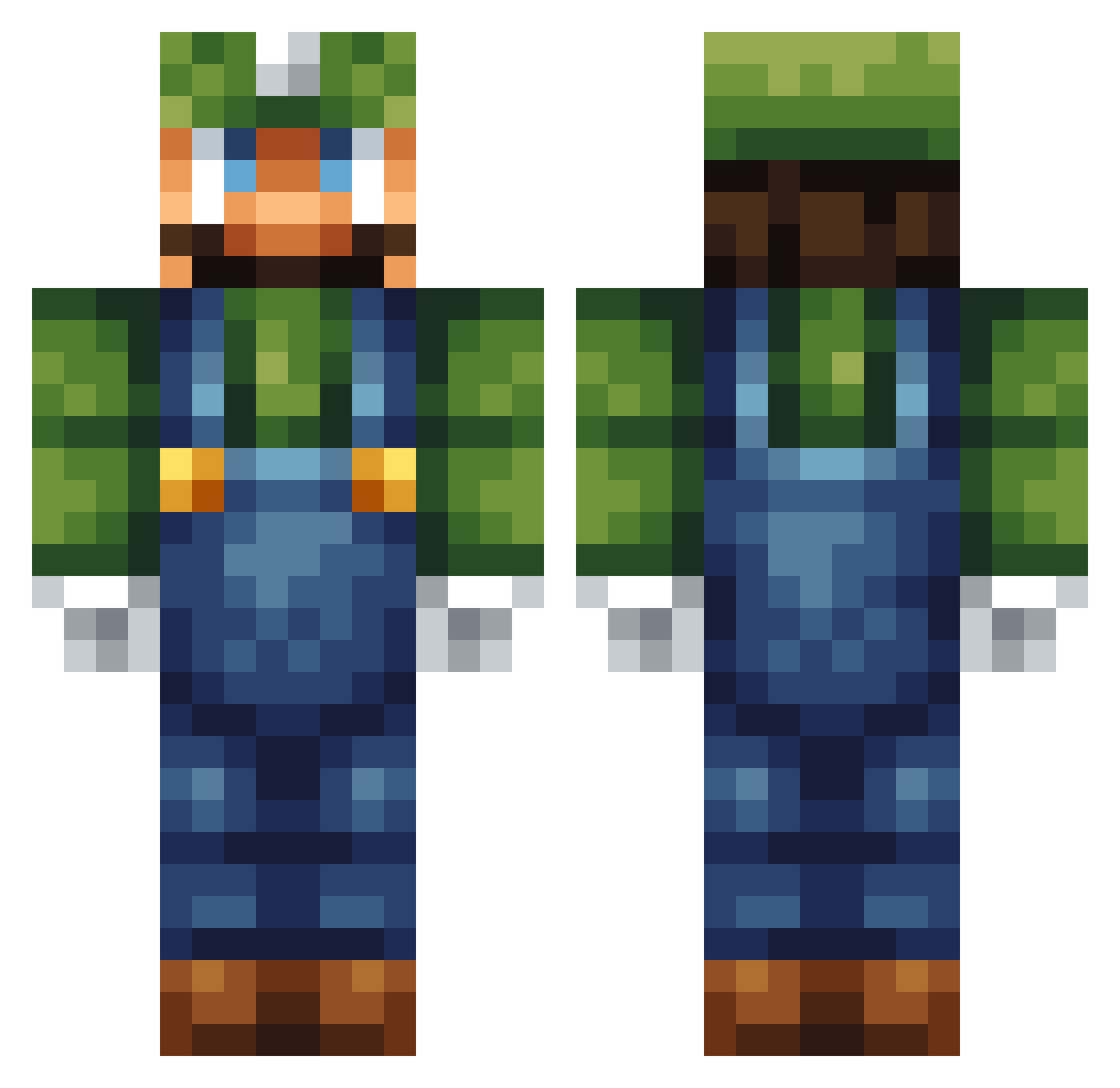
Current Minecraft skin of the player Kartoffel335, loaded from the official Mojang API. Rotate the 3D model with your mouse or finger, then download the skin as a PNG file and use it in Minecraft: Bedrock Edition or Java Edition for free. When Kartoffel335 changes their skin, this page updates automatically and the old skin stays in the history below.
Other players with this skin (258)
Kartoffel335 was the 51st player we have seen with this skin, first spotted on 13.08.2026. The same skin was seen on these players. Open a nickname to see their current skin and skin history.
 chemasaurio Luke_der_noob aokiiiii Castawaypie jeepercreeper101 graycrimson TATENDA1 NJ_Luigi Volbindan DiegoX1_ DubD xxCurlsxx JoseGotSwag SimStarNL Luigiman2001 luigijad simonsimon26 gamikaze Master_Griffin drakobiec _Smoothjazz_ Haunterm luigi_the_boss1 Fluttershy842 Patrck Flamedrone haavi_0304 Nakedflame Collie_Crusher ekbrandt Firecube69 sam9210 luispg Lassi10 Jegamoi Harukun05 M_Mcgonagall Potvis321 Firren88 GucciLeanCup cjg0412 jellybean923 Koolaid1927 ThiebenB megasuperchamp Ryan64 RobeJerome Dixance_ plmplm1423 Fizzer808 mrpresidentjpk tuco2082 ZuluSh00ter Smileyface03 PaePaeB shrinkled matti1309 jem3101 Wippinho mikimermaid
More Luigi Minecraft skins
How to install the Kartoffel335 skin
- Press the Download button above to save the skin as a PNG file.
- Minecraft: Bedrock Edition (PE): open the Dressing Room from the main menu (or tap your character → Edit Character), go to Classic Skins → Owned, press the + (new skin) button, choose the downloaded PNG and pick the Classic (Steve) model. Works on PC and mobile; consoles cannot import custom skins.
- Minecraft: Java Edition: open the Minecraft Launcher, go to the Skins tab, click New Skin, load the PNG, pick the Classic (Steve) model and press Save & Use. You can also upload it at minecraft.net → Profile → Change Skin.
The skin does not show up after import - what should I do?
Restart Minecraft and open the Dressing Room again - imported skins sometimes appear only after a restart. Also make sure you selected the imported skin and picked the Classic (Steve) model.
Which model should I choose, Classic or Slim?
This skin is designed for the Classic (Steve) model. If you pick the wrong model, the arms of the skin will look stretched or squeezed.
Is the skin of Kartoffel335 free to download?
Yes. Press Download, save the PNG file and use it in Minecraft: Bedrock Edition or Java Edition - no payment or registration needed. The skin also works on multiplayer servers and Realms.
More skins
Looking for more? Go back to all Minecraft skins and check the top skins of the week, month and all time, or find any player's skin by nickname.