
KarenWinchester - Minecraft Skins & Skin History
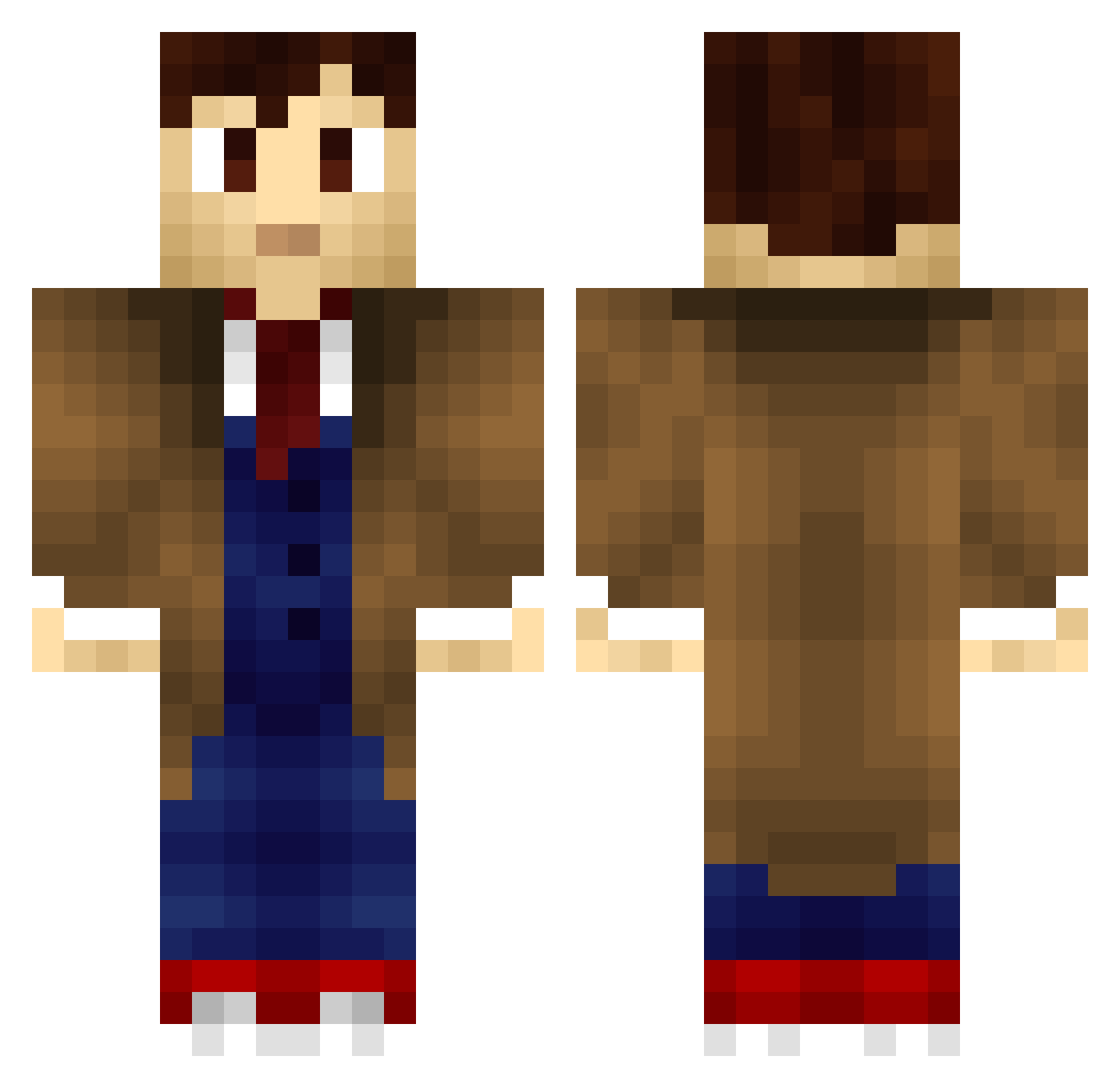
Current Minecraft skin of the player KarenWinchester, loaded from the official Mojang API. Rotate the 3D model with your mouse or finger, then download the skin as a PNG file and use it in Minecraft: Bedrock Edition or Java Edition for free. When KarenWinchester changes their skin, this page updates automatically and the old skin stays in the history below.
Other players with this skin (663)
KarenWinchester was the 382nd player we have seen with this skin, first spotted on 24.09.2026. The same skin was seen on these players. Open a nickname to see their current skin and skin history.
 Derlandor matt151515 EarthGirl1920 SoullessSpectre RebeccaSaur Mine_KZ JanST TheBorgc letreorg Demonman543 Petros Mischa1417 Artisan787 TicTacMenthe Zeebee_ Alphaze_ ianx2003 ninteXxstation theelusivegecko MystaFyer Zinder64 millydog90 NenAlt10 JMMJAA Dark_Veljann Taldira Roditopy KhanArtist97 Altezios ToxicNipper fenris45 lucain1 snoozingsloth Angel_Crowley scarygreenrabbit Dewiniaid Arete08 WornAbyss149796 sloveak CareBear312 bambergrace DarthNemo coramora13 snikerpikle Niteflame UchihaKurama1 ShadowRaven3114 President_Bacon heart_clouds234 DiddieMC HappyNegr0 Wheatley117 BatButts creepercrap2 calimero36 mysterio2151 dreadshane taigcris RazBB 3lobik
More Timelord Minecraft skins
How to install the KarenWinchester skin
- Press the Download button above to save the skin as a PNG file.
- Minecraft: Bedrock Edition (PE): open the Dressing Room from the main menu (or tap your character → Edit Character), go to Classic Skins → Owned, press the + (new skin) button, choose the downloaded PNG and pick the Classic (Steve) model. Works on PC and mobile; consoles cannot import custom skins.
- Minecraft: Java Edition: open the Minecraft Launcher, go to the Skins tab, click New Skin, load the PNG, pick the Classic (Steve) model and press Save & Use. You can also upload it at minecraft.net → Profile → Change Skin.
The skin does not show up after import - what should I do?
Restart Minecraft and open the Dressing Room again - imported skins sometimes appear only after a restart. Also make sure you selected the imported skin and picked the Classic (Steve) model.
Which model should I choose, Classic or Slim?
This skin is designed for the Classic (Steve) model. If you pick the wrong model, the arms of the skin will look stretched or squeezed.
Is the skin of KarenWinchester free to download?
Yes. Press Download, save the PNG file and use it in Minecraft: Bedrock Edition or Java Edition - no payment or registration needed. The skin also works on multiplayer servers and Realms.
More skins
Looking for more? Go back to all Minecraft skins and check the top skins of the week, month and all time, or find any player's skin by nickname.