
KapoWuvsU - Minecraft Skins & Skin History
Current Minecraft skin of the player KapoWuvsU, loaded from the official Mojang API. Rotate the 3D model with your mouse or finger, then download the skin as a PNG file and use it in Minecraft: Bedrock Edition or Java Edition for free. When KapoWuvsU changes their skin, this page updates automatically and the old skin stays in the history below.
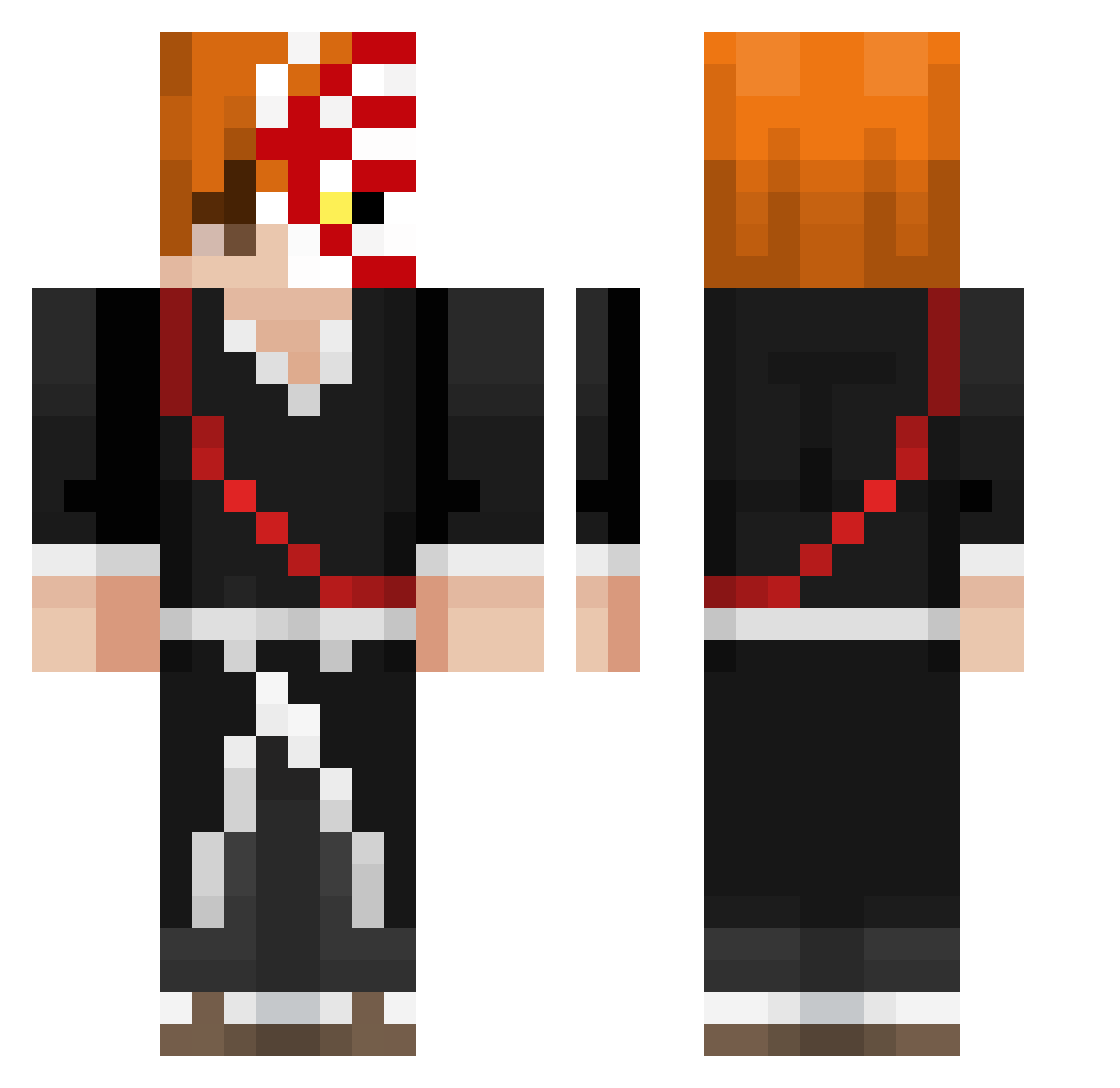
Other players with this skin (437)
KapoWuvsU was the 312th player we have seen with this skin, first spotted on 13.10.2026. The same skin was seen on these players. Open a nickname to see their current skin and skin history.
 EpicGooner95 Pizza_Gamer Sol0k Luka_wave tokasaged Aikobear AtiHanma thatbo1_jeremiah scarymonkey51 ItsL1lUziVert Tetsuryy ScruBy1337 SaigoMugen GameNuIl yahelJonas MurgenDark ThePilot16 LilHug31 plasmaking Hiraeth_Adroit Kycnus Hnun AlpexCrtn TaCcOnIiiXD Buggynailo Naruto_DBZ Atlas1206 Belxz7 mac_daddy__ Mick_Oksbig Tuchyman lofra72 tqxzic Autumnowl53 nxbachh ImLaw__ Bloop008 Shatter22 R3_KRM alien3s_ BedDread Gilly90 DadWouldBeProud kidkaz19 Essex19 d0nkz Nexyo__ adrialinepro Orpheuszs Zeldroc Areace foundwrld Syllabics ZkLuri13_ Pracaxfot SWARKAN Jalls0 Dbxz503 fireboss15778 boshi48
More Shinigami Minecraft skins
How to install the KapoWuvsU skin
- Press the Download button above to save the skin as a PNG file.
- Minecraft: Bedrock Edition (PE): open the Dressing Room from the main menu (or tap your character → Edit Character), go to Classic Skins → Owned, press the + (new skin) button, choose the downloaded PNG and pick the Classic (Steve) model. Works on PC and mobile; consoles cannot import custom skins.
- Minecraft: Java Edition: open the Minecraft Launcher, go to the Skins tab, click New Skin, load the PNG, pick the Classic (Steve) model and press Save & Use. You can also upload it at minecraft.net → Profile → Change Skin.
The skin does not show up after import - what should I do?
Restart Minecraft and open the Dressing Room again - imported skins sometimes appear only after a restart. Also make sure you selected the imported skin and picked the Classic (Steve) model.
Which model should I choose, Classic or Slim?
This skin is designed for the Classic (Steve) model. If you pick the wrong model, the arms of the skin will look stretched or squeezed.
Is the skin of KapoWuvsU free to download?
Yes. Press Download, save the PNG file and use it in Minecraft: Bedrock Edition or Java Edition - no payment or registration needed. The skin also works on multiplayer servers and Realms.
More skins
Looking for more? Go back to all Minecraft skins and check the top skins of the week, month and all time, or find any player's skin by nickname.