
Kapi_11 - Minecraft Skins & Skin History
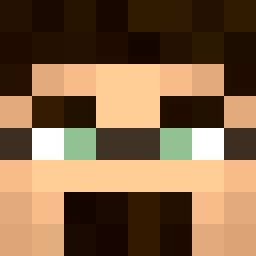
Current Minecraft skin of the player Kapi_11, loaded from the official Mojang API. Rotate the 3D model with your mouse or finger, then download the skin as a PNG file and use it in Minecraft: Bedrock Edition or Java Edition for free. When Kapi_11 changes their skin, this page updates automatically and the old skin stays in the history below.
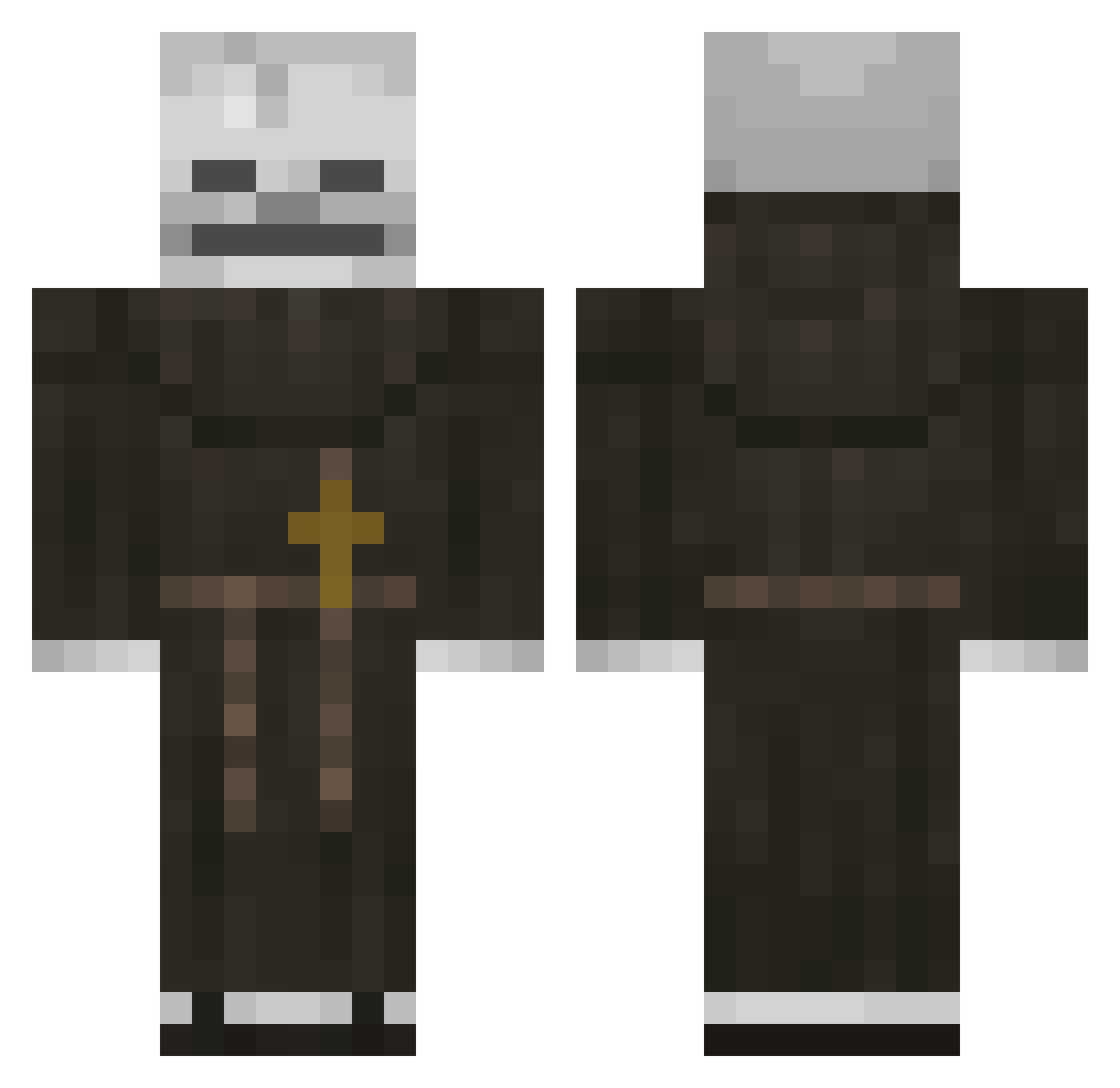
Other players with this skin (118)
Kapi_11 was the 42nd player we have seen with this skin, first spotted on 27.08.2026. The same skin was seen on these players. Open a nickname to see their current skin and skin history.
 VALETNT2021 ZacAttack4948 ILANDREW HIG4LND KLE4ES TANMAN0710 Zak4tt4ck1 filomenooo CardGambler HolyFatherTingus Luukie01221 BeanBoyMan suntres SrZahidG nateltl JinsCL DemonSlayer4269 psnofcc Janss223CZ mablyn MalyPistonBartek loljpg Babibel Ikpz1
 MR3miloff kakemav MexicanKiwi74
 xanxp Jopka_Ebanytaya Plathyth
 Akiiawa cozyyDp Atoche minarvitroo MSCgod Killyuza NimbusX0 Wyrfell illaksii
 Anipro33 BlooD_KILL Murkanna Somikamare ArleWWW Capitol_D LinhDawn2hfUwU L4MA_GN quieroqueque1 adidas54785478
 Lapo2309 x0zyun_ Mi_ca RAMPAGE805BRO
 JasoBaso2 hellolok Teddyv027 superiorglitch1 anisword1 DragonTamer876 Itsme23_
More Monk Minecraft skins
How to install the Kapi_11 skin
- Press the Download button above to save the skin as a PNG file.
- Minecraft: Bedrock Edition (PE): open the Dressing Room from the main menu (or tap your character → Edit Character), go to Classic Skins → Owned, press the + (new skin) button, choose the downloaded PNG and pick the Classic (Steve) model. Works on PC and mobile; consoles cannot import custom skins.
- Minecraft: Java Edition: open the Minecraft Launcher, go to the Skins tab, click New Skin, load the PNG, pick the Classic (Steve) model and press Save & Use. You can also upload it at minecraft.net → Profile → Change Skin.
The skin does not show up after import - what should I do?
Restart Minecraft and open the Dressing Room again - imported skins sometimes appear only after a restart. Also make sure you selected the imported skin and picked the Classic (Steve) model.
Which model should I choose, Classic or Slim?
This skin is designed for the Classic (Steve) model. If you pick the wrong model, the arms of the skin will look stretched or squeezed.
Is the skin of Kapi_11 free to download?
Yes. Press Download, save the PNG file and use it in Minecraft: Bedrock Edition or Java Edition - no payment or registration needed. The skin also works on multiplayer servers and Realms.
More skins
Looking for more? Go back to all Minecraft skins and check the top skins of the week, month and all time, or find any player's skin by nickname.