
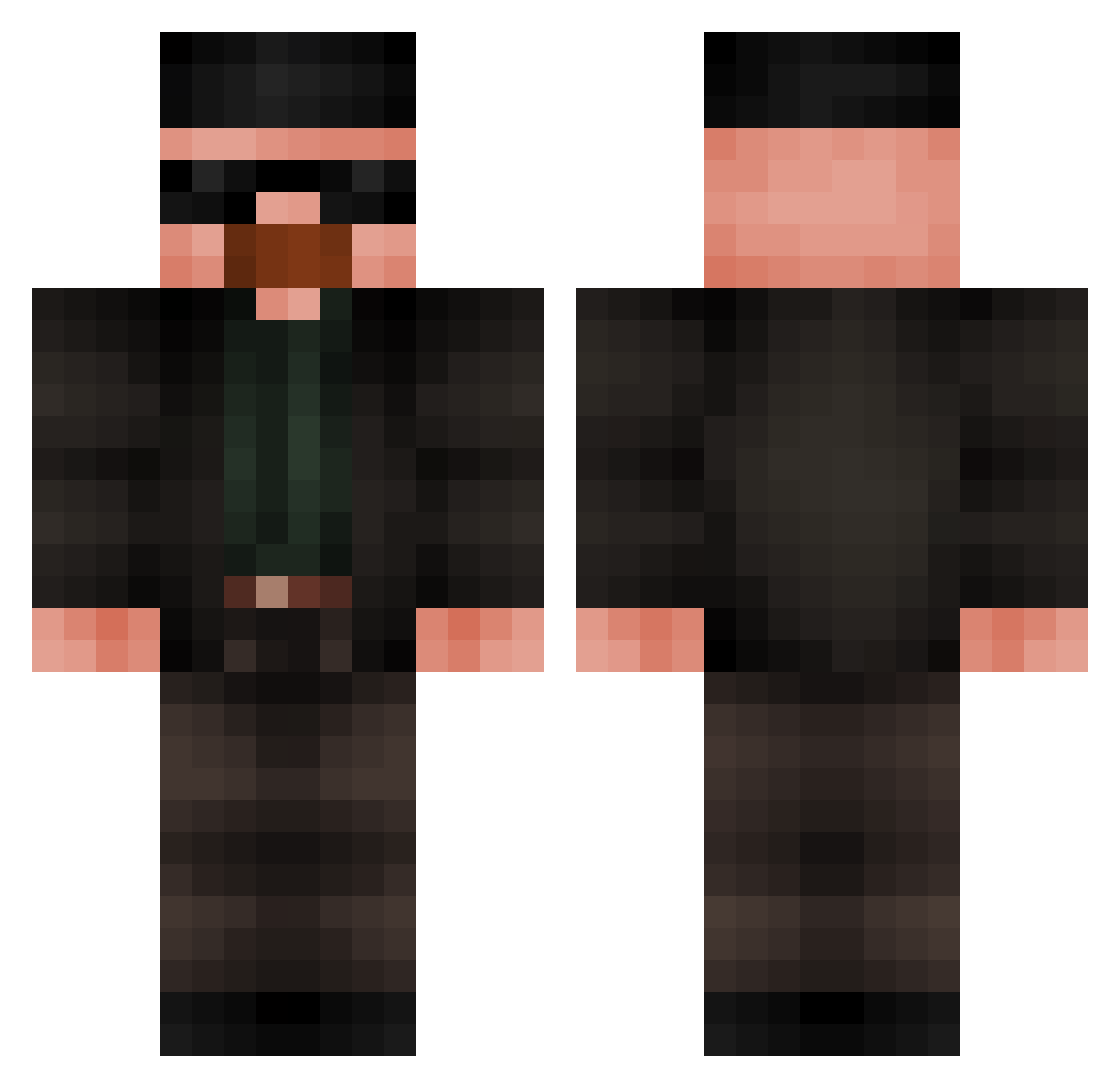
Current Minecraft skin of the player Kanp20, loaded from the official Mojang API. Rotate the 3D model with your mouse or finger, then download the skin as a PNG file and use it in Minecraft: Bedrock Edition or Java Edition for free. When Kanp20 changes their skin, this page updates automatically and the old skin stays in the history below.
Other players with this skin (418)
Kanp20 was the 295th player we have seen with this skin, first spotted on 24.09.2026. The same skin was seen on these players. Open a nickname to see their current skin and skin history.
 JohnWicksDogg tonytheracist Dival8 synmlynarzaJD gatopelon07 Chagatai404 Fartman543 Ptichka4 goldenping91 Quinoes Xehur007 BrandonRoyval Franzsz bigjuergen69 Saltarus8245 GutoQuatro DerMr_Endaman Nikos_GB FireThiago004 mle1 vukola Realityisbackk FV_Cokcmaster Copo_dagua DoctorIsrafil MigBarped317 xzlatann HermitSilver Probably_Not_Bob 5MILY Jske_ ArthurTypado XeyalfusX Picipucu1 Cieplyklocek LoganWinters Helion35 __chalupa__ Benjilagod ilovesnowmonkeys Mikebiller NiickelodeoN eucomisuamae TylerG_ Gargamella01 RickDurok AlienY ImaCrashOUt rhurkstr _fat32 rajarasgula GonzaloBDDO BojowyMacius MazeTax 6zoz TomVII maxverstappen31 Pablusho_ Paulo55 Rickyy03
More Heisenberg Minecraft skins
How to install the Kanp20 skin
- Press the Download button above to save the skin as a PNG file.
- Minecraft: Bedrock Edition (PE): open the Dressing Room from the main menu (or tap your character → Edit Character), go to Classic Skins → Owned, press the + (new skin) button, choose the downloaded PNG and pick the Classic (Steve) model. Works on PC and mobile; consoles cannot import custom skins.
- Minecraft: Java Edition: open the Minecraft Launcher, go to the Skins tab, click New Skin, load the PNG, pick the Classic (Steve) model and press Save & Use. You can also upload it at minecraft.net → Profile → Change Skin.
The skin does not show up after import - what should I do?
Restart Minecraft and open the Dressing Room again - imported skins sometimes appear only after a restart. Also make sure you selected the imported skin and picked the Classic (Steve) model.
Which model should I choose, Classic or Slim?
This skin is designed for the Classic (Steve) model. If you pick the wrong model, the arms of the skin will look stretched or squeezed.
Is the skin of Kanp20 free to download?
Yes. Press Download, save the PNG file and use it in Minecraft: Bedrock Edition or Java Edition - no payment or registration needed. The skin also works on multiplayer servers and Realms.
More skins
Looking for more? Go back to all Minecraft skins and check the top skins of the week, month and all time, or find any player's skin by nickname.