
Kanekaito - Minecraft Skins & Skin History
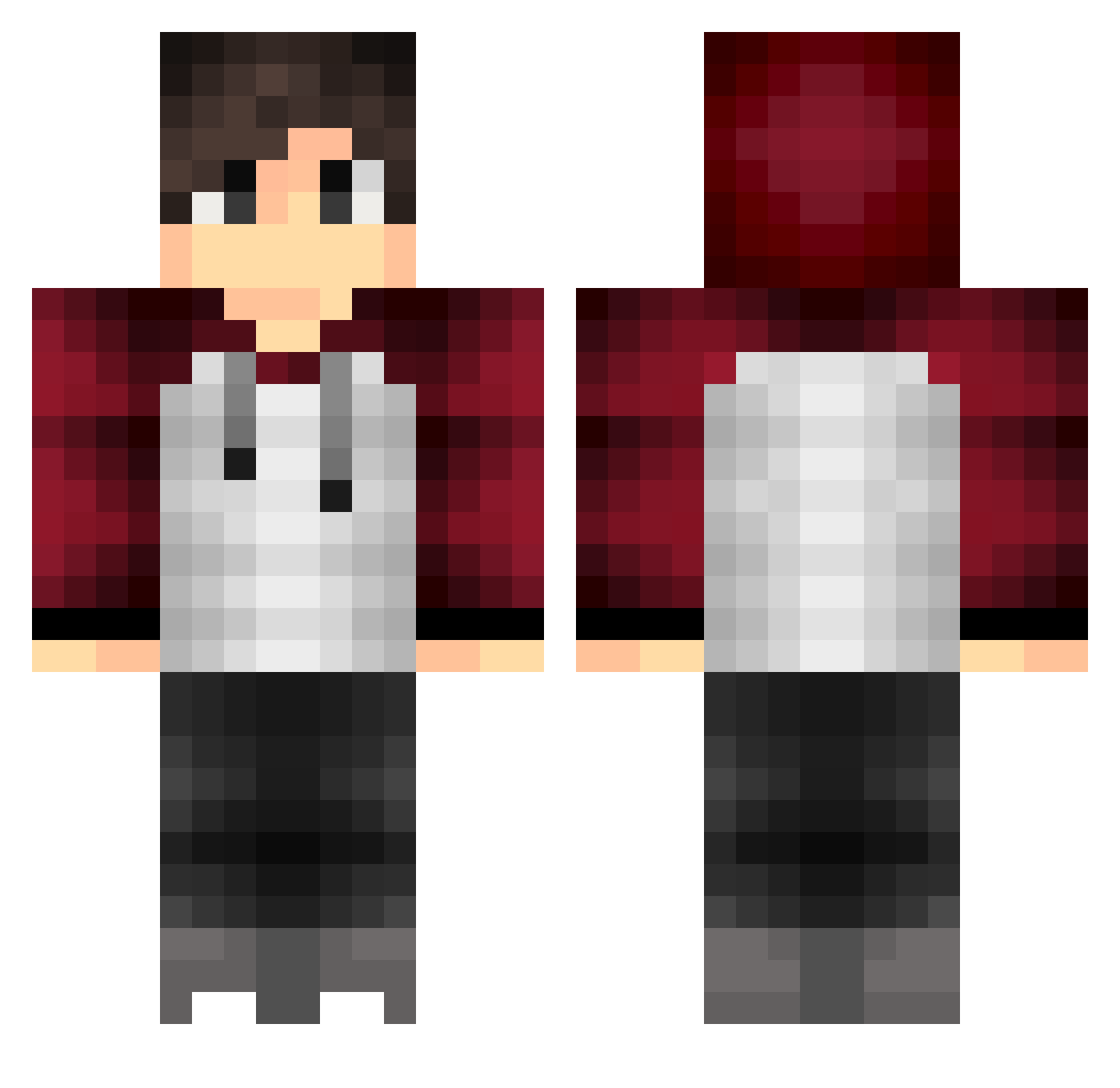
Current Minecraft skin of the player Kanekaito, loaded from the official Mojang API. Rotate the 3D model with your mouse or finger, then download the skin as a PNG file and use it in Minecraft: Bedrock Edition or Java Edition for free. When Kanekaito changes their skin, this page updates automatically and the old skin stays in the history below.
Other players with this skin (396)
Kanekaito was the 337th player we have seen with this skin, first spotted on 18.10.2026. The same skin was seen on these players. Open a nickname to see their current skin and skin history.
 Chicken_Noodle2 JuniorBr Rey9051 The_Suspect15 _KuboGnom_ RedYoshi_93 mystery0624 GodXVII AdriennovaPC Marwinsson Antol02 Screep14x yamachan8 Inguerr Felix095 Scrat39 CANITINs viperishsk Macario22 Ahmed87 Rafitawhu weiyu1103 SwatTeamForce guanming1018 Brazier32 senseibemysenpai j4kk0b SirLuke06 LeoHuangs KxZ_x_Dewix adamwithanm GUST4V00 MiWells _MAKIS_ Elzizito Schasn D_HJT Goodguy_050807 Hanseldash GmtRusty Stack24 jovictornm OhZephYT MakszeR SkyBornPhoenix Xesss NEXUFLIX_YT JIU_9XF rootix gudo11 MaggiHardy30 mysei2011 Seixolas LOM_EJ1203_ NicoCraft_Pro Adithorn141 Muge_ NicoKael Mosin40 talha_efe_06
How to install the Kanekaito skin
- Press the Download button above to save the skin as a PNG file.
- Minecraft: Bedrock Edition (PE): open the Dressing Room from the main menu (or tap your character → Edit Character), go to Classic Skins → Owned, press the + (new skin) button, choose the downloaded PNG and pick the Classic (Steve) model. Works on PC and mobile; consoles cannot import custom skins.
- Minecraft: Java Edition: open the Minecraft Launcher, go to the Skins tab, click New Skin, load the PNG, pick the Classic (Steve) model and press Save & Use. You can also upload it at minecraft.net → Profile → Change Skin.
The skin does not show up after import - what should I do?
Restart Minecraft and open the Dressing Room again - imported skins sometimes appear only after a restart. Also make sure you selected the imported skin and picked the Classic (Steve) model.
Which model should I choose, Classic or Slim?
This skin is designed for the Classic (Steve) model. If you pick the wrong model, the arms of the skin will look stretched or squeezed.
Is the skin of Kanekaito free to download?
Yes. Press Download, save the PNG file and use it in Minecraft: Bedrock Edition or Java Edition - no payment or registration needed. The skin also works on multiplayer servers and Realms.
More skins
Looking for more? Go back to all Minecraft skins and check the top skins of the week, month and all time, or find any player's skin by nickname.