
Kaname_ry0 - Minecraft Skins & Skin History
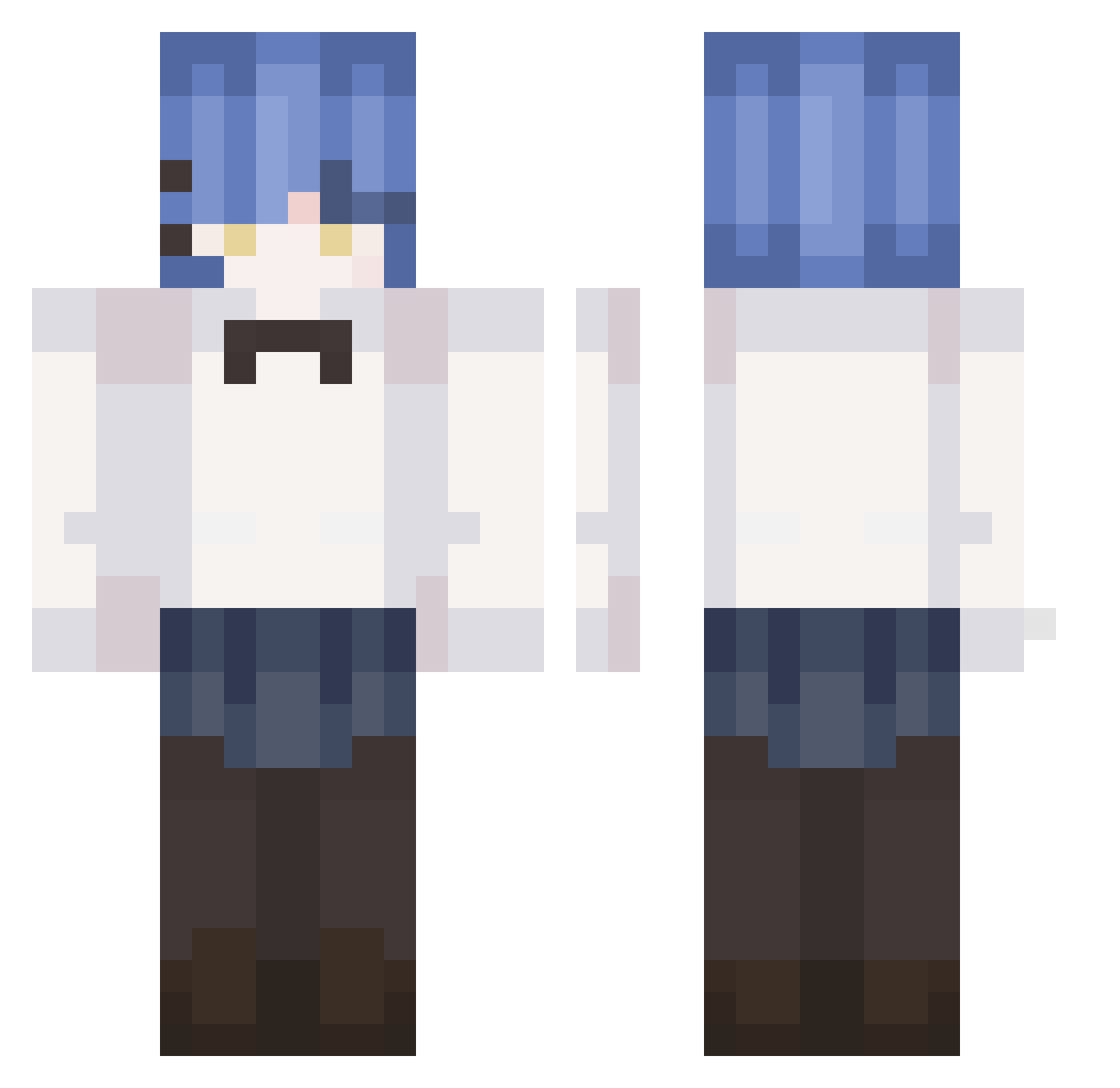
Current Minecraft skin of the player Kaname_ry0, loaded from the official Mojang API. Rotate the 3D model with your mouse or finger, then download the skin as a PNG file and use it in Minecraft: Bedrock Edition or Java Edition for free. When Kaname_ry0 changes their skin, this page updates automatically and the old skin stays in the history below.
Other players with this skin (240)
Kaname_ry0 was the 28th player we have seen with this skin, first spotted on 07.08.2026. The same skin was seen on these players. Open a nickname to see their current skin and skin history.
 RyouVN Mirotic_ meo6 Mmoe2CY jepiezz Tacocattttt _irbaf Yuzuki09 Fuyugakita
 Gdilli Juopl123 Marinbestwaifu Kiwi11111 macchan_nano Bocchi__The_Rock Alistick PyRumble RYOUMYU
 N4ryo K4tB00m yanwei1104 TosheWasTaken Dada0
 ShakeCrane frozen_ice JaydenBocchi ahanhe
 kantyz heewon7058 XReR GALIGAL1 penadao REALNIYBANDIT GTtalbot Ryoy4CB D461g7 Eg0rix ROXY109 _YU_LOVE_ YIPIANMALINGSHU IGaRaShiYuiKa Unicorn____ Fragrant_incense Cactus54 MintChoc55 Str34k kessoku nuyhes Ly4nnnnn RyoSwNR Sshiimo
 yuHow1129 kk_shawu Vulpnar RyoWJFy DDDOrae bigrock123456 plastilinchik P4QU1TO hongsieunsi33
More Rem Minecraft skins
How to install the Kaname_ry0 skin
- Press the Download button above to save the skin as a PNG file.
- Minecraft: Bedrock Edition (PE): open the Dressing Room from the main menu (or tap your character → Edit Character), go to Classic Skins → Owned, press the + (new skin) button, choose the downloaded PNG and pick the Classic (Steve) model. Works on PC and mobile; consoles cannot import custom skins.
- Minecraft: Java Edition: open the Minecraft Launcher, go to the Skins tab, click New Skin, load the PNG, pick the Classic (Steve) model and press Save & Use. You can also upload it at minecraft.net → Profile → Change Skin.
The skin does not show up after import - what should I do?
Restart Minecraft and open the Dressing Room again - imported skins sometimes appear only after a restart. Also make sure you selected the imported skin and picked the Classic (Steve) model.
Which model should I choose, Classic or Slim?
This skin is designed for the Classic (Steve) model. If you pick the wrong model, the arms of the skin will look stretched or squeezed.
Is the skin of Kaname_ry0 free to download?
Yes. Press Download, save the PNG file and use it in Minecraft: Bedrock Edition or Java Edition - no payment or registration needed. The skin also works on multiplayer servers and Realms.
More skins
Looking for more? Go back to all Minecraft skins and check the top skins of the week, month and all time, or find any player's skin by nickname.