
KanaWqs - Minecraft Skins & Skin History
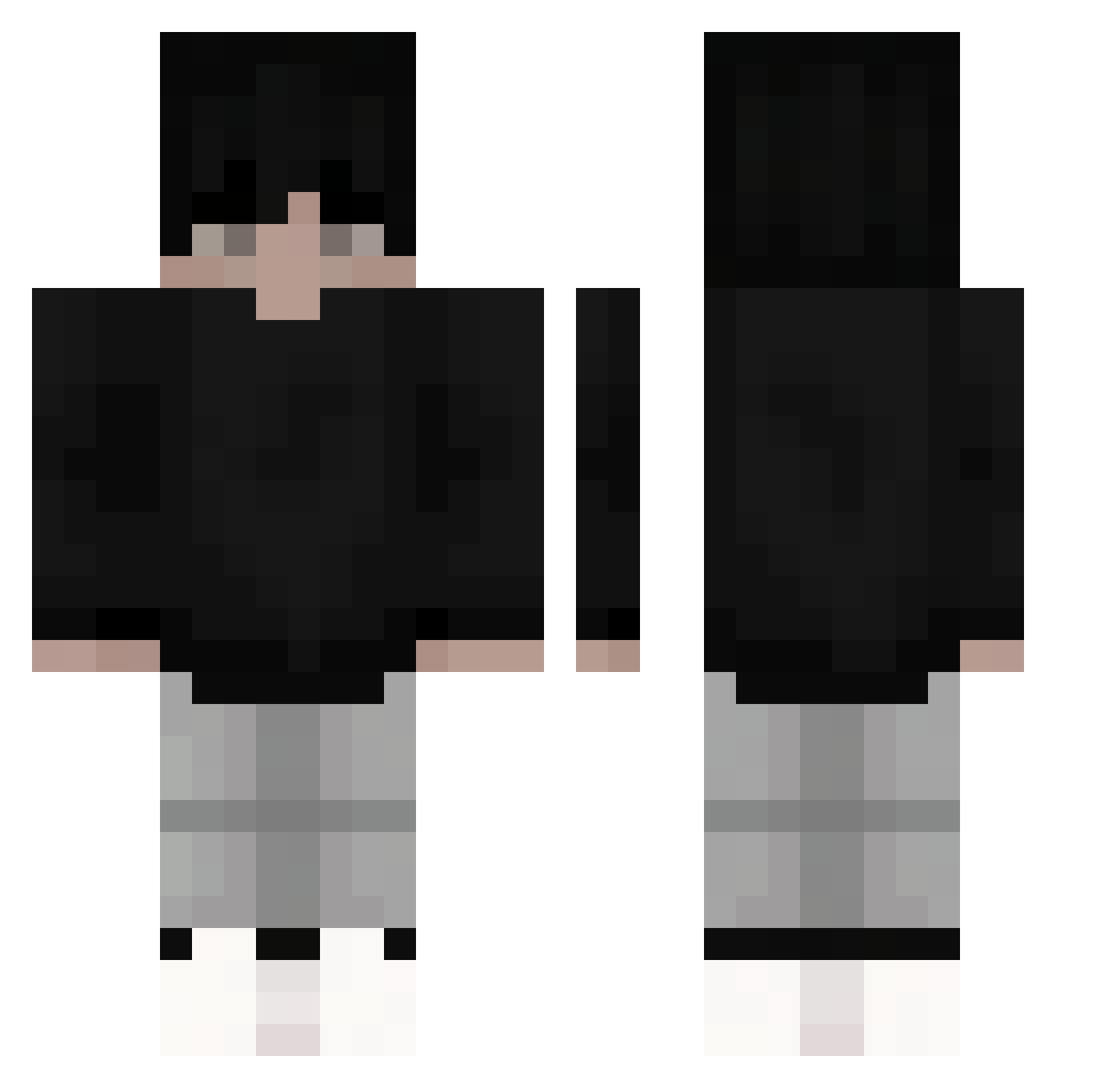
Current Minecraft skin of the player KanaWqs, loaded from the official Mojang API. Rotate the 3D model with your mouse or finger, then download the skin as a PNG file and use it in Minecraft: Bedrock Edition or Java Edition for free. When KanaWqs changes their skin, this page updates automatically and the old skin stays in the history below.
Other players with this skin (52)
KanaWqs was the 3rd player we have seen with this skin, first spotted on 24.08.2026. The same skin was seen on these players. Open a nickname to see their current skin and skin history.
 mr__wom
 zi4d__
 smaczny_ogorek
 BraydenBoy18 Dawidowskii0
 CoolerColbie mcpcm
 Neo_LVcif3r
 Mik0loo Antonix00 yeti_kotleti_pro _P4CI0O0_
 Clesha_ PVP_YOU bufu777 suchtipcleon Minecraftch1ck3n PrawnikFirmy davidboy17 DrStarNight
 GR_077 siemamaciek MiMeFeGuINhA Tsrnx
 B4RTuS csubb voiqX shiroza14
 CookieAleXD Dariu_s Awards0101 dejsonik Deluo6100 Epolison R1xsen TheKingofWars Jasi4060 SkyPoPL TheMaster131 captainparzival Vicstar23 Mouse_taken BialyLisekk CharlesPing HHHHrl Topas1812 Luckzyn wxbes Shorer flowtzpagode Generic6969 Mhyst001
How to install the KanaWqs skin
- Press the Download button above to save the skin as a PNG file.
- Minecraft: Bedrock Edition (PE): open the Dressing Room from the main menu (or tap your character → Edit Character), go to Classic Skins → Owned, press the + (new skin) button, choose the downloaded PNG and pick the Classic (Steve) model. Works on PC and mobile; consoles cannot import custom skins.
- Minecraft: Java Edition: open the Minecraft Launcher, go to the Skins tab, click New Skin, load the PNG, pick the Classic (Steve) model and press Save & Use. You can also upload it at minecraft.net → Profile → Change Skin.
The skin does not show up after import - what should I do?
Restart Minecraft and open the Dressing Room again - imported skins sometimes appear only after a restart. Also make sure you selected the imported skin and picked the Classic (Steve) model.
Which model should I choose, Classic or Slim?
This skin is designed for the Classic (Steve) model. If you pick the wrong model, the arms of the skin will look stretched or squeezed.
Is the skin of KanaWqs free to download?
Yes. Press Download, save the PNG file and use it in Minecraft: Bedrock Edition or Java Edition - no payment or registration needed. The skin also works on multiplayer servers and Realms.
More skins
Looking for more? Go back to all Minecraft skins and check the top skins of the week, month and all time, or find any player's skin by nickname.