
Kakaman14 - Minecraft Skins & Skin History
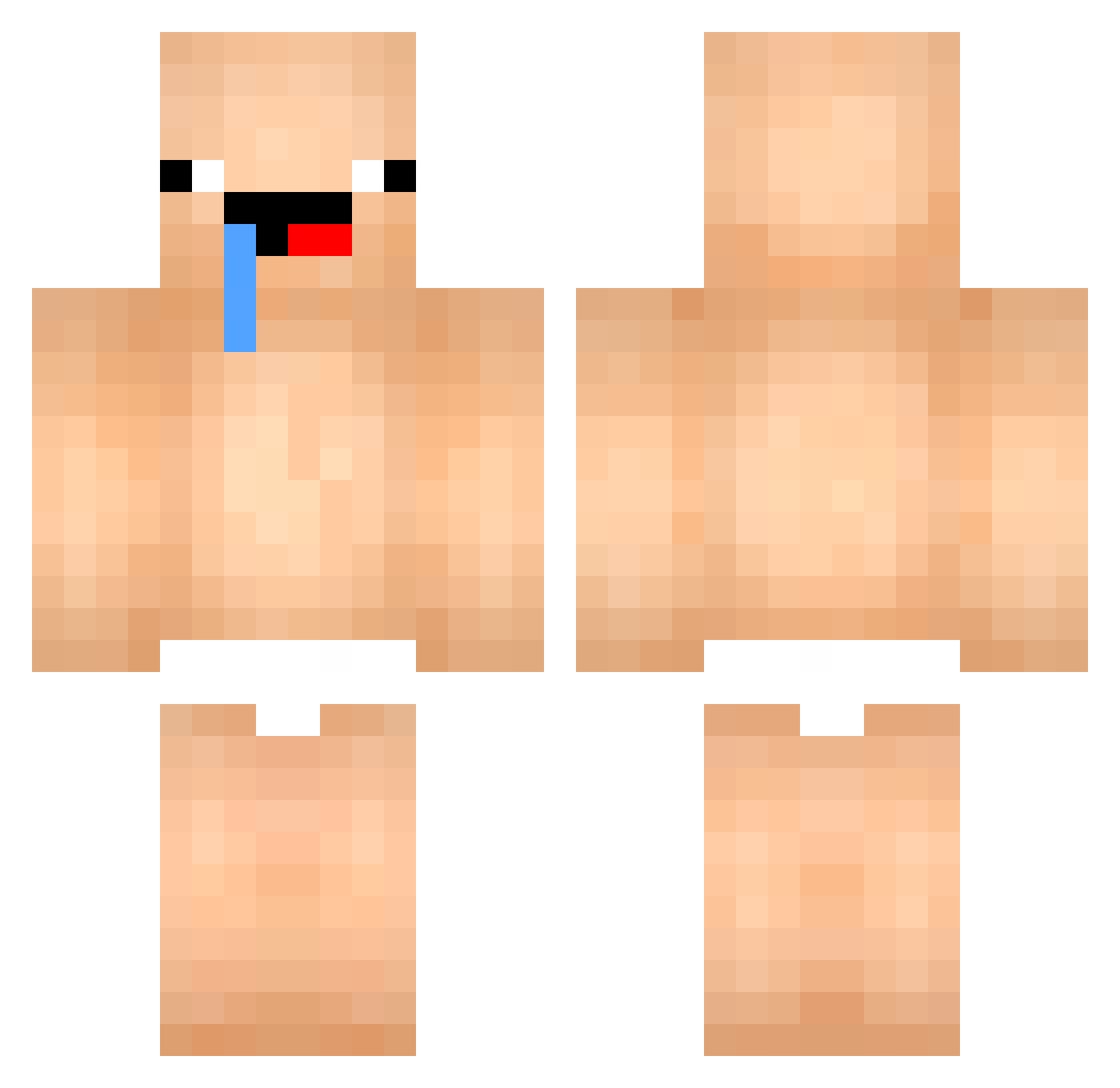
Current Minecraft skin of the player Kakaman14, loaded from the official Mojang API. Rotate the 3D model with your mouse or finger, then download the skin as a PNG file and use it in Minecraft: Bedrock Edition or Java Edition for free. When Kakaman14 changes their skin, this page updates automatically and the old skin stays in the history below.
Other players with this skin (447)
Kakaman14 was the 245th player we have seen with this skin, first spotted on 19.09.2026. The same skin was seen on these players. Open a nickname to see their current skin and skin history.
 111111_11111111 juju0509 _noorth Matt_Bocc liceyiu1 Dplez_ Robekun ZIELONEK106 Swd12 ruuusso Handsomeman0810 TWODOORS4 BalieKluiver RENFEI123 _WILLIAM_9 cuteman27 zoro4031 BronzySoup51909 yanxiao11 _Ai_nz_ Rusbin07 BeloMatte RandoMeal cordoo_ leonardoBrutal kangdol2017 Shxnky OrangenSaaft OVO__1 OOOGE franciscofarias dodo150202 Qweper Soboscartan BL201008 Backtio Hempseedd Duwooooo Tombathy jangfar KAP_KILLER Majang1122 EdwinR11 xcjk Vergil114 amyamps muzmania Yukoooooo nicklee123456 zennysek team_eevee Kn_melou diegoy_ RaDiiAce porto86 Nejuko Elysian77777 Pijeszczyny beomjun1025 Asdeck26
More Baby Minecraft skins
How to install the Kakaman14 skin
- Press the Download button above to save the skin as a PNG file.
- Minecraft: Bedrock Edition (PE): open the Dressing Room from the main menu (or tap your character → Edit Character), go to Classic Skins → Owned, press the + (new skin) button, choose the downloaded PNG and pick the Classic (Steve) model. Works on PC and mobile; consoles cannot import custom skins.
- Minecraft: Java Edition: open the Minecraft Launcher, go to the Skins tab, click New Skin, load the PNG, pick the Classic (Steve) model and press Save & Use. You can also upload it at minecraft.net → Profile → Change Skin.
The skin does not show up after import - what should I do?
Restart Minecraft and open the Dressing Room again - imported skins sometimes appear only after a restart. Also make sure you selected the imported skin and picked the Classic (Steve) model.
Which model should I choose, Classic or Slim?
This skin is designed for the Classic (Steve) model. If you pick the wrong model, the arms of the skin will look stretched or squeezed.
Is the skin of Kakaman14 free to download?
Yes. Press Download, save the PNG file and use it in Minecraft: Bedrock Edition or Java Edition - no payment or registration needed. The skin also works on multiplayer servers and Realms.
More skins
Looking for more? Go back to all Minecraft skins and check the top skins of the week, month and all time, or find any player's skin by nickname.