
KainKyo - Minecraft Skins & Skin History
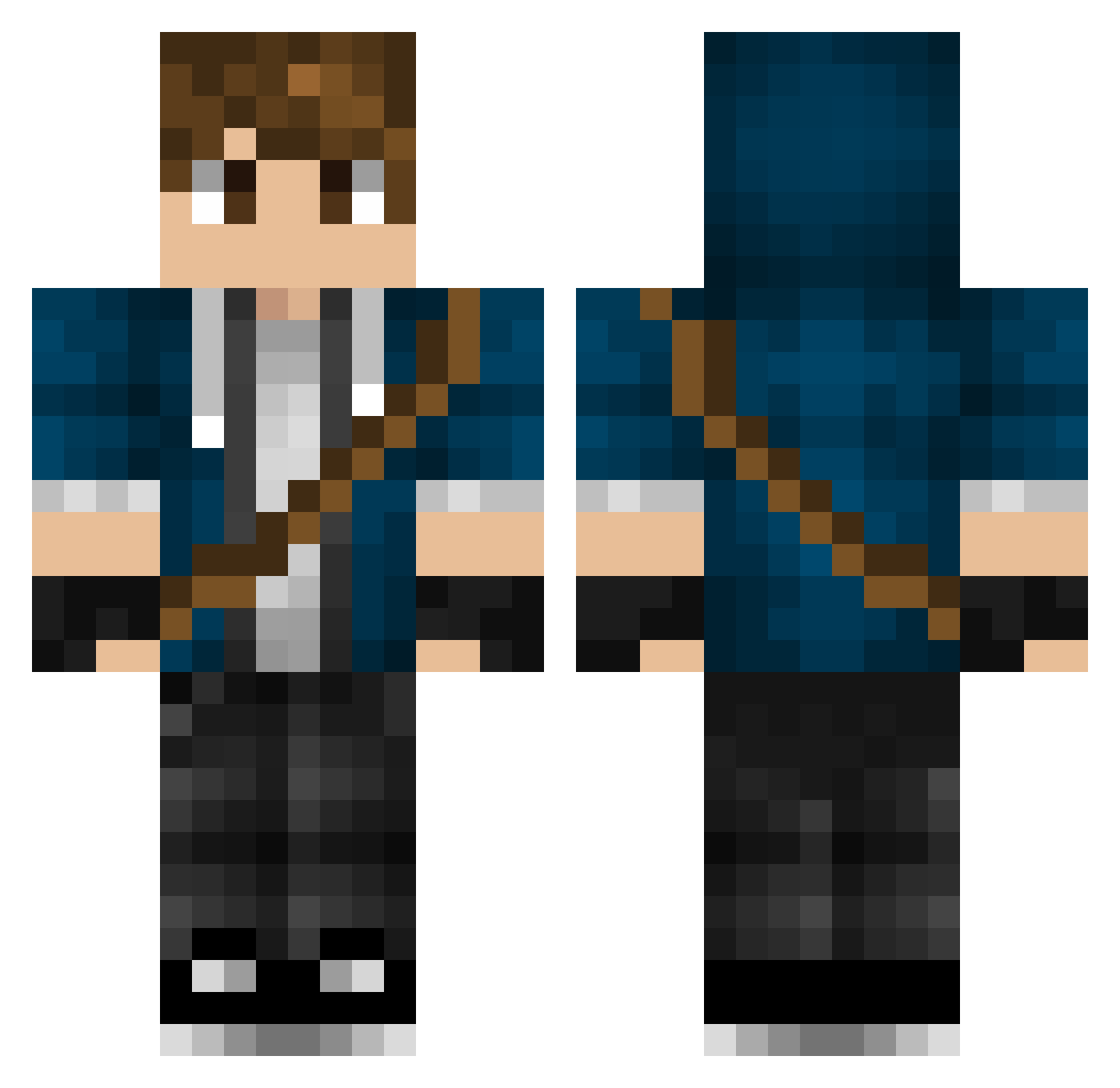
Current Minecraft skin of the player KainKyo, loaded from the official Mojang API. Rotate the 3D model with your mouse or finger, then download the skin as a PNG file and use it in Minecraft: Bedrock Edition or Java Edition for free. When KainKyo changes their skin, this page updates automatically and the old skin stays in the history below.
Other players with this skin (317)
KainKyo was the 64th player we have seen with this skin, first spotted on 16.08.2026. The same skin was seen on these players. Open a nickname to see their current skin and skin history.
 Beasty23 Mr_Graymonk Joujikun KnightProwl Jaccraft100 Pencer Hapurubokka indigoblue83 Schnitzel55 Destroyer2X Dmitry7301 xXsh4dowHack3rXx Georgeeboy L_For_Leeee Jordi_Stayro Master_of_evils6 Broman2969 Keesee_5 02monkeyman Stormsiege01 Matze1710 TahmLikeSandwich Psycho_boy_dk Pohtatoes llllru viccomt Wispshifter sgtMater jtprag Fibonaci ShabstAh herocrossfire Kikkomaso JoelOJoel iljathan Abrhams 2005scs jasonmbranson YaBoyMonstah trevion Theoldn itsRaghas Thesoccerdude26 thanksbrosky Zyreee gklrt vayjian Spice_40 QuickSilver07080 SirLowe rpendleton zeeman132 LordRemz Corr moustache_man007 FlamingEagle_ mptid deadlox72 dragonman007 TheRunagate
More Messenger Bag Minecraft skins
See all 535 Messenger Bag skins
How to install the KainKyo skin
- Press the Download button above to save the skin as a PNG file.
- Minecraft: Bedrock Edition (PE): open the Dressing Room from the main menu (or tap your character → Edit Character), go to Classic Skins → Owned, press the + (new skin) button, choose the downloaded PNG and pick the Classic (Steve) model. Works on PC and mobile; consoles cannot import custom skins.
- Minecraft: Java Edition: open the Minecraft Launcher, go to the Skins tab, click New Skin, load the PNG, pick the Classic (Steve) model and press Save & Use. You can also upload it at minecraft.net → Profile → Change Skin.
The skin does not show up after import - what should I do?
Restart Minecraft and open the Dressing Room again - imported skins sometimes appear only after a restart. Also make sure you selected the imported skin and picked the Classic (Steve) model.
Which model should I choose, Classic or Slim?
This skin is designed for the Classic (Steve) model. If you pick the wrong model, the arms of the skin will look stretched or squeezed.
Is the skin of KainKyo free to download?
Yes. Press Download, save the PNG file and use it in Minecraft: Bedrock Edition or Java Edition - no payment or registration needed. The skin also works on multiplayer servers and Realms.
More skins
Looking for more? Go back to all Minecraft skins and check the top skins of the week, month and all time, or find any player's skin by nickname.