
Kai010 - Minecraft Skins & Skin History
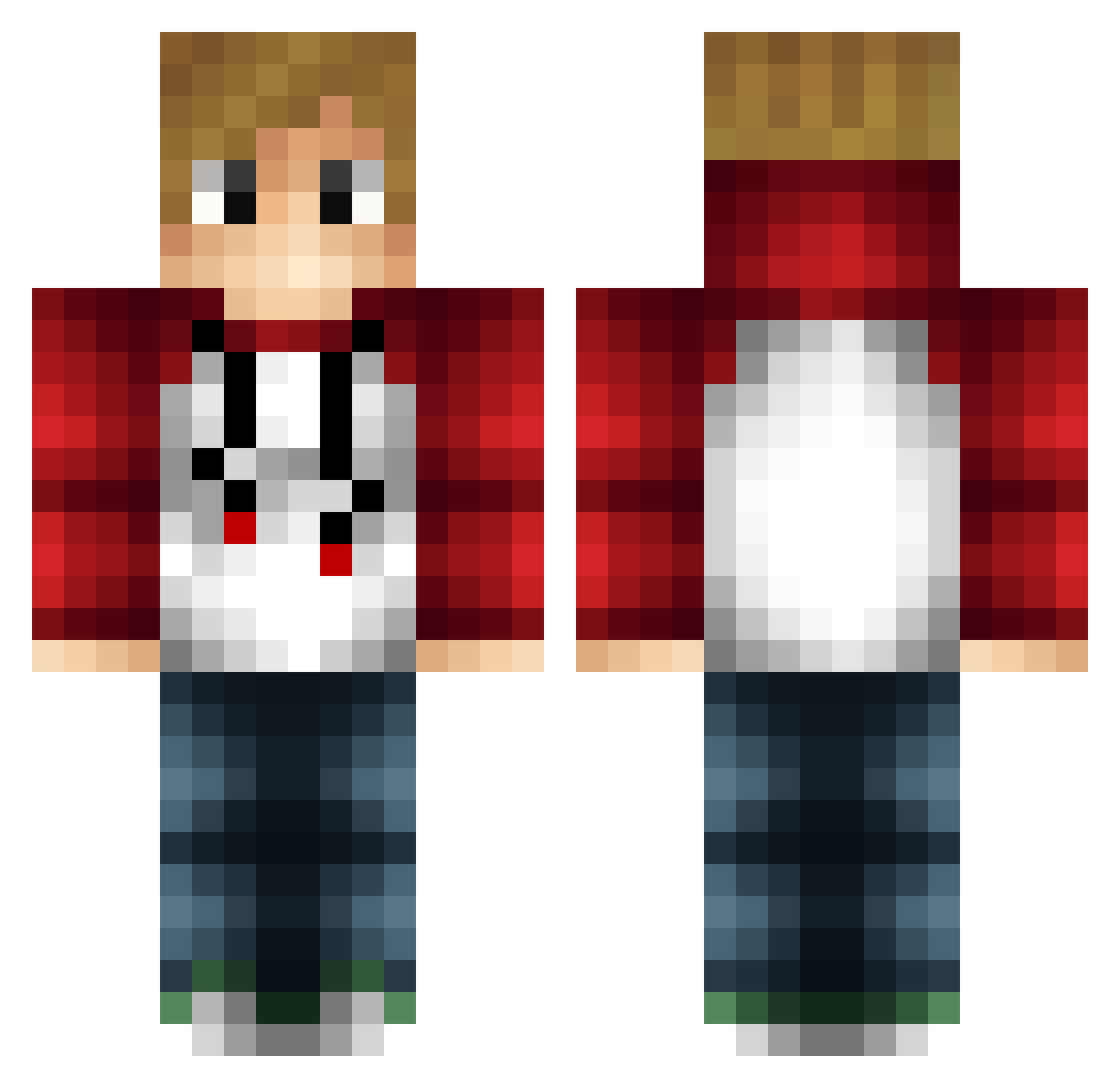
Current Minecraft skin of the player Kai010, loaded from the official Mojang API. Rotate the 3D model with your mouse or finger, then download the skin as a PNG file and use it in Minecraft: Bedrock Edition or Java Edition for free. When Kai010 changes their skin, this page updates automatically and the old skin stays in the history below.
Other players with this skin (284)
Kai010 was the 270th player we have seen with this skin, first spotted on 03.11.2026. The same skin was seen on these players. Open a nickname to see their current skin and skin history.
 kurosaki696 GrienLennay BS1Way allaecoola hbukhari harveymez kazu40 FireStormTV jus4kicks traibergen ohyeahjack15 _kemoren_ HiPeoples FreeThrow45 gruener_Geist unicornswag07 Farady1127 Arxium detobb1 TheSilverMangoYT Gaming050 DigitalMess 3JN UndeadEndermite PeiPeiG sniperbandit69 Crazys_Pinnacle pepeplayzmc_ Electro_Bleach_1 BATH781 koekiegames Superkibble BlurVerified EHE15 dubas_ Turtle9000 Sqob Jappi2904 Wild_10 TotalCasuals GreenPing JaydenSuairoop sky_clash5509 zaire10 Superboss4527 Foxygamer2017 jarhead2111 PapsUp MJZ_CC Mattpewpew RelaxinVocal hi837431 Superboss474 CriticalBeast sandtrolden Cynan11 Merody7 TLogan28 Warthog4502 Javithoox
How to install the Kai010 skin
- Press the Download button above to save the skin as a PNG file.
- Minecraft: Bedrock Edition (PE): open the Dressing Room from the main menu (or tap your character → Edit Character), go to Classic Skins → Owned, press the + (new skin) button, choose the downloaded PNG and pick the Classic (Steve) model. Works on PC and mobile; consoles cannot import custom skins.
- Minecraft: Java Edition: open the Minecraft Launcher, go to the Skins tab, click New Skin, load the PNG, pick the Classic (Steve) model and press Save & Use. You can also upload it at minecraft.net → Profile → Change Skin.
The skin does not show up after import - what should I do?
Restart Minecraft and open the Dressing Room again - imported skins sometimes appear only after a restart. Also make sure you selected the imported skin and picked the Classic (Steve) model.
Which model should I choose, Classic or Slim?
This skin is designed for the Classic (Steve) model. If you pick the wrong model, the arms of the skin will look stretched or squeezed.
Is the skin of Kai010 free to download?
Yes. Press Download, save the PNG file and use it in Minecraft: Bedrock Edition or Java Edition - no payment or registration needed. The skin also works on multiplayer servers and Realms.
More skins
Looking for more? Go back to all Minecraft skins and check the top skins of the week, month and all time, or find any player's skin by nickname.