
Kagero117 - Minecraft Skins & Skin History
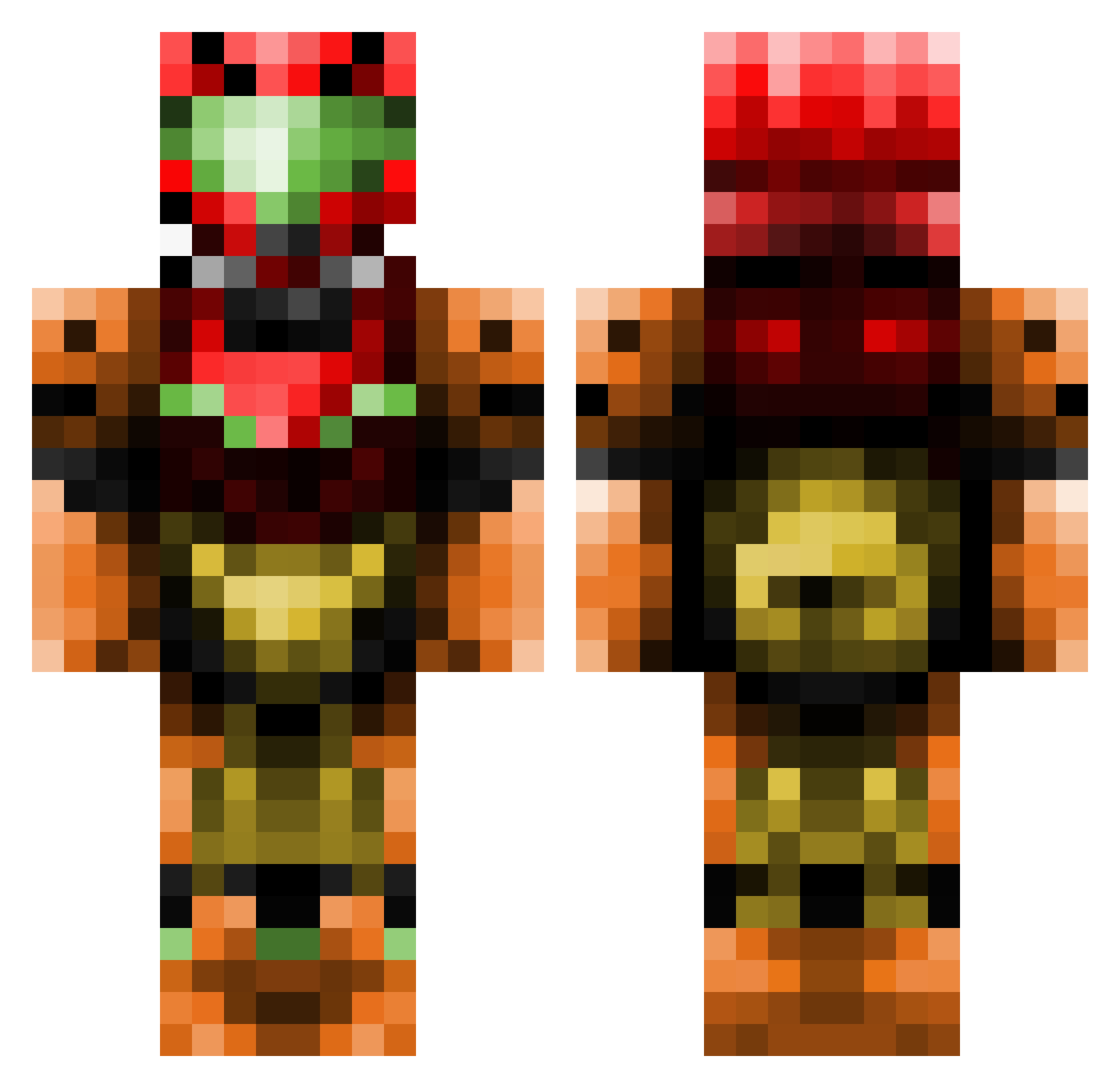
Current Minecraft skin of the player Kagero117, loaded from the official Mojang API. Rotate the 3D model with your mouse or finger, then download the skin as a PNG file and use it in Minecraft: Bedrock Edition or Java Edition for free. When Kagero117 changes their skin, this page updates automatically and the old skin stays in the history below.
Other players with this skin (437)
Kagero117 was the 302nd player we have seen with this skin, first spotted on 02.10.2026. The same skin was seen on these players. Open a nickname to see their current skin and skin history.
 person2538 haloman11111 longerino squidmasta ToxicSoap Acl18 ReplayEvents008 Darksidedu45 Bavarior PurespartacusHD Dredead Condol1 Boby_Fm ImmortalTech WonkyWarmaiden Limwop seanawsome66 pokemonzzc Syxouuh Celizior MagicBagic BendyFlex Guillian94 spudw2k Hadrien18 mr_hullabaloo Mica821 Myuurin willywozz NerdSlayr masterchief11517 cantloadname Syrius019 Premo24 JReckling Den_Driver redevil007 emmbomm HellFirem203 Ellowrath BaseballKyle123 Megamilkies BigBXXI t0effi Cyberbeb Durgerking2 Toastiy Lukioni xBuckx NAC85 jkNova GriffinsReign trevor403 Sevilyoti peterden Ghastory Zalureian JackAttack2435 Durzo009 Sam_Of_The_Shire
More Samus Aran Minecraft skins
How to install the Kagero117 skin
- Press the Download button above to save the skin as a PNG file.
- Minecraft: Bedrock Edition (PE): open the Dressing Room from the main menu (or tap your character → Edit Character), go to Classic Skins → Owned, press the + (new skin) button, choose the downloaded PNG and pick the Classic (Steve) model. Works on PC and mobile; consoles cannot import custom skins.
- Minecraft: Java Edition: open the Minecraft Launcher, go to the Skins tab, click New Skin, load the PNG, pick the Classic (Steve) model and press Save & Use. You can also upload it at minecraft.net → Profile → Change Skin.
The skin does not show up after import - what should I do?
Restart Minecraft and open the Dressing Room again - imported skins sometimes appear only after a restart. Also make sure you selected the imported skin and picked the Classic (Steve) model.
Which model should I choose, Classic or Slim?
This skin is designed for the Classic (Steve) model. If you pick the wrong model, the arms of the skin will look stretched or squeezed.
Is the skin of Kagero117 free to download?
Yes. Press Download, save the PNG file and use it in Minecraft: Bedrock Edition or Java Edition - no payment or registration needed. The skin also works on multiplayer servers and Realms.
More skins
Looking for more? Go back to all Minecraft skins and check the top skins of the week, month and all time, or find any player's skin by nickname.