
KafuuRem - Minecraft Skins & Skin History
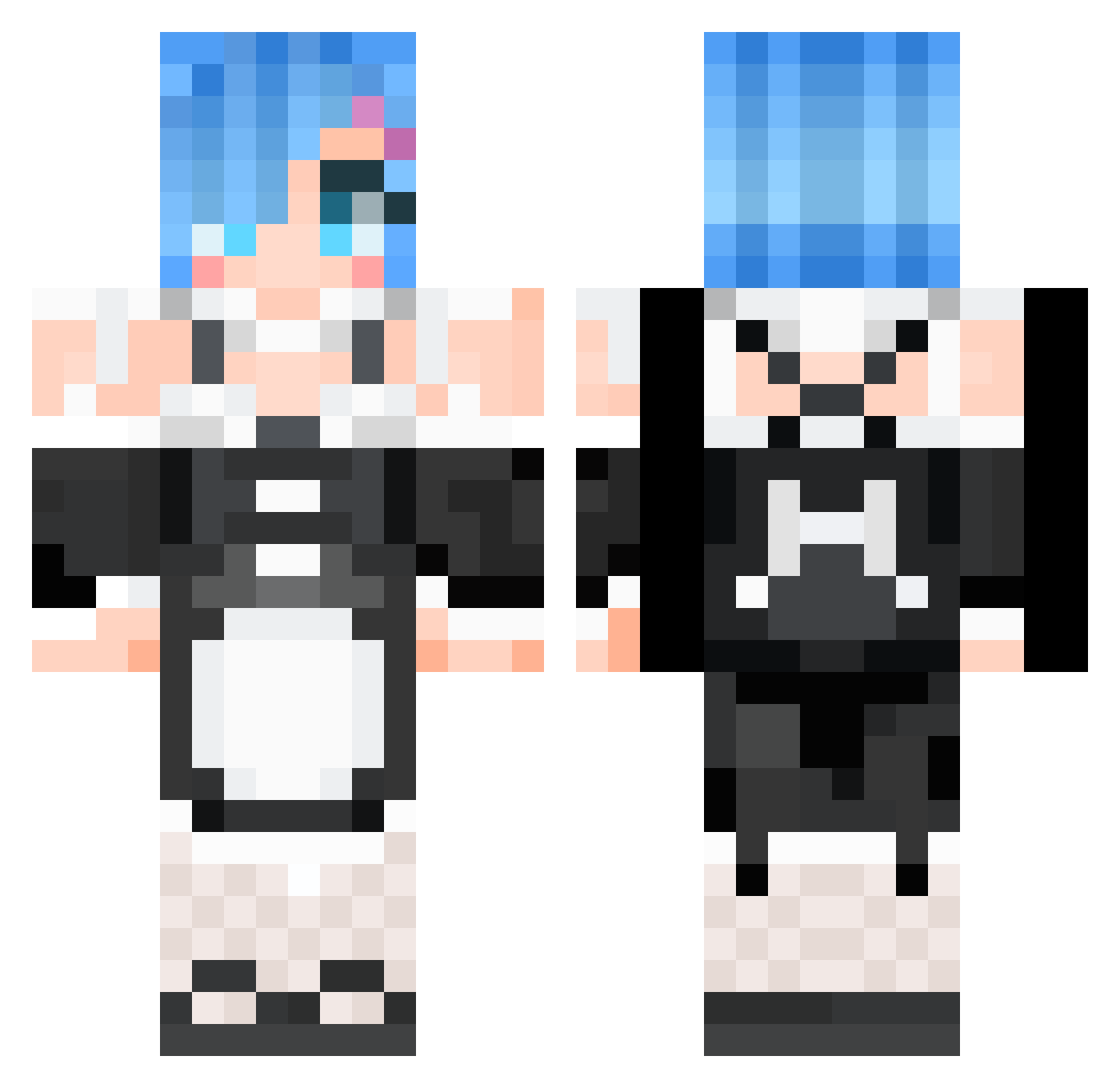
Current Minecraft skin of the player KafuuRem, loaded from the official Mojang API. Rotate the 3D model with your mouse or finger, then download the skin as a PNG file and use it in Minecraft: Bedrock Edition or Java Edition for free. When KafuuRem changes their skin, this page updates automatically and the old skin stays in the history below.
Other players with this skin (531)
KafuuRem was the 437th player we have seen with this skin, first spotted on 09.10.2026. The same skin was seen on these players. Open a nickname to see their current skin and skin history.
 FutaHoAyumu Maldoran_Seether DraKoshaT0sha Ri3hie Edytte Uterkon Lioydx 10024300 Rex1c desmond384 magcchi danIId IceWhite__ _bisse_ mango73 zhiqian233 joeyabcd FoodDragon aKaizzzzzzz Tridax478 Viceman69 Poweroy OttoYT zaoldyck kkl2138 Yukino2024 nyan1 SuperTurtle64 serori719 qiuzhige LilyQT Elite911 jiabailie xcrxcr66 KARYU3914 ZMSDDD JERyuok Nathan_L_ piroriino _Remchan km0705 cr33P3r2004 ue_chan0927 guest_what Fusingcrib Kingnic234 Kupriveet Angelique1800 Rancealott LuigiMan1997 Fallen_angel_ts simsini Konodioda6773 hj6092 kejarrett shadowinlife hope_Quantum Mr_Helpless lCLANNADl Scarlette7777
More Rem Minecraft skins
How to install the KafuuRem skin
- Press the Download button above to save the skin as a PNG file.
- Minecraft: Bedrock Edition (PE): open the Dressing Room from the main menu (or tap your character → Edit Character), go to Classic Skins → Owned, press the + (new skin) button, choose the downloaded PNG and pick the Classic (Steve) model. Works on PC and mobile; consoles cannot import custom skins.
- Minecraft: Java Edition: open the Minecraft Launcher, go to the Skins tab, click New Skin, load the PNG, pick the Classic (Steve) model and press Save & Use. You can also upload it at minecraft.net → Profile → Change Skin.
The skin does not show up after import - what should I do?
Restart Minecraft and open the Dressing Room again - imported skins sometimes appear only after a restart. Also make sure you selected the imported skin and picked the Classic (Steve) model.
Which model should I choose, Classic or Slim?
This skin is designed for the Classic (Steve) model. If you pick the wrong model, the arms of the skin will look stretched or squeezed.
Is the skin of KafuuRem free to download?
Yes. Press Download, save the PNG file and use it in Minecraft: Bedrock Edition or Java Edition - no payment or registration needed. The skin also works on multiplayer servers and Realms.
More skins
Looking for more? Go back to all Minecraft skins and check the top skins of the week, month and all time, or find any player's skin by nickname.