
Kacpereekk_ - Minecraft Skins & Skin History
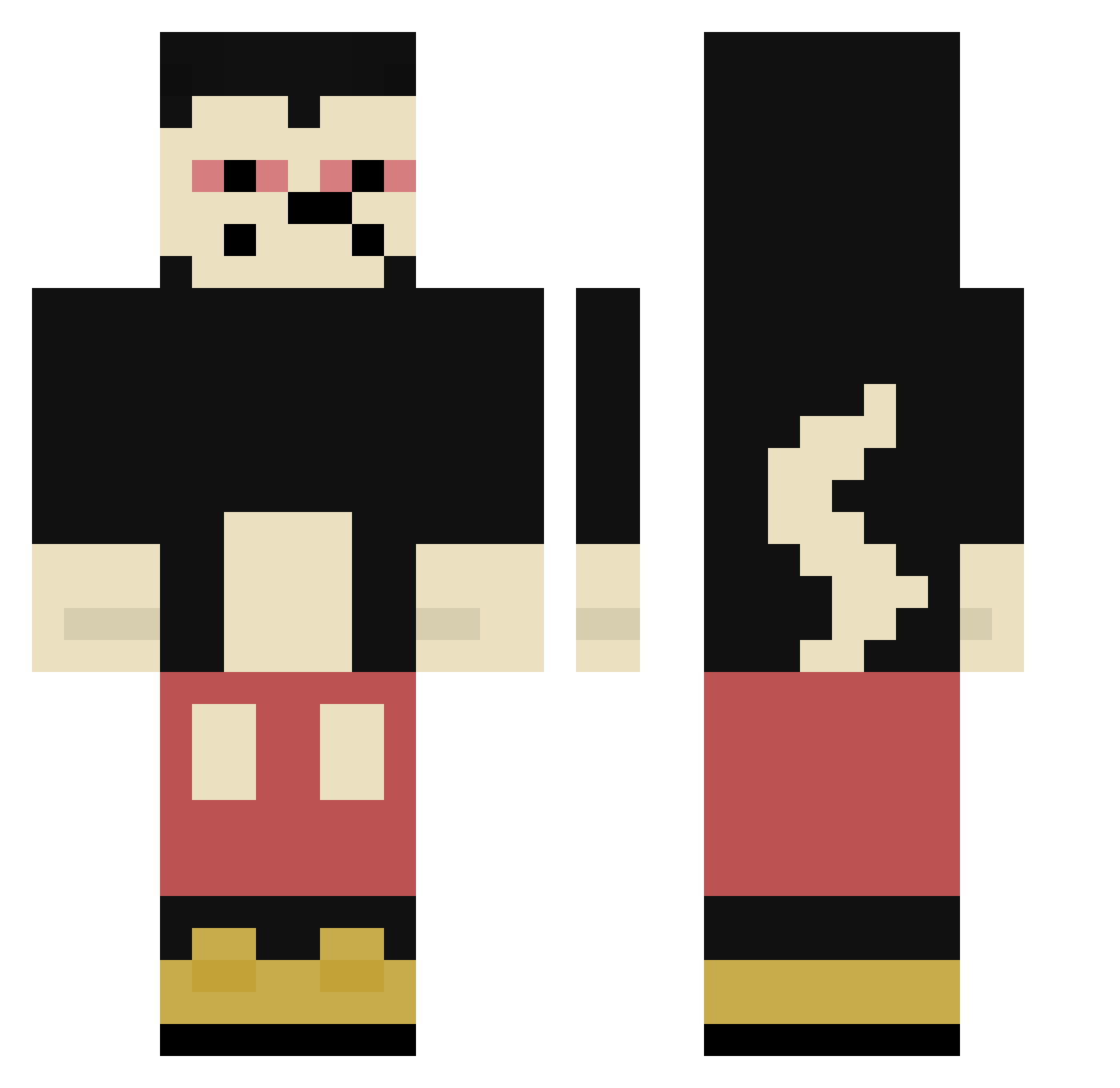
Current Minecraft skin of the player Kacpereekk_, loaded from the official Mojang API. Rotate the 3D model with your mouse or finger, then download the skin as a PNG file and use it in Minecraft: Bedrock Edition or Java Edition for free. When Kacpereekk_ changes their skin, this page updates automatically and the old skin stays in the history below.
Other players with this skin (427)
Kacpereekk_ was the 406th player we have seen with this skin, first spotted on 15.11.2026. The same skin was seen on these players. Open a nickname to see their current skin and skin history.
 CozmoXYZ outmyface Maltael2765 Richtiggeilo Villalobos7041 SATgojo nanatio Sosa6aby caduRXX SQUID_Splern BubbaBlazes murphymconnor Colinou89 BryanElVil Teganlili LazyImad adenqvri lil_after 17khaledd SteveWithNoLegs ShwWhatBad PaleczkaBZ Eroz95 bonquequeque Chito2807 Weed4orEver HorsesBalls JoaoMarques9 Jim1202 VanLopes oldsuf landeRyZe dzizss Pymdzel 4191 ttuurreekk Hammike88 TheLordMF Trudniutk0 skizofrenic Adotadu Mellonen Hawajuose JUNH_HUI Pirokas Snharf Mr_duif Fidelio031 RainOfAcid zlomal iHnnn BigPedro_O Inn_nnz zali__ Qw3rty_420 BigBabaHaze Khaz0103 lunaeee Pustema Greqa
More Mickey Mouse Minecraft skins
See all 191 Mickey Mouse skins
How to install the Kacpereekk_ skin
- Press the Download button above to save the skin as a PNG file.
- Minecraft: Bedrock Edition (PE): open the Dressing Room from the main menu (or tap your character → Edit Character), go to Classic Skins → Owned, press the + (new skin) button, choose the downloaded PNG and pick the Classic (Steve) model. Works on PC and mobile; consoles cannot import custom skins.
- Minecraft: Java Edition: open the Minecraft Launcher, go to the Skins tab, click New Skin, load the PNG, pick the Classic (Steve) model and press Save & Use. You can also upload it at minecraft.net → Profile → Change Skin.
The skin does not show up after import - what should I do?
Restart Minecraft and open the Dressing Room again - imported skins sometimes appear only after a restart. Also make sure you selected the imported skin and picked the Classic (Steve) model.
Which model should I choose, Classic or Slim?
This skin is designed for the Classic (Steve) model. If you pick the wrong model, the arms of the skin will look stretched or squeezed.
Is the skin of Kacpereekk_ free to download?
Yes. Press Download, save the PNG file and use it in Minecraft: Bedrock Edition or Java Edition - no payment or registration needed. The skin also works on multiplayer servers and Realms.
More skins
Looking for more? Go back to all Minecraft skins and check the top skins of the week, month and all time, or find any player's skin by nickname.