
Kackspast132 - Minecraft Skins & Skin History
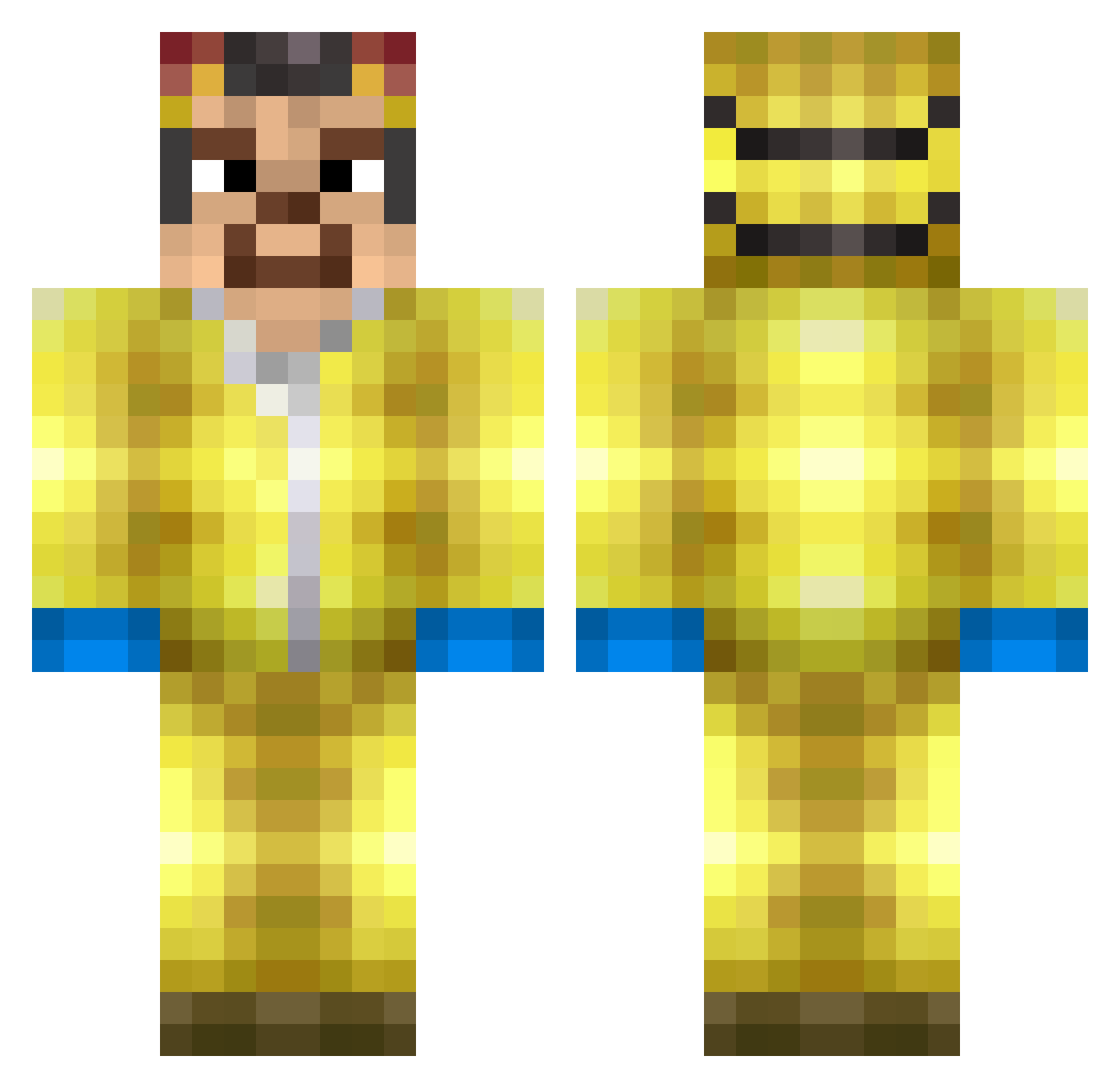
Current Minecraft skin of the player Kackspast132, loaded from the official Mojang API. Rotate the 3D model with your mouse or finger, then download the skin as a PNG file and use it in Minecraft: Bedrock Edition or Java Edition for free. When Kackspast132 changes their skin, this page updates automatically and the old skin stays in the history below.
Other players with this skin (267)
Kackspast132 was the 232nd player we have seen with this skin, first spotted on 11.10.2026. The same skin was seen on these players. Open a nickname to see their current skin and skin history.
 matheusthx7 Llanarch BigBirdFlys xulven7 Roadbruh Wlodek333 Firefanged DismalEagle4726 PotatoSauce21 HeinsenbergPizza xQkley prettyboymilo RicoStar2008 Orexek789 Skafi Fingernail_Flvrd 16sludgefest Mmmmmmaxi cuache LongMrGlizzy Ertkant Egzoo JoeCasal KnownAsTrix BumbieDude xox001 heimatloss EchoShade97 Gameboushek Ramsi123 stepbruhhelp redeempro ozzykol utkuuuuuuu PugZxZs DarkVoided avhagw Lorg_sk Mungo_Duck Andre200iq Infeeerno Jannick3112 garfilia EmilienCanard CoveredCoast572 neekanon Ary29 summrgurl PkGru149 hmb_flow MayonnaiseMan315 LequitCombo05 zxmaia jonas_kara9 Jactys szynka2222 SpOOnZ3rO BolleHo ACEGAMING6008 MysTixFR
More Walter White Minecraft skins
See all 502 Walter White skins
How to install the Kackspast132 skin
- Press the Download button above to save the skin as a PNG file.
- Minecraft: Bedrock Edition (PE): open the Dressing Room from the main menu (or tap your character → Edit Character), go to Classic Skins → Owned, press the + (new skin) button, choose the downloaded PNG and pick the Classic (Steve) model. Works on PC and mobile; consoles cannot import custom skins.
- Minecraft: Java Edition: open the Minecraft Launcher, go to the Skins tab, click New Skin, load the PNG, pick the Classic (Steve) model and press Save & Use. You can also upload it at minecraft.net → Profile → Change Skin.
The skin does not show up after import - what should I do?
Restart Minecraft and open the Dressing Room again - imported skins sometimes appear only after a restart. Also make sure you selected the imported skin and picked the Classic (Steve) model.
Which model should I choose, Classic or Slim?
This skin is designed for the Classic (Steve) model. If you pick the wrong model, the arms of the skin will look stretched or squeezed.
Is the skin of Kackspast132 free to download?
Yes. Press Download, save the PNG file and use it in Minecraft: Bedrock Edition or Java Edition - no payment or registration needed. The skin also works on multiplayer servers and Realms.
More skins
Looking for more? Go back to all Minecraft skins and check the top skins of the week, month and all time, or find any player's skin by nickname.