
KaasMan26 - Minecraft Skins & Skin History
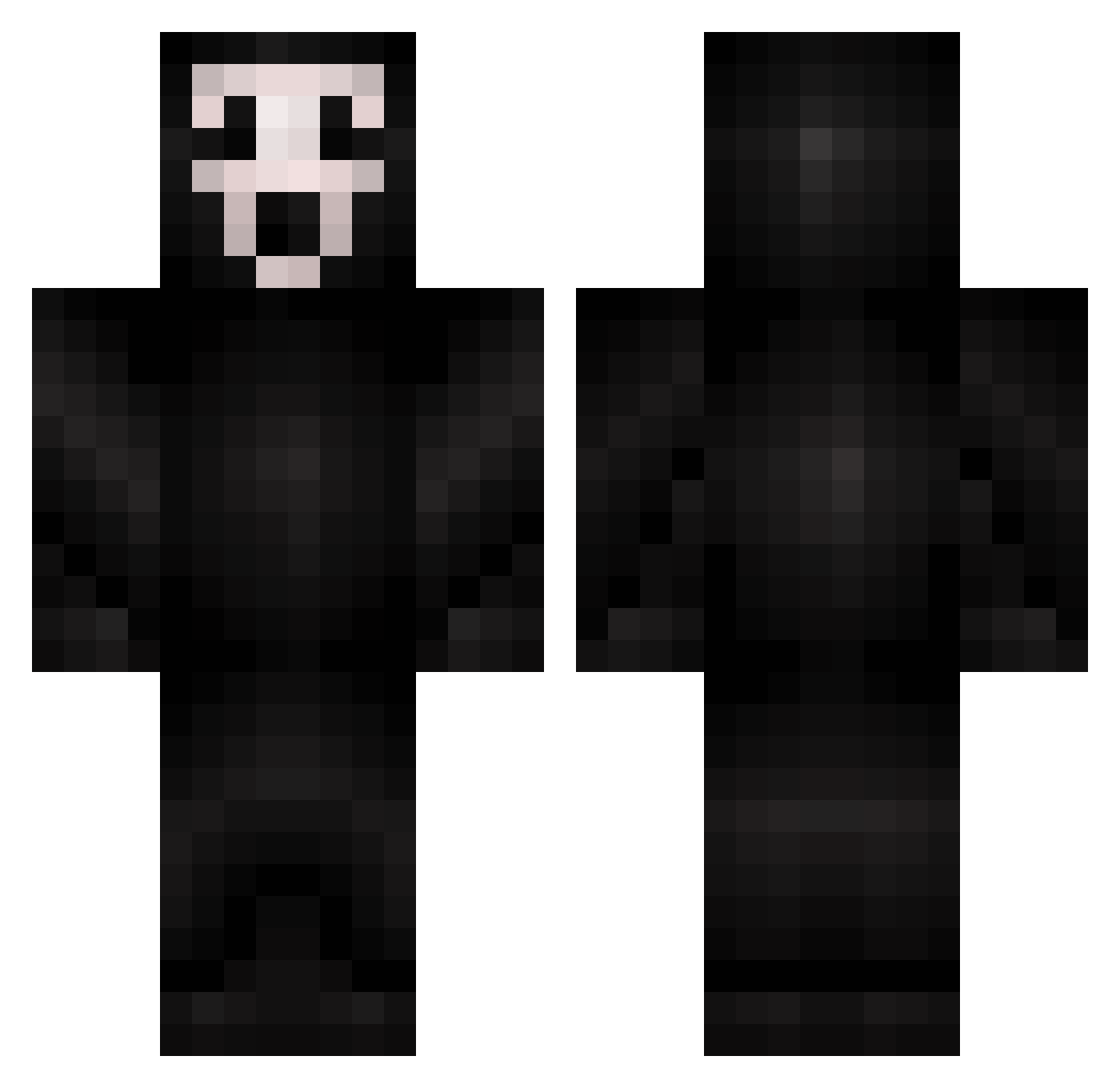
Current Minecraft skin of the player KaasMan26, loaded from the official Mojang API. Rotate the 3D model with your mouse or finger, then download the skin as a PNG file and use it in Minecraft: Bedrock Edition or Java Edition for free. When KaasMan26 changes their skin, this page updates automatically and the old skin stays in the history below.
Other players with this skin (425)
KaasMan26 was the 381st player we have seen with this skin, first spotted on 23.10.2026. The same skin was seen on these players. Open a nickname to see their current skin and skin history.
 Eamfos Niklas329 hotmammi JonathanCraftero BestBro51 saadpro therebill Skaterboy1026 Apollo814 KrissMC lastrider COOKIExBMX ChanceTB Freedom73no Texas52 T0mmyTibbs Reaper_Toker Melker11 Twohaha HanvanDijk urbanbreach wilsongamer777 xRedZebra EmperorGoose dyko96 Seokin Boooj drakkzharr LT7skills plai0rx Varoc GatorAIDS1 Vexao blondie0103 DeadCraftMCz tank0075 mklucifer GarbageRaven Kaptain_Krust DanBP XGN_TopDog williamo5731 AirJordan2397 Jeddas DontMuteMe Scorch007 LuckYAces21 Flut15 massholes MrMidnight13 cyanira331 zeuss12345 G_G_LIE OpTiCPainZz adamekstedt Rogue_Niner Bubbleboon Karabastus dermjos123 Nsphere
More Scream Minecraft skins
How to install the KaasMan26 skin
- Press the Download button above to save the skin as a PNG file.
- Minecraft: Bedrock Edition (PE): open the Dressing Room from the main menu (or tap your character → Edit Character), go to Classic Skins → Owned, press the + (new skin) button, choose the downloaded PNG and pick the Classic (Steve) model. Works on PC and mobile; consoles cannot import custom skins.
- Minecraft: Java Edition: open the Minecraft Launcher, go to the Skins tab, click New Skin, load the PNG, pick the Classic (Steve) model and press Save & Use. You can also upload it at minecraft.net → Profile → Change Skin.
The skin does not show up after import - what should I do?
Restart Minecraft and open the Dressing Room again - imported skins sometimes appear only after a restart. Also make sure you selected the imported skin and picked the Classic (Steve) model.
Which model should I choose, Classic or Slim?
This skin is designed for the Classic (Steve) model. If you pick the wrong model, the arms of the skin will look stretched or squeezed.
Is the skin of KaasMan26 free to download?
Yes. Press Download, save the PNG file and use it in Minecraft: Bedrock Edition or Java Edition - no payment or registration needed. The skin also works on multiplayer servers and Realms.
More skins
Looking for more? Go back to all Minecraft skins and check the top skins of the week, month and all time, or find any player's skin by nickname.