
KaanG48 - Minecraft Skins & Skin History
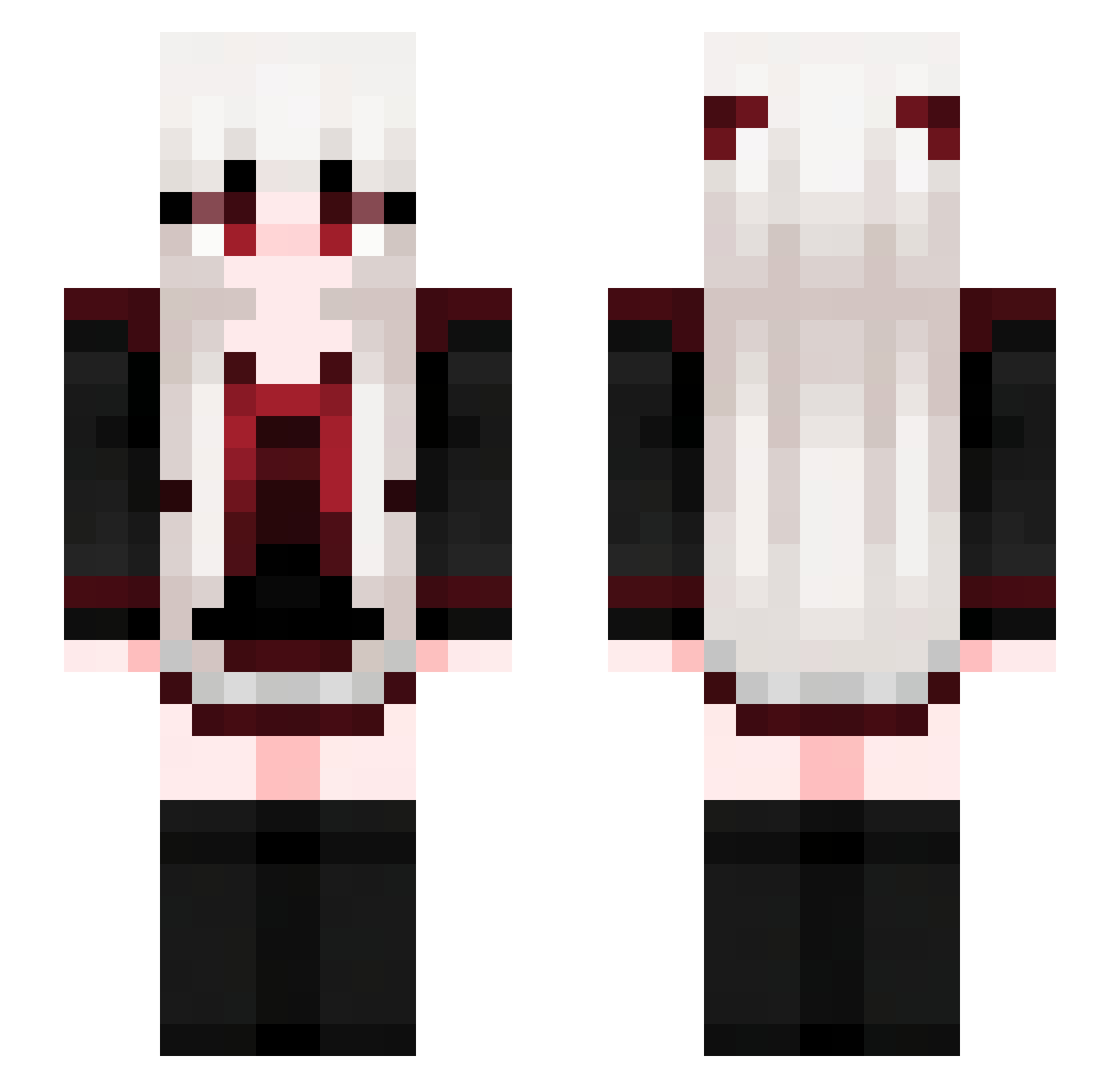
Current Minecraft skin of the player KaanG48, loaded from the official Mojang API. Rotate the 3D model with your mouse or finger, then download the skin as a PNG file and use it in Minecraft: Bedrock Edition or Java Edition for free. When KaanG48 changes their skin, this page updates automatically and the old skin stays in the history below.
Other players with this skin (713)
KaanG48 was the 646th player we have seen with this skin, first spotted on 27.10.2026. The same skin was seen on these players. Open a nickname to see their current skin and skin history.
 __Rinne__ nirachan_ZTMY daydream6824 BeastSenpai11451 Muffet520 Zen1th7919 keicher lynysl aqiu22 MHCBM8 novyzack Kaysa_sa GaoCCC laskw kipcll DFSGDFG2 babygoyen CaptainBinh YujinZ xiao___wang Syrenen wxihl laoyan22 nymph1998 _Waguri_ yamanaka666 kkolhida IALyCEI ray36762 kolysik insy5 Angel_Batist uebambolona Unicorn0902 anguskt Nick_ite mexvil sakuya1125 melody731 Calendulaaa xm77_ moran5377 Nsxingchen Ahri823 Nathan290600 salanghea lx1216 Akito2233 Now_U_C_Me1003 marisa_katy kkl1 Soraniii mukimukizaurusu DeathGost baiyin33 HK4P6 justasillyguy XiaoXing_owo lianyiiii AbandonDream
More Goth Minecraft skins
How to install the KaanG48 skin
- Press the Download button above to save the skin as a PNG file.
- Minecraft: Bedrock Edition (PE): open the Dressing Room from the main menu (or tap your character → Edit Character), go to Classic Skins → Owned, press the + (new skin) button, choose the downloaded PNG and pick the Slim (Alex) model. Works on PC and mobile; consoles cannot import custom skins.
- Minecraft: Java Edition: open the Minecraft Launcher, go to the Skins tab, click New Skin, load the PNG, pick the Slim (Alex) model and press Save & Use. You can also upload it at minecraft.net → Profile → Change Skin.
The skin does not show up after import - what should I do?
Restart Minecraft and open the Dressing Room again - imported skins sometimes appear only after a restart. Also make sure you selected the imported skin and picked the Slim (Alex) model.
Which model should I choose, Classic or Slim?
This skin is designed for the Slim (Alex) model. If you pick the wrong model, the arms of the skin will look stretched or squeezed.
Is the skin of KaanG48 free to download?
Yes. Press Download, save the PNG file and use it in Minecraft: Bedrock Edition or Java Edition - no payment or registration needed. The skin also works on multiplayer servers and Realms.
More skins
Looking for more? Go back to all Minecraft skins and check the top skins of the week, month and all time, or find any player's skin by nickname.