
KUTAYBA - Minecraft Skins & Skin History
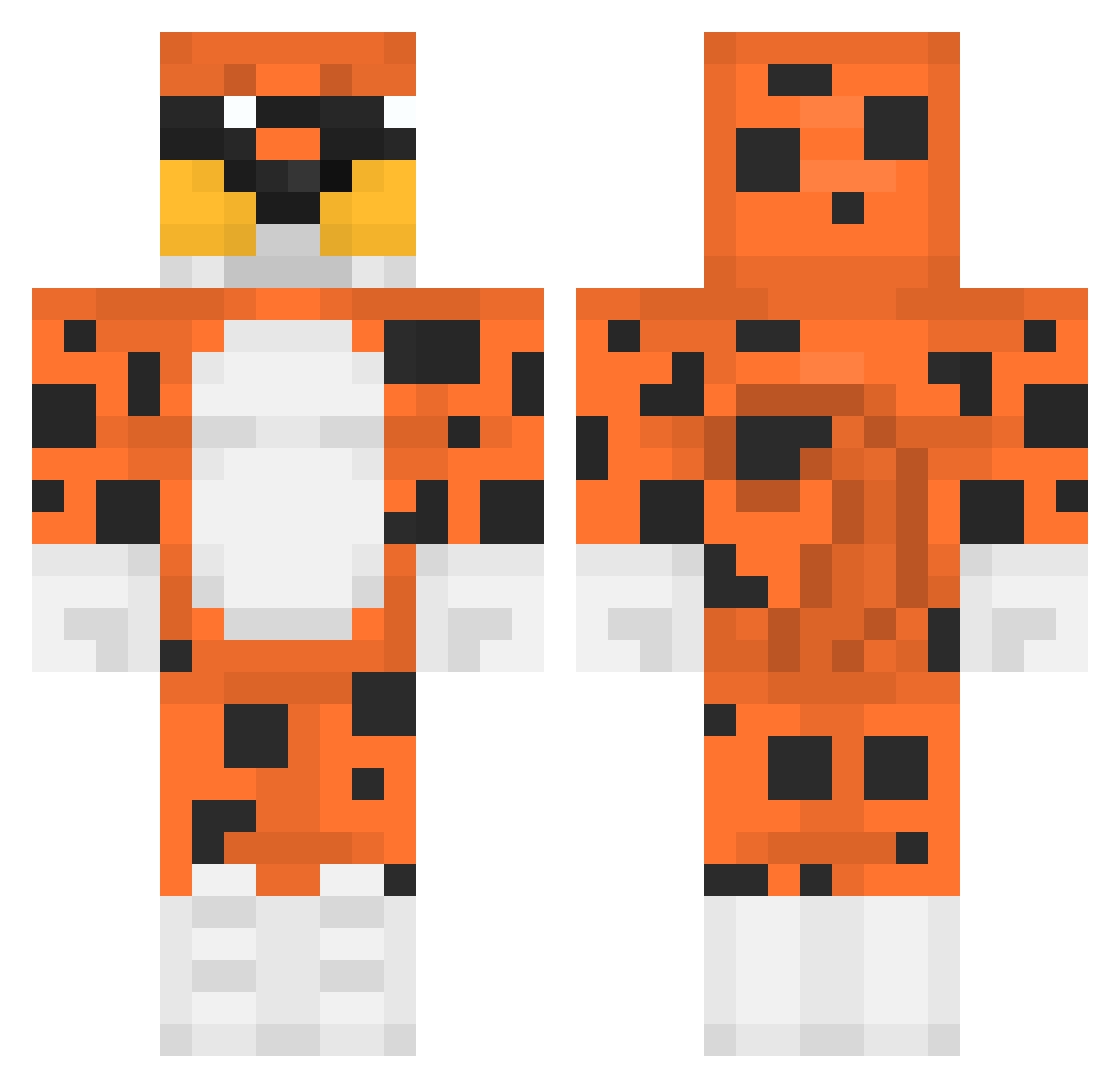
Current Minecraft skin of the player KUTAYBA, loaded from the official Mojang API. Rotate the 3D model with your mouse or finger, then download the skin as a PNG file and use it in Minecraft: Bedrock Edition or Java Edition for free. When KUTAYBA changes their skin, this page updates automatically and the old skin stays in the history below.
Other players with this skin (465)
KUTAYBA was the 427th player we have seen with this skin, first spotted on 10.11.2026. The same skin was seen on these players. Open a nickname to see their current skin and skin history.
 AggeronTTV jtice1048 Elsewiir Illfranky Leviath04 OSSURUKBOMBASI Juanchorois99 L3gend18 Lukstein Pipokynha ImTotalyHackking AbedalrhmanYT xkingco Butt_Blast AJeezi Ketes2 mleko11 SzeliS BDR80 CABR3LLI Thicc_cheese_9 LeoXPro7 ElMasitas JANDO0 Valhy666 Comarca juan0204 Dinozael11 HypixelChillPls SrNINGUEMM sakamataa dkg_E Aurora_CMj1Rfa Kstewy45 bezzada skizz480 Djanho08 ginger0sporos Arudim Zebelino TeWarlock TheCheetoMan Dream_al3arab222 DiirtyLIVE flrdziak mubarak4 PurpleAquafina osama2024 nuggort furasss tigrox lpcgaming 0Rl0L IRepairToasters jga2011 shadowBYPASS SERHAT09 rybciakiwi leehaks David59720
More Leopard Minecraft skins
How to install the KUTAYBA skin
- Press the Download button above to save the skin as a PNG file.
- Minecraft: Bedrock Edition (PE): open the Dressing Room from the main menu (or tap your character → Edit Character), go to Classic Skins → Owned, press the + (new skin) button, choose the downloaded PNG and pick the Classic (Steve) model. Works on PC and mobile; consoles cannot import custom skins.
- Minecraft: Java Edition: open the Minecraft Launcher, go to the Skins tab, click New Skin, load the PNG, pick the Classic (Steve) model and press Save & Use. You can also upload it at minecraft.net → Profile → Change Skin.
The skin does not show up after import - what should I do?
Restart Minecraft and open the Dressing Room again - imported skins sometimes appear only after a restart. Also make sure you selected the imported skin and picked the Classic (Steve) model.
Which model should I choose, Classic or Slim?
This skin is designed for the Classic (Steve) model. If you pick the wrong model, the arms of the skin will look stretched or squeezed.
Is the skin of KUTAYBA free to download?
Yes. Press Download, save the PNG file and use it in Minecraft: Bedrock Edition or Java Edition - no payment or registration needed. The skin also works on multiplayer servers and Realms.
More skins
Looking for more? Go back to all Minecraft skins and check the top skins of the week, month and all time, or find any player's skin by nickname.