
KRob0909 - Minecraft Skins & Skin History
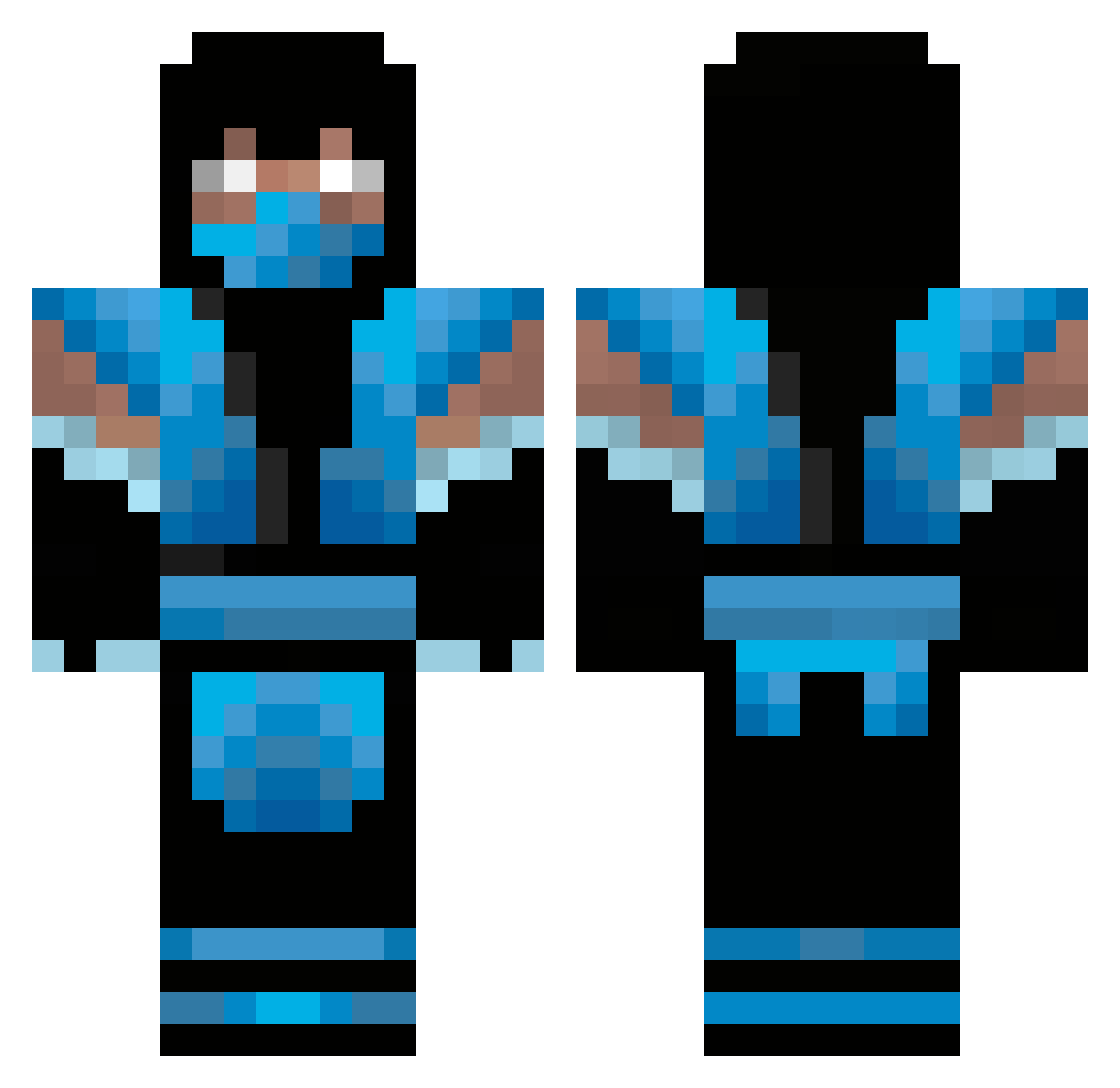
Current Minecraft skin of the player KRob0909, loaded from the official Mojang API. Rotate the 3D model with your mouse or finger, then download the skin as a PNG file and use it in Minecraft: Bedrock Edition or Java Edition for free. When KRob0909 changes their skin, this page updates automatically and the old skin stays in the history below.
Other players with this skin (64)
KRob0909 was the 28th player we have seen with this skin, first spotted on 30.08.2026. The same skin was seen on these players. Open a nickname to see their current skin and skin history.
 bloodpenguin wrestlerampage Brunoaze LeeJr6 pujypujpuj BlackDracul St0rms iambrainded MaizeCarr pbJAlly helgi55 coolmarquis1997 thisisrmm Luponero AznAlanboi Mikey2999 baumi1543 Wendler1999 xEverclearx DruGzeN ptmm18 henri303 origamers xFairley Mr_Stealy PeterAthea conbon64 carlthecreep cheeseburger1232 tankburgers cristianvs MrKrinklez Pixel_Distroyer Knobbing CpyGuy77 electrosmog BlackGazebo caiomolina09 Coletrain343 bunnykiller259 tastemyraimbow trevor20001 _Radja_ Dark_Every ultimatedragon5 UltimateSweg MST_KENNY Evowolfdemon Bonidako wangomymango Rx2J SHOLUCK Jakee3D curlyfries100 SrShuleto chan100 decolorante Adradian LPlayHD DonJesus
More Sub-Zero Minecraft skins
How to install the KRob0909 skin
- Press the Download button above to save the skin as a PNG file.
- Minecraft: Bedrock Edition (PE): open the Dressing Room from the main menu (or tap your character → Edit Character), go to Classic Skins → Owned, press the + (new skin) button, choose the downloaded PNG and pick the Classic (Steve) model. Works on PC and mobile; consoles cannot import custom skins.
- Minecraft: Java Edition: open the Minecraft Launcher, go to the Skins tab, click New Skin, load the PNG, pick the Classic (Steve) model and press Save & Use. You can also upload it at minecraft.net → Profile → Change Skin.
The skin does not show up after import - what should I do?
Restart Minecraft and open the Dressing Room again - imported skins sometimes appear only after a restart. Also make sure you selected the imported skin and picked the Classic (Steve) model.
Which model should I choose, Classic or Slim?
This skin is designed for the Classic (Steve) model. If you pick the wrong model, the arms of the skin will look stretched or squeezed.
Is the skin of KRob0909 free to download?
Yes. Press Download, save the PNG file and use it in Minecraft: Bedrock Edition or Java Edition - no payment or registration needed. The skin also works on multiplayer servers and Realms.
More skins
Looking for more? Go back to all Minecraft skins and check the top skins of the week, month and all time, or find any player's skin by nickname.