
KObro123 - Minecraft Skins & Skin History
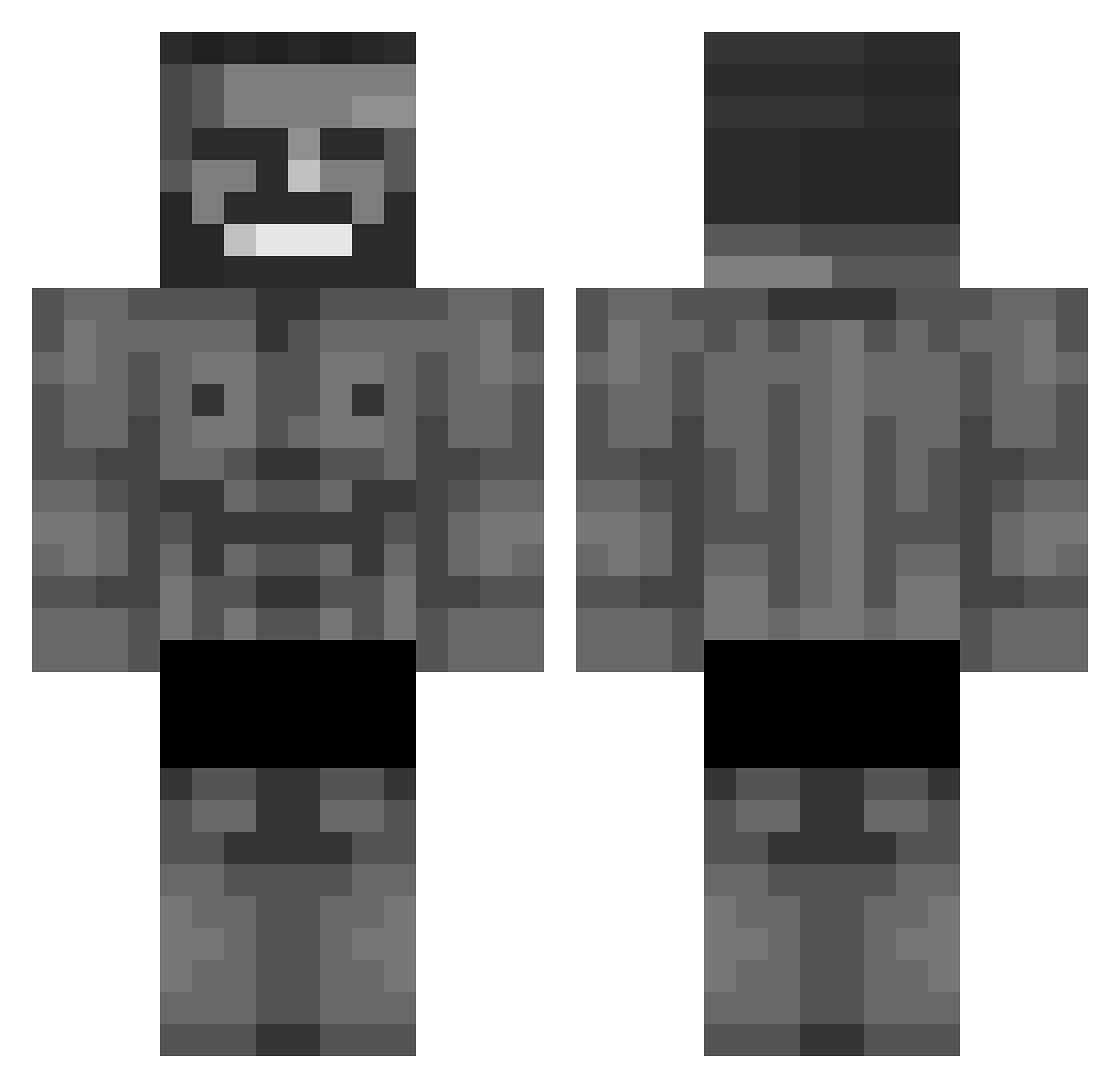
Current Minecraft skin of the player KObro123, loaded from the official Mojang API. Rotate the 3D model with your mouse or finger, then download the skin as a PNG file and use it in Minecraft: Bedrock Edition or Java Edition for free. When KObro123 changes their skin, this page updates automatically and the old skin stays in the history below.
Other players with this skin (676)
KObro123 was the 270th player we have seen with this skin, first spotted on 10.09.2026. The same skin was seen on these players. Open a nickname to see their current skin and skin history.
 Andy_E_mc2 7assonZR1 TITOU1000 ItzBroToni BOBOS18 Denkny Devin22 czanga Kerupted portret Dani_9999 Leam005 Med_XYZ Skullcrushinfart xd1234567 _bruher Compass__ BeastMaster64 PthoughneighHawk Elnicoman23 owenmom1 GiangiX R0neBone Im_Pinky MarkArrowVX Junshy David1438 rphzed ZaukTv ThortaGamer Vesrea noirsake CheekiBreeki127 SacsB0 Arkitektura DzejBiceps
 fullsteamahd2 HandsomeEthan jacob_0_5_ zombie12z DoHeeMasTer SenfEier rnaxida_ spanky2shoes ChiliChiliChili HydroPlays Schamache GANG2JW2 Makita___ Shorter JumRedd Skimaskk_ yelop Woki_ Zmizzz GIGAHUI Nickurasu Thebobanator531 FatCatParadise Emosaurus
More Gigachad Minecraft skins
How to install the KObro123 skin
- Press the Download button above to save the skin as a PNG file.
- Minecraft: Bedrock Edition (PE): open the Dressing Room from the main menu (or tap your character → Edit Character), go to Classic Skins → Owned, press the + (new skin) button, choose the downloaded PNG and pick the Classic (Steve) model. Works on PC and mobile; consoles cannot import custom skins.
- Minecraft: Java Edition: open the Minecraft Launcher, go to the Skins tab, click New Skin, load the PNG, pick the Classic (Steve) model and press Save & Use. You can also upload it at minecraft.net → Profile → Change Skin.
The skin does not show up after import - what should I do?
Restart Minecraft and open the Dressing Room again - imported skins sometimes appear only after a restart. Also make sure you selected the imported skin and picked the Classic (Steve) model.
Which model should I choose, Classic or Slim?
This skin is designed for the Classic (Steve) model. If you pick the wrong model, the arms of the skin will look stretched or squeezed.
Is the skin of KObro123 free to download?
Yes. Press Download, save the PNG file and use it in Minecraft: Bedrock Edition or Java Edition - no payment or registration needed. The skin also works on multiplayer servers and Realms.
More skins
Looking for more? Go back to all Minecraft skins and check the top skins of the week, month and all time, or find any player's skin by nickname.