
KORVER4THREE - Minecraft Skins & Skin History
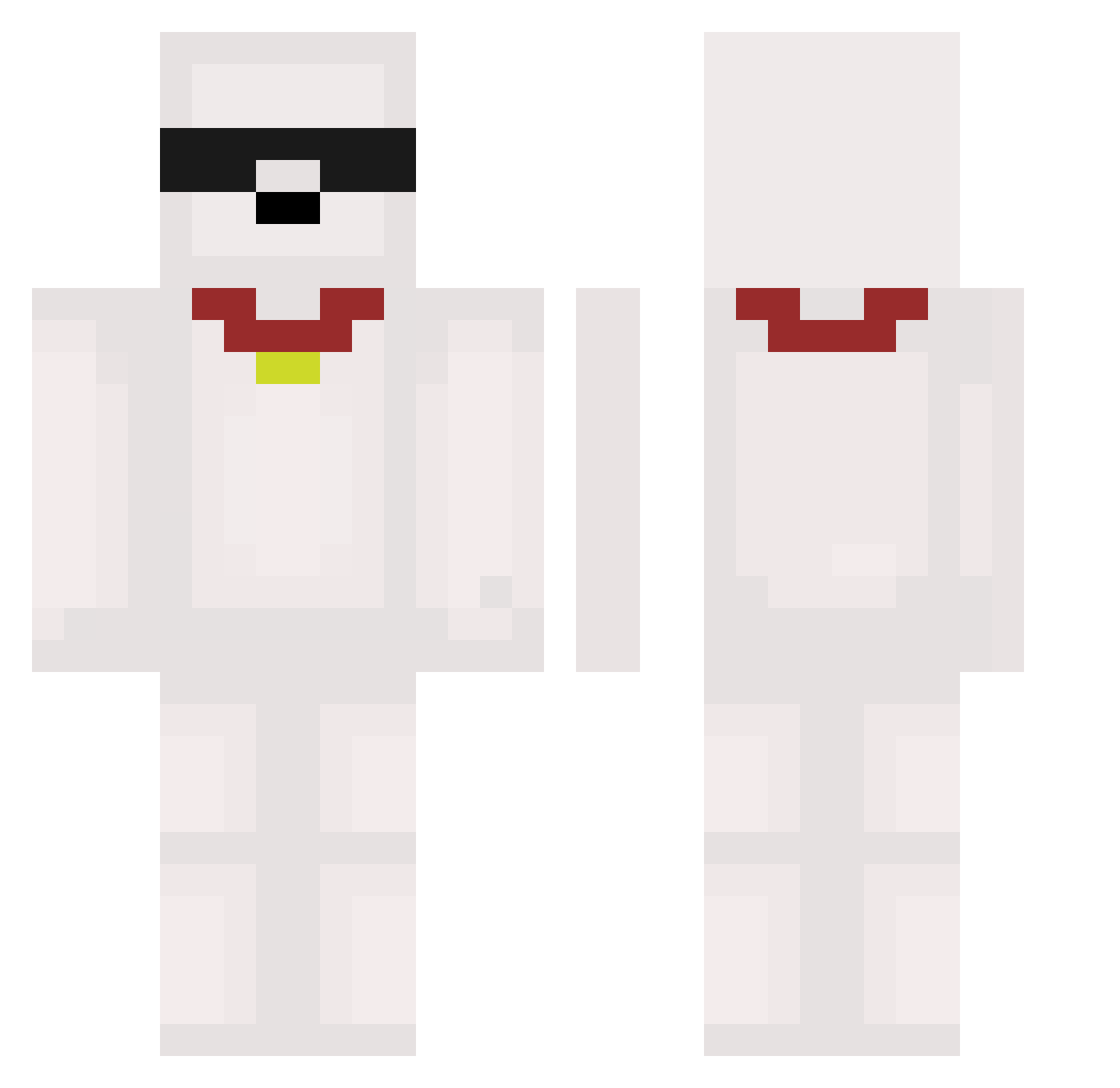
Current Minecraft skin of the player KORVER4THREE, loaded from the official Mojang API. Rotate the 3D model with your mouse or finger, then download the skin as a PNG file and use it in Minecraft: Bedrock Edition or Java Edition for free. When KORVER4THREE changes their skin, this page updates automatically and the old skin stays in the history below.
Other players with this skin (591)
KORVER4THREE was the 569th player we have seen with this skin, first spotted on 07.11.2026. The same skin was seen on these players. Open a nickname to see their current skin and skin history.
 dxg666 diegord0 stratman75 Song_2005 Spyder2707 _Darmanoos KiBomm yuomini cod01 02c8 Itsmejus xQiiy Gengi369 hyungju99 xiaoguojiu reverentlocket FIX_PHILIPs chiroln AbitXTRA zizzon12 zSpeedM_ francoxdpremo23 mushroomich_ fazeebot Rafathello HowPenG shinyuy_ BLIX727 Together_Creeper bhmen heycaribou11 Microsoft_dog Sr_Kimura misiu1ina Baizu_ Roshhi Datmaster David_Fpeses H4IJ1 vounds No__om Deathwin8 raffiim Wertytyweq PalomaCoja03 BiaSoo Raizeb25 SharPK777 ancoolguy24 Aijia09 htm2332 Kirukato05 ElPapuShen BeanBurrito96 sibasaekiya Eunwoo518 RazvanStieCeFace BrisquitzZz Osmiwi04 Sxrahishere
More Collar Minecraft skins
How to install the KORVER4THREE skin
- Press the Download button above to save the skin as a PNG file.
- Minecraft: Bedrock Edition (PE): open the Dressing Room from the main menu (or tap your character → Edit Character), go to Classic Skins → Owned, press the + (new skin) button, choose the downloaded PNG and pick the Classic (Steve) model. Works on PC and mobile; consoles cannot import custom skins.
- Minecraft: Java Edition: open the Minecraft Launcher, go to the Skins tab, click New Skin, load the PNG, pick the Classic (Steve) model and press Save & Use. You can also upload it at minecraft.net → Profile → Change Skin.
The skin does not show up after import - what should I do?
Restart Minecraft and open the Dressing Room again - imported skins sometimes appear only after a restart. Also make sure you selected the imported skin and picked the Classic (Steve) model.
Which model should I choose, Classic or Slim?
This skin is designed for the Classic (Steve) model. If you pick the wrong model, the arms of the skin will look stretched or squeezed.
Is the skin of KORVER4THREE free to download?
Yes. Press Download, save the PNG file and use it in Minecraft: Bedrock Edition or Java Edition - no payment or registration needed. The skin also works on multiplayer servers and Realms.
More skins
Looking for more? Go back to all Minecraft skins and check the top skins of the week, month and all time, or find any player's skin by nickname.