
KONDAM - Minecraft Skins & Skin History
Current Minecraft skin of the player KONDAM, loaded from the official Mojang API. Rotate the 3D model with your mouse or finger, then download the skin as a PNG file and use it in Minecraft: Bedrock Edition or Java Edition for free. When KONDAM changes their skin, this page updates automatically and the old skin stays in the history below.
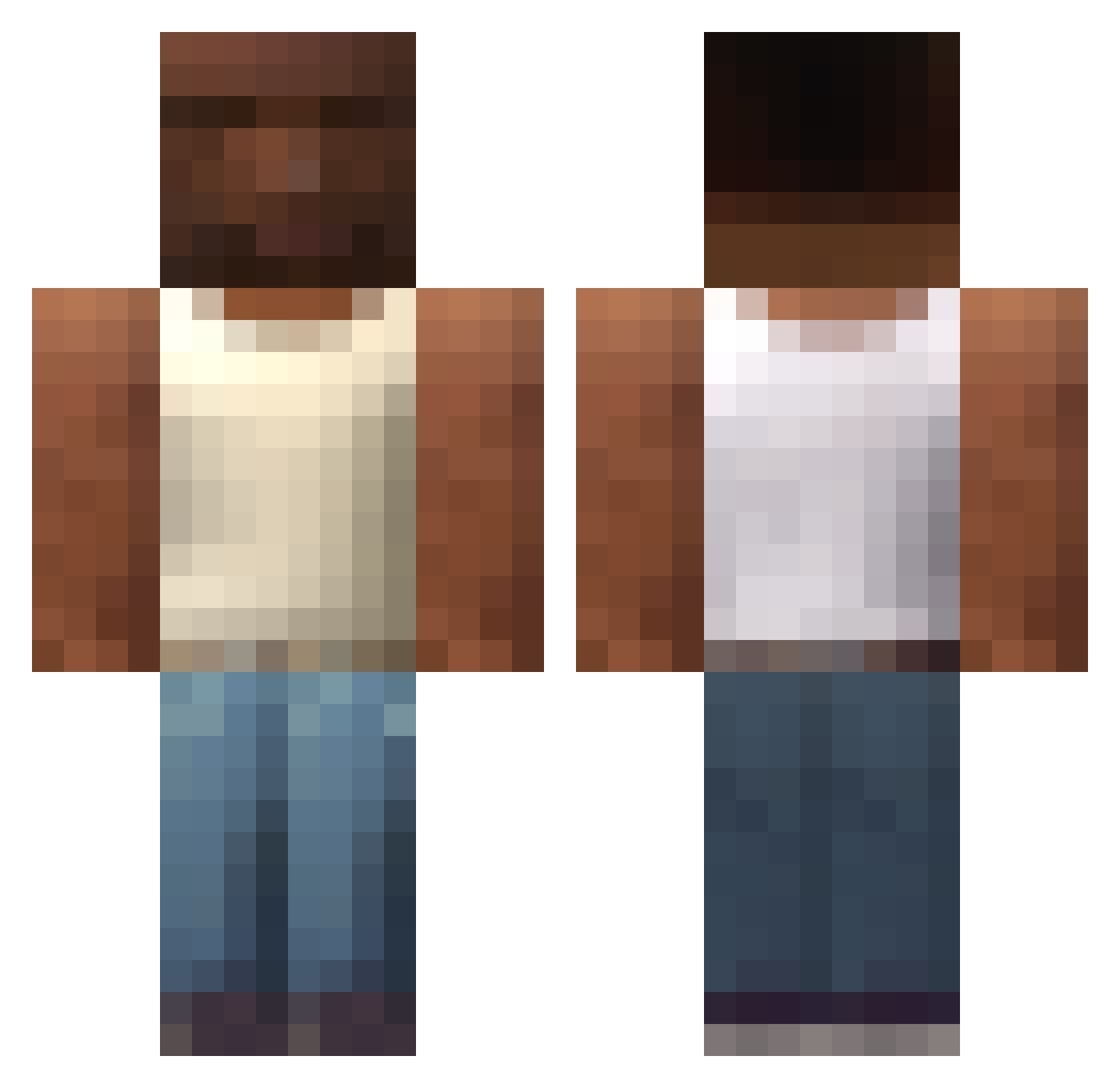
Other players with this skin (607)
KONDAM was the 54th player we have seen with this skin, first spotted on 02.08.2026. The same skin was seen on these players. Open a nickname to see their current skin and skin history.
 TomasD4C Ryain_stecken ODBaztard CIPITOO hamsterboy66a Springe_ yuiuchi PGJoao xFussnagel hypixel_login MlecznaBestia Fl1kpus AptalUcube El_sAca_caca PaulHomer Carlos865 Amphedionis OsielinInsano conner76 Tommyphc zerussauro DortHit_ii41rlch MO5O No_u0325 victor2pro Al_xn zxcqw pandulce4k toddynhos Itz_Luksa CN88888888 BlackFlashDS DrF0gle Apicks123 Ryanodestr L33_28 KTN_Star tooochi153 Khomso19 Sophie2 Porkakruytost lauta77 GOLDST31N FailapixYt LucasBR44 vxhking_ Foxzzz7 KembaWalker_ maru22487 _Pauloo
 FuntimeXD Big_V_ anytimeSSS iamogus tgstepp SexyMarkus Gadomiak1234 NaLuff Durengo
 ffranky1
More San Andreas Minecraft skins
How to install the KONDAM skin
- Press the Download button above to save the skin as a PNG file.
- Minecraft: Bedrock Edition (PE): open the Dressing Room from the main menu (or tap your character → Edit Character), go to Classic Skins → Owned, press the + (new skin) button, choose the downloaded PNG and pick the Classic (Steve) model. Works on PC and mobile; consoles cannot import custom skins.
- Minecraft: Java Edition: open the Minecraft Launcher, go to the Skins tab, click New Skin, load the PNG, pick the Classic (Steve) model and press Save & Use. You can also upload it at minecraft.net → Profile → Change Skin.
The skin does not show up after import - what should I do?
Restart Minecraft and open the Dressing Room again - imported skins sometimes appear only after a restart. Also make sure you selected the imported skin and picked the Classic (Steve) model.
Which model should I choose, Classic or Slim?
This skin is designed for the Classic (Steve) model. If you pick the wrong model, the arms of the skin will look stretched or squeezed.
Is the skin of KONDAM free to download?
Yes. Press Download, save the PNG file and use it in Minecraft: Bedrock Edition or Java Edition - no payment or registration needed. The skin also works on multiplayer servers and Realms.
More skins
Looking for more? Go back to all Minecraft skins and check the top skins of the week, month and all time, or find any player's skin by nickname.