
KIATigers324 - Minecraft Skins & Skin History
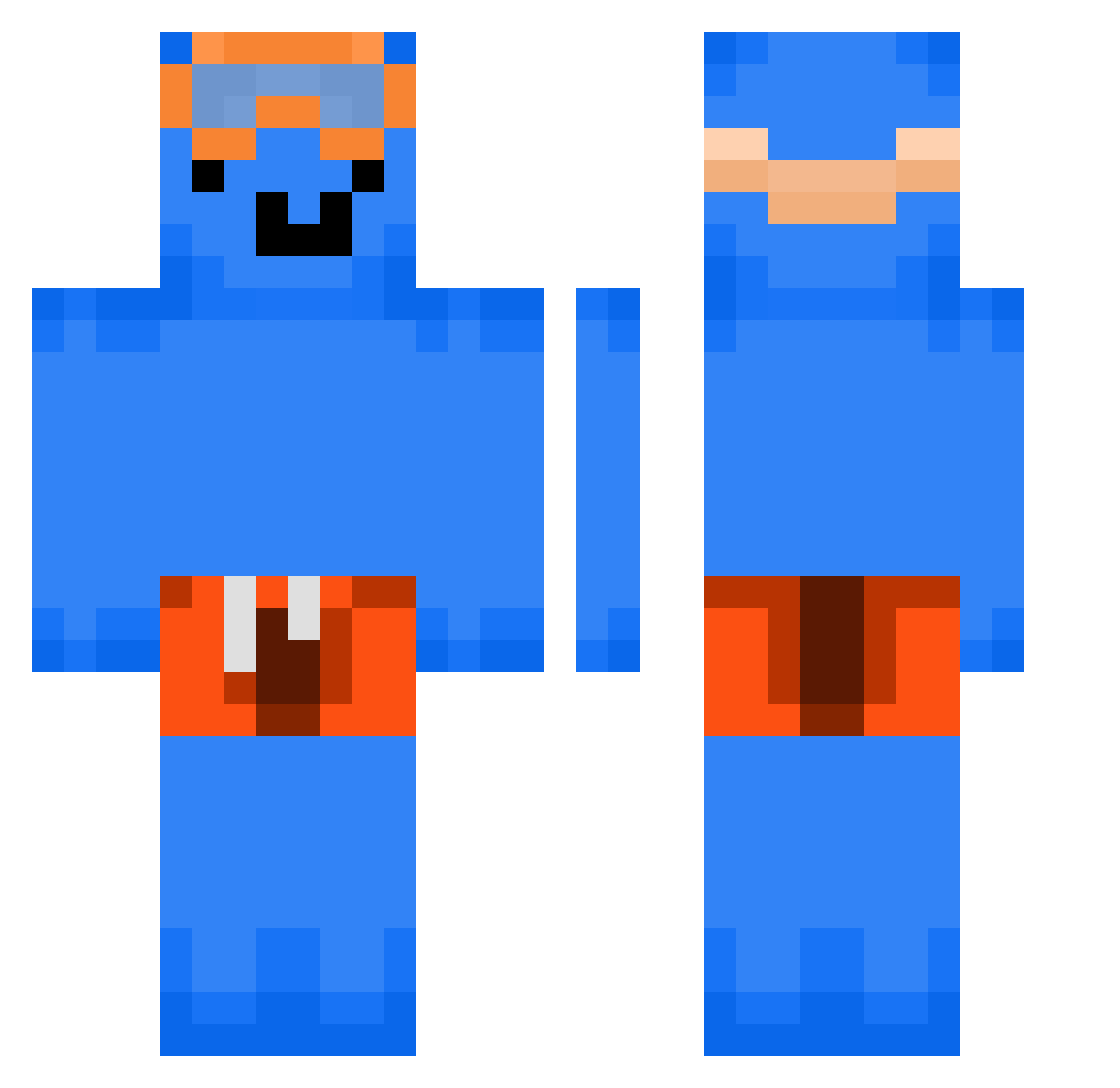
Current Minecraft skin of the player KIATigers324, loaded from the official Mojang API. Rotate the 3D model with your mouse or finger, then download the skin as a PNG file and use it in Minecraft: Bedrock Edition or Java Edition for free. When KIATigers324 changes their skin, this page updates automatically and the old skin stays in the history below.
Other players with this skin (335)
KIATigers324 was the 311th player we have seen with this skin, first spotted on 09.11.2026. The same skin was seen on these players. Open a nickname to see their current skin and skin history.
 XD4rkLovex KalEl0008 DONALDTRUMPGOAT Lchengqqo Pierre3 sagaa7 Rui_Pera1 Ignatelio MonkeyTed11 BetaSarat OmegaV_01 alkarsword FilipT4705 Agent_Monkey24 Jann1i srdek4_jasy_ Marcus69729 adr_janek Allianss alxsza or9sh_ bigchickenbreast theflake_ Rengardo_Milos MasterWaffle5 RiftxD PappiFrantz Adrian_tortilla JMALLZ_2232 Mavarsa lMogged Hawkboy11 PineappleSheepy Eminatornator stasiufr KeBOB0928 cool_swimmwer225 EquantS Revenand victor_gabriel19 itsJanek19 OfficialLSVR Destinyoi iFrost__229 G502Griptape PoptartzYT alvinio2002 gaorage Alex_MMA Fantao0721 horomii Goldeez_ Kuozify BBOBBIYO CHA1NGE T0rken_Hunter69 mtf_dontkill Sn1p3rZon3 johnycash999 ecoxi
More Swimmer Minecraft skins
How to install the KIATigers324 skin
- Press the Download button above to save the skin as a PNG file.
- Minecraft: Bedrock Edition (PE): open the Dressing Room from the main menu (or tap your character → Edit Character), go to Classic Skins → Owned, press the + (new skin) button, choose the downloaded PNG and pick the Classic (Steve) model. Works on PC and mobile; consoles cannot import custom skins.
- Minecraft: Java Edition: open the Minecraft Launcher, go to the Skins tab, click New Skin, load the PNG, pick the Classic (Steve) model and press Save & Use. You can also upload it at minecraft.net → Profile → Change Skin.
The skin does not show up after import - what should I do?
Restart Minecraft and open the Dressing Room again - imported skins sometimes appear only after a restart. Also make sure you selected the imported skin and picked the Classic (Steve) model.
Which model should I choose, Classic or Slim?
This skin is designed for the Classic (Steve) model. If you pick the wrong model, the arms of the skin will look stretched or squeezed.
Is the skin of KIATigers324 free to download?
Yes. Press Download, save the PNG file and use it in Minecraft: Bedrock Edition or Java Edition - no payment or registration needed. The skin also works on multiplayer servers and Realms.
More skins
Looking for more? Go back to all Minecraft skins and check the top skins of the week, month and all time, or find any player's skin by nickname.