
KELEK1410 - Minecraft Skins & Skin History
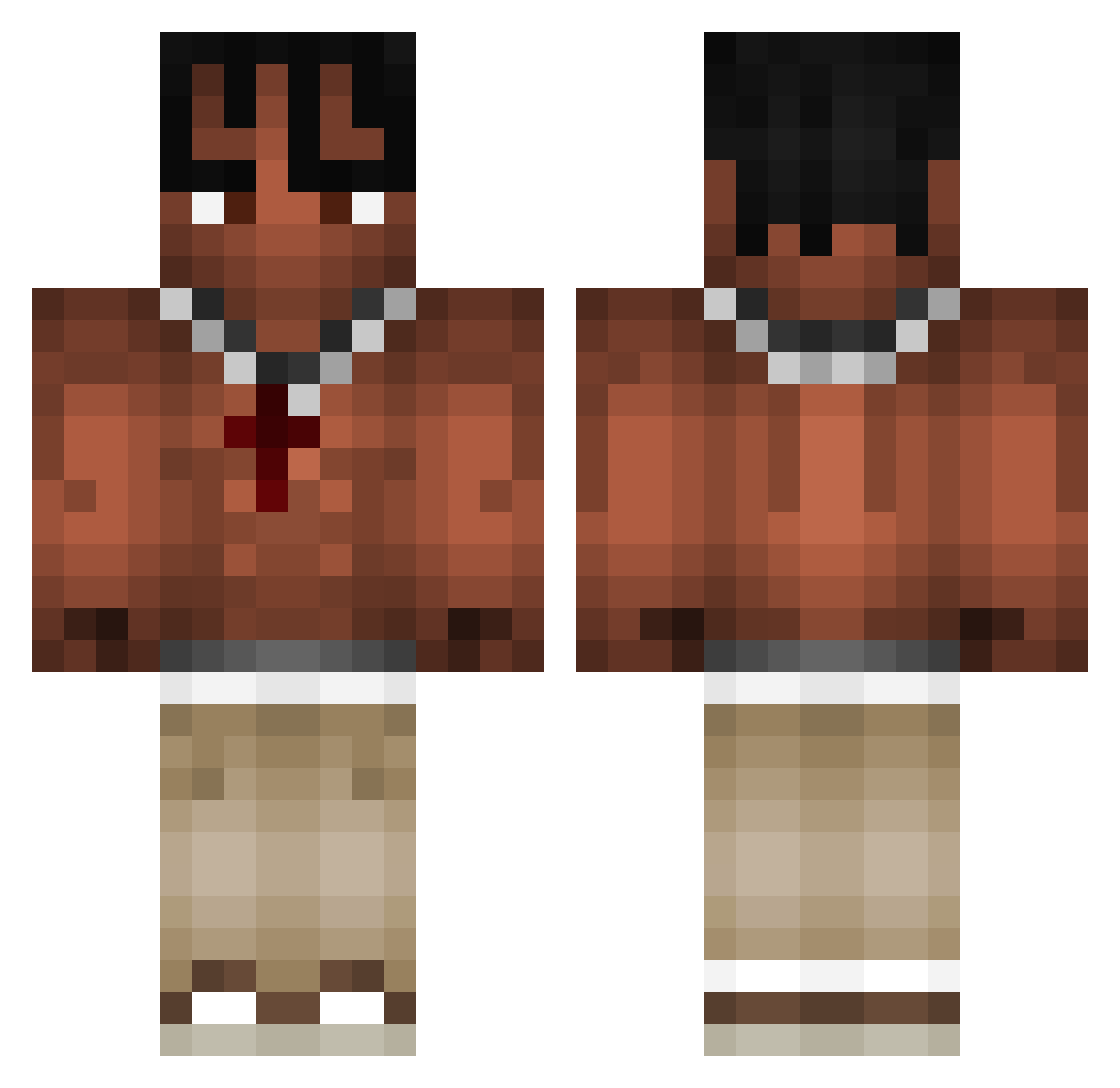
Current Minecraft skin of the player KELEK1410, loaded from the official Mojang API. Rotate the 3D model with your mouse or finger, then download the skin as a PNG file and use it in Minecraft: Bedrock Edition or Java Edition for free. When KELEK1410 changes their skin, this page updates automatically and the old skin stays in the history below.
Other players with this skin (1071)
KELEK1410 was the 979th player we have seen with this skin, first spotted on 01.11.2026. The same skin was seen on these players. Open a nickname to see their current skin and skin history.
 M4T1EXE WR0B3L JuanEm Kukeno inogon notoggie FRANCYSHOW Real_Henr1k iTzviscoo yunkraffa Elmafishy39 swag_vepo IAmNotThatSmart Michal0002 GhostBenX m1nnty xmaurix12 MaxDesignerX skylarboss07 RIPA003 Naicky CantingMyGalaxy UNGLUNG Fabs88 DrunkenGoblin Hinnerk0007 cayu_s shhurababy ZakHuncho ponentnyeryk69 Muran___ bruhmomentum_ Thejosall Boi_Oh_Boi_12 Sm0k3r_ patomaqui semzeroone2 Clzvii phnxlol MeWeazle AnonimoPlayer00 Bartuus13 toyeq321 Camon_01 Stupex csDingo TonyMfBeer Lord_Raresh Scotty7_ 1nUrMum Minita_uwu reydavid76 GhostFER11 Jasin_ anderlaflame Tiproutte Nasty2slick fofanovic NotESL09 taegmin
More Xxxtentacion Minecraft skins
See all 444 Xxxtentacion skins
How to install the KELEK1410 skin
- Press the Download button above to save the skin as a PNG file.
- Minecraft: Bedrock Edition (PE): open the Dressing Room from the main menu (or tap your character → Edit Character), go to Classic Skins → Owned, press the + (new skin) button, choose the downloaded PNG and pick the Classic (Steve) model. Works on PC and mobile; consoles cannot import custom skins.
- Minecraft: Java Edition: open the Minecraft Launcher, go to the Skins tab, click New Skin, load the PNG, pick the Classic (Steve) model and press Save & Use. You can also upload it at minecraft.net → Profile → Change Skin.
The skin does not show up after import - what should I do?
Restart Minecraft and open the Dressing Room again - imported skins sometimes appear only after a restart. Also make sure you selected the imported skin and picked the Classic (Steve) model.
Which model should I choose, Classic or Slim?
This skin is designed for the Classic (Steve) model. If you pick the wrong model, the arms of the skin will look stretched or squeezed.
Is the skin of KELEK1410 free to download?
Yes. Press Download, save the PNG file and use it in Minecraft: Bedrock Edition or Java Edition - no payment or registration needed. The skin also works on multiplayer servers and Realms.
More skins
Looking for more? Go back to all Minecraft skins and check the top skins of the week, month and all time, or find any player's skin by nickname.