
Juvito_ - Minecraft Skins & Skin History
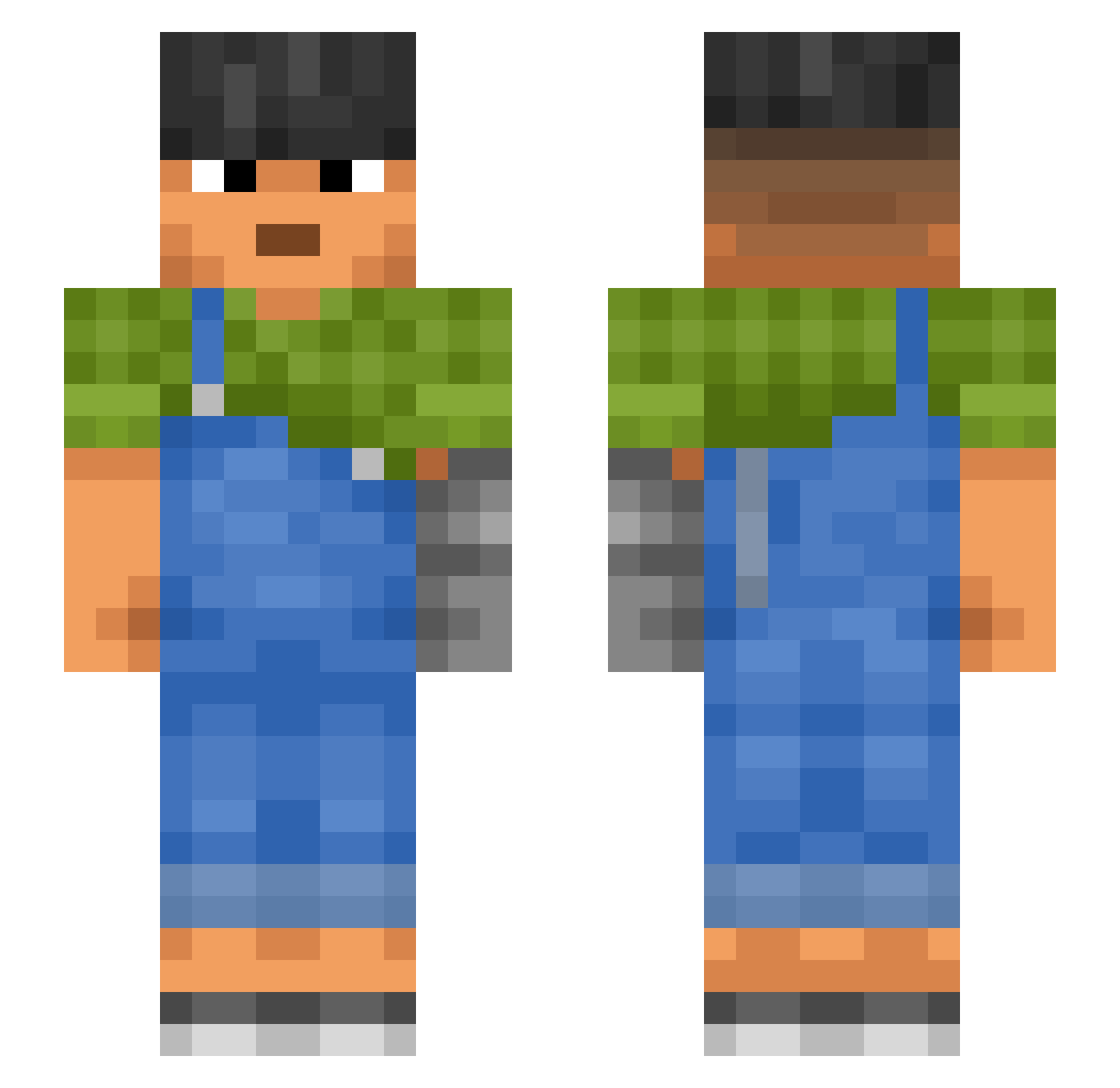
Current Minecraft skin of the player Juvito_, loaded from the official Mojang API. Rotate the 3D model with your mouse or finger, then download the skin as a PNG file and use it in Minecraft: Bedrock Edition or Java Edition for free. When Juvito_ changes their skin, this page updates automatically and the old skin stays in the history below.
Other players with this skin (861)
Juvito_ was the 342nd player we have seen with this skin, first spotted on 01.09.2026. The same skin was seen on these players. Open a nickname to see their current skin and skin history.
 Oreopithecus Heptyl easyexe Legostein Txwel Powerplants JASONKAMO Bauvielnix urgho amvs Erilix_ bunt Asperj b3sAa Sanpy Dreidl tim1020116 mikehoncho18 Ninjamia09 liepot creped Chapman Haribo999999 Batta Repique chaejjang Aniseed proVers
 NumbFish233 Avigation Gratuity Odetohoe Aruno_mc Polypodium RestYou Blitzschnel ___Feynman___ Grandobo alonsopr02 Adamsk_1 Wheat97 Skulking Blanquette amerikani NamesChrono Seongyeon Tellina monkey92212 Nocket Gondra98 ThePhamTastic Daikko FiwgNiwd bihretep _W_One Menschohnekatze arimcr FireIce157 Darraign
 ChoTiMel
More Prosthetic Arm Minecraft skins
See all 65 Prosthetic Arm skins
How to install the Juvito_ skin
- Press the Download button above to save the skin as a PNG file.
- Minecraft: Bedrock Edition (PE): open the Dressing Room from the main menu (or tap your character → Edit Character), go to Classic Skins → Owned, press the + (new skin) button, choose the downloaded PNG and pick the Slim (Alex) model. Works on PC and mobile; consoles cannot import custom skins.
- Minecraft: Java Edition: open the Minecraft Launcher, go to the Skins tab, click New Skin, load the PNG, pick the Slim (Alex) model and press Save & Use. You can also upload it at minecraft.net → Profile → Change Skin.
The skin does not show up after import - what should I do?
Restart Minecraft and open the Dressing Room again - imported skins sometimes appear only after a restart. Also make sure you selected the imported skin and picked the Slim (Alex) model.
Which model should I choose, Classic or Slim?
This skin is designed for the Slim (Alex) model. If you pick the wrong model, the arms of the skin will look stretched or squeezed.
Is the skin of Juvito_ free to download?
Yes. Press Download, save the PNG file and use it in Minecraft: Bedrock Edition or Java Edition - no payment or registration needed. The skin also works on multiplayer servers and Realms.
More skins
Looking for more? Go back to all Minecraft skins and check the top skins of the week, month and all time, or find any player's skin by nickname.