
Juttygirl - Minecraft Skins & Skin History
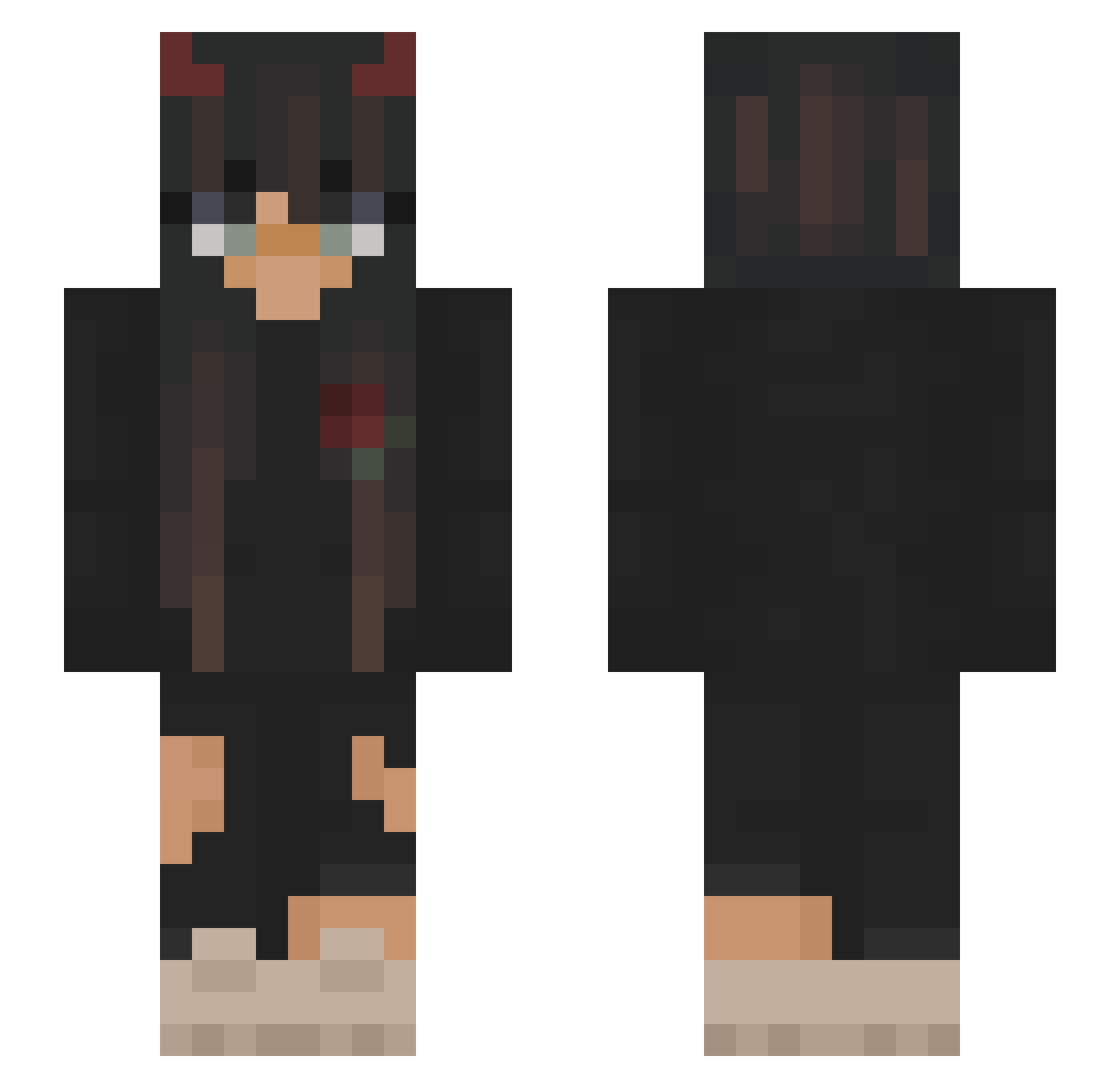
Current Minecraft skin of the player Juttygirl, loaded from the official Mojang API. Rotate the 3D model with your mouse or finger, then download the skin as a PNG file and use it in Minecraft: Bedrock Edition or Java Edition for free. When Juttygirl changes their skin, this page updates automatically and the old skin stays in the history below.
Other players with this skin (251)
Juttygirl was the 212th player we have seen with this skin, first spotted on 27.10.2026. The same skin was seen on these players. Open a nickname to see their current skin and skin history.
 l_y_u_k_i BanditoLOLP Zuryte Latisha05 Perm_Army_bot_11 Perm_Army_6 MichiJoy Kajuska9 Erkkitz Jelda04 Jowisia17 catamanquy Grimmward13 Perm_Army_bot_1 Allymaryyy Hundyy _Short_ NinaIsKawaiii zbarsmecher4 Manyy000 fromabby Little_oll xierens Gabous13 iiStrxssii Emi1804 ABGL0ver_ fakesweat DurandalNA1 karatel148 bqdhii Einhornkake Wasgehtaaaaaaaab Mimuus swezzy235 Light_Wolf1415 nemero332 VeryBadNonL0L Hanako_kun426 LunaSeymour Perm_Army_8 LunaTiikK 1OrangeJuice1 bisexualnaruto Gragnorth DaMazyy JOAKKILY suntexxx frajola_gamer ItsTUF 51why K1m1_5 geldanqel PrincesseCam Toonzman MamiToast Kiwi_lein3 martiiinaa debimi Guiamuve
More Demon Horns Minecraft skins
How to install the Juttygirl skin
- Press the Download button above to save the skin as a PNG file.
- Minecraft: Bedrock Edition (PE): open the Dressing Room from the main menu (or tap your character → Edit Character), go to Classic Skins → Owned, press the + (new skin) button, choose the downloaded PNG and pick the Slim (Alex) model. Works on PC and mobile; consoles cannot import custom skins.
- Minecraft: Java Edition: open the Minecraft Launcher, go to the Skins tab, click New Skin, load the PNG, pick the Slim (Alex) model and press Save & Use. You can also upload it at minecraft.net → Profile → Change Skin.
The skin does not show up after import - what should I do?
Restart Minecraft and open the Dressing Room again - imported skins sometimes appear only after a restart. Also make sure you selected the imported skin and picked the Slim (Alex) model.
Which model should I choose, Classic or Slim?
This skin is designed for the Slim (Alex) model. If you pick the wrong model, the arms of the skin will look stretched or squeezed.
Is the skin of Juttygirl free to download?
Yes. Press Download, save the PNG file and use it in Minecraft: Bedrock Edition or Java Edition - no payment or registration needed. The skin also works on multiplayer servers and Realms.
More skins
Looking for more? Go back to all Minecraft skins and check the top skins of the week, month and all time, or find any player's skin by nickname.