
JustxRaph - Minecraft Skins & Skin History
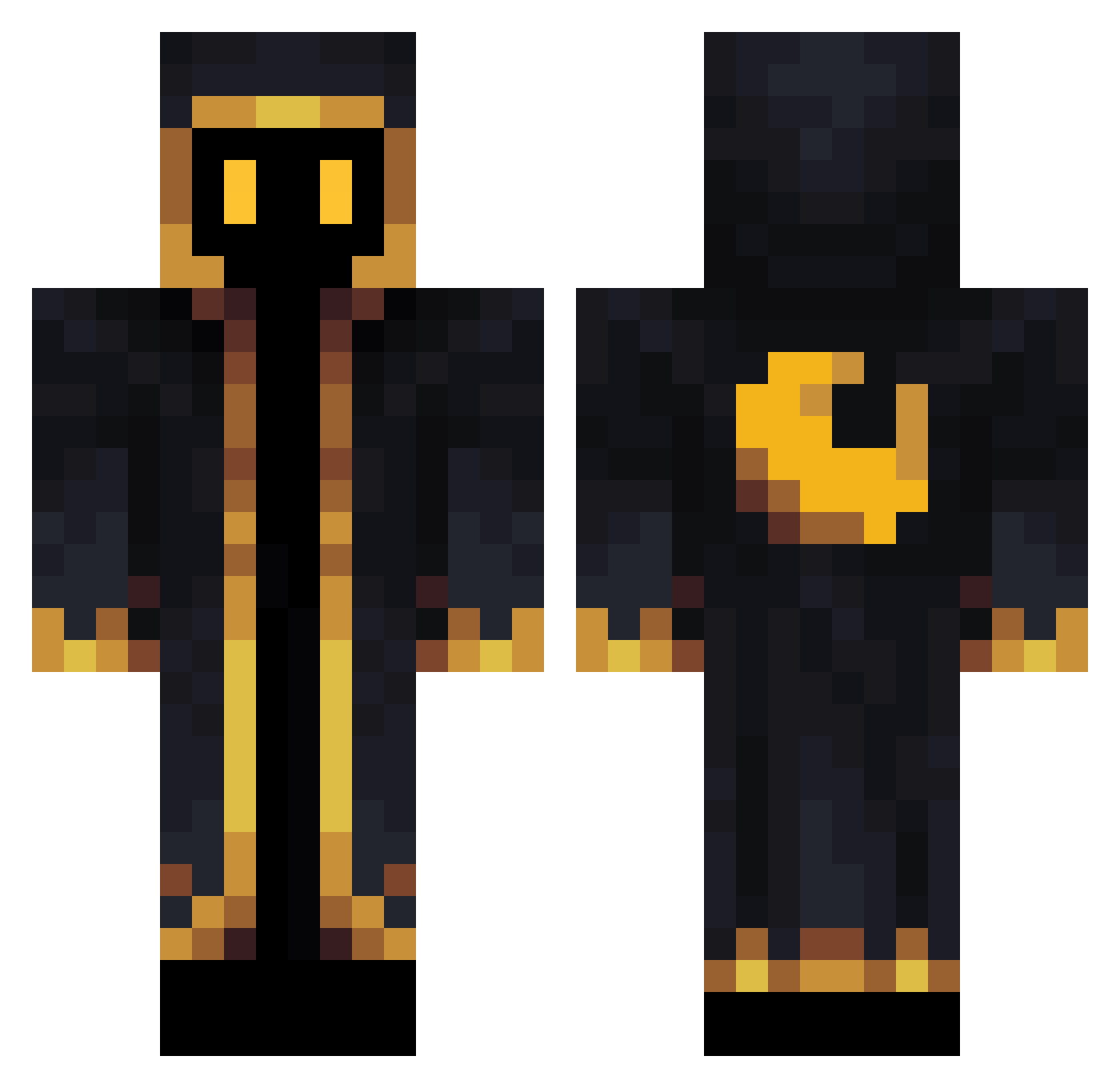
Current Minecraft skin of the player JustxRaph, loaded from the official Mojang API. Rotate the 3D model with your mouse or finger, then download the skin as a PNG file and use it in Minecraft: Bedrock Edition or Java Edition for free. When JustxRaph changes their skin, this page updates automatically and the old skin stays in the history below.
Other players with this skin (564)
JustxRaph was the 307th player we have seen with this skin, first spotted on 25.09.2026. The same skin was seen on these players. Open a nickname to see their current skin and skin history.
 smor110 Morladin HickoryFlap ferrets9 Rubaek21 Ursanthrope sanson619 Bosaiff Unsmokedblunt Devin12354 CursedLuck Meiki21 Gavyton Zmraovac _MOL_LU_ MaV0411 FranckChev slozak chaos2all fexiten4602882 Owenaxis2 E_DDE SoulXypher HankTank410 User_294860 Lost_Reptiles gafsef1234 redkraken W1fler YatesB Shirgure12 the_deemuh Mesuzuko xoAstray CNColumbia2 curry20027 Enedcy XshhX Unkindnessfan iseebi0925 Technodude2009 Zhupex RafaSxYou koyio SynergyR6 KomutTJava KyloForce3 Javisoti_23 StinkychzYT Dirtyonelive Pansararvid In3rsia ItsJustClue WackoWizardo MilOnism oid_msmc_a4a Samuel245 Jul3s95 DrRDM Wex2001
More Crescent Moon Minecraft skins
See all 274 Crescent Moon skins
How to install the JustxRaph skin
- Press the Download button above to save the skin as a PNG file.
- Minecraft: Bedrock Edition (PE): open the Dressing Room from the main menu (or tap your character → Edit Character), go to Classic Skins → Owned, press the + (new skin) button, choose the downloaded PNG and pick the Classic (Steve) model. Works on PC and mobile; consoles cannot import custom skins.
- Minecraft: Java Edition: open the Minecraft Launcher, go to the Skins tab, click New Skin, load the PNG, pick the Classic (Steve) model and press Save & Use. You can also upload it at minecraft.net → Profile → Change Skin.
The skin does not show up after import - what should I do?
Restart Minecraft and open the Dressing Room again - imported skins sometimes appear only after a restart. Also make sure you selected the imported skin and picked the Classic (Steve) model.
Which model should I choose, Classic or Slim?
This skin is designed for the Classic (Steve) model. If you pick the wrong model, the arms of the skin will look stretched or squeezed.
Is the skin of JustxRaph free to download?
Yes. Press Download, save the PNG file and use it in Minecraft: Bedrock Edition or Java Edition - no payment or registration needed. The skin also works on multiplayer servers and Realms.
More skins
Looking for more? Go back to all Minecraft skins and check the top skins of the week, month and all time, or find any player's skin by nickname.