
Justinater - Minecraft Skins & Skin History
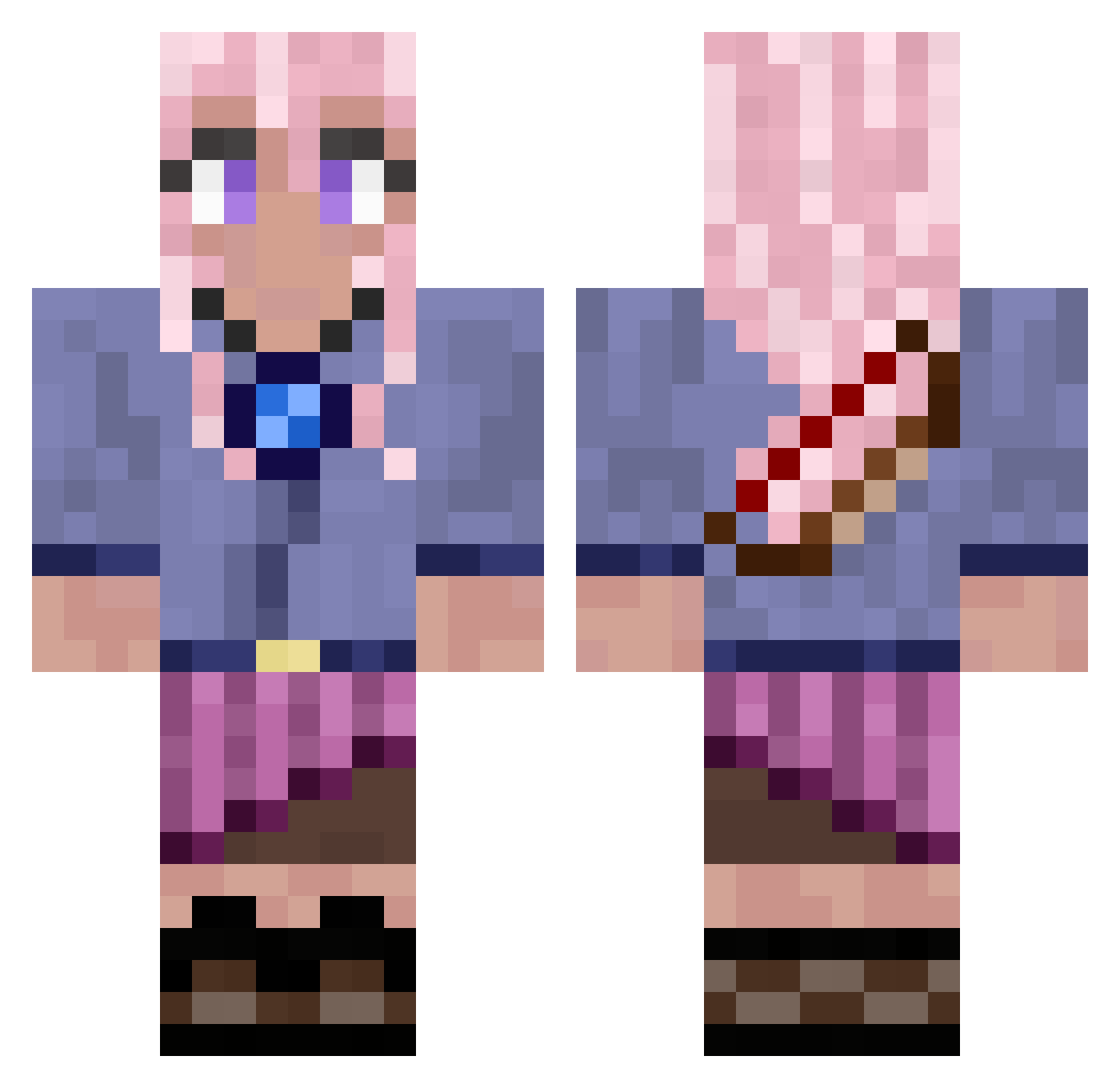
Current Minecraft skin of the player Justinater, loaded from the official Mojang API. Rotate the 3D model with your mouse or finger, then download the skin as a PNG file and use it in Minecraft: Bedrock Edition or Java Edition for free. When Justinater changes their skin, this page updates automatically and the old skin stays in the history below.
Other players with this skin (679)
Justinater was the 193rd player we have seen with this skin, first spotted on 19.08.2026. The same skin was seen on these players. Open a nickname to see their current skin and skin history.
 cinnan Rosie_Thorns_ rubesxcube cattyalia EnderAsian Ice8ear EmptyB TacoCatXIII Cookiebutt162 Wolfsheaven Valequalle secondhandbuffet horsegirl1320
 Antonin2015 P0tat029 Wolf3Dra lesstar Kikicatz99 plovx359x OakSea791653346 Raygun01 Mccool277 posangeo mochi_muncher890 teresitta CoolgirlOMG99 arimmi1 BenjyFranky Kaito_76 nochsoeinlouis Undy01 Jane_Dawn Zumito_Tw Annelieze chacha9262 sillyartful AKKEDIS11201 King_essef Vixen313 sadieduhh Bluwes fantasy2500 Humhy LeonieChiara Greengiraffe196 Starshae Amykinz lavenderhazedd sharkloks Kin44 cheesytaco2020 Blackwish13 Frozen_Icequeen toastghost1554 Fujisagi AllyGinger Crazelpuff ASH_Dobin12 Yka_2 Andy_De
More Kyoko Kirigiri Minecraft skins
See all 55 Kyoko Kirigiri skins
How to install the Justinater skin
- Press the Download button above to save the skin as a PNG file.
- Minecraft: Bedrock Edition (PE): open the Dressing Room from the main menu (or tap your character → Edit Character), go to Classic Skins → Owned, press the + (new skin) button, choose the downloaded PNG and pick the Classic (Steve) model. Works on PC and mobile; consoles cannot import custom skins.
- Minecraft: Java Edition: open the Minecraft Launcher, go to the Skins tab, click New Skin, load the PNG, pick the Classic (Steve) model and press Save & Use. You can also upload it at minecraft.net → Profile → Change Skin.
The skin does not show up after import - what should I do?
Restart Minecraft and open the Dressing Room again - imported skins sometimes appear only after a restart. Also make sure you selected the imported skin and picked the Classic (Steve) model.
Which model should I choose, Classic or Slim?
This skin is designed for the Classic (Steve) model. If you pick the wrong model, the arms of the skin will look stretched or squeezed.
Is the skin of Justinater free to download?
Yes. Press Download, save the PNG file and use it in Minecraft: Bedrock Edition or Java Edition - no payment or registration needed. The skin also works on multiplayer servers and Realms.
More skins
Looking for more? Go back to all Minecraft skins and check the top skins of the week, month and all time, or find any player's skin by nickname.