
Justforfun678 - Minecraft Skins & Skin History
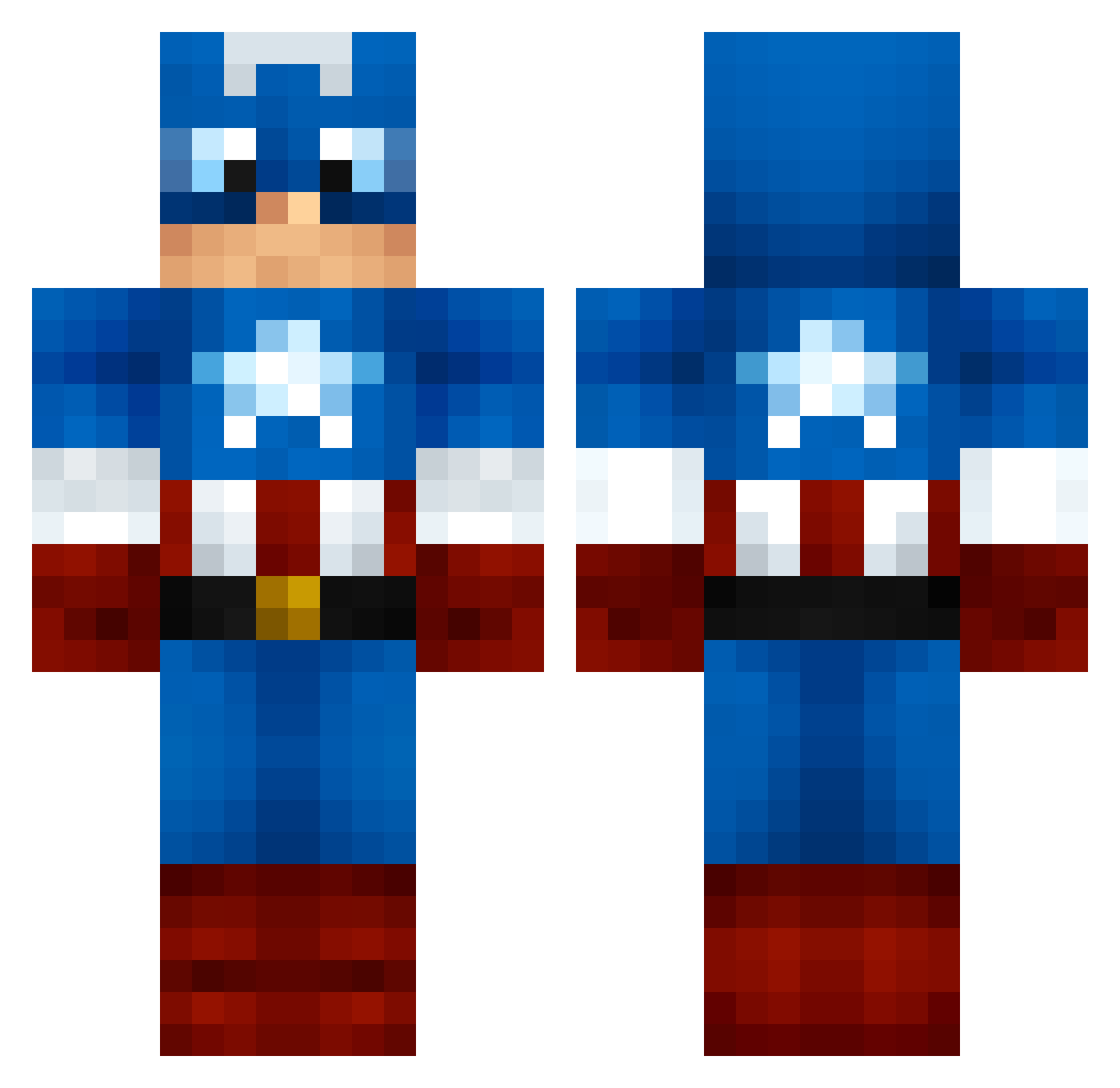
Current Minecraft skin of the player Justforfun678, loaded from the official Mojang API. Rotate the 3D model with your mouse or finger, then download the skin as a PNG file and use it in Minecraft: Bedrock Edition or Java Edition for free. When Justforfun678 changes their skin, this page updates automatically and the old skin stays in the history below.
Other players with this skin (1000)
Justforfun678 was the 923rd player we have seen with this skin, first spotted on 16.10.2026. The same skin was seen on these players. Open a nickname to see their current skin and skin history.
 HarrySymonds 250905 oRezzly KennHua KC65 Desh08 adrian_pichardo FwdBlue cmb1025 pandapoops Fabianetto 92michael92 peanutpaste Sidelito TwiiSTeD88 angelitobad xFADE213 xX_MrMiyagi_Xx Julez4101 stevendiep injusticegod1008 TLAHUNE de_t 603nad jj8799 Z_Prodigy JakeBlue99 by_Slix Da0007 ProSoldierX Auristoles speliam kikibomb brightonman10 Chaotic9109 yuvalonski10 Zundro putshark man303 ive_16 Skavange sensationcts Tentenlebata SnowDwight mikehugill1 sameo56 MillieHJ Arcazon molareffer xX_RyAn_1_Xx zzman12345 Gator_W _WrestlingApe_ OldManPushingCar Nesiar Twanbob Ogame92 Apollox39x Neeiizz CaptainJames4
More Captain America Minecraft skins
See all 148 Captain America skins
How to install the Justforfun678 skin
- Press the Download button above to save the skin as a PNG file.
- Minecraft: Bedrock Edition (PE): open the Dressing Room from the main menu (or tap your character → Edit Character), go to Classic Skins → Owned, press the + (new skin) button, choose the downloaded PNG and pick the Classic (Steve) model. Works on PC and mobile; consoles cannot import custom skins.
- Minecraft: Java Edition: open the Minecraft Launcher, go to the Skins tab, click New Skin, load the PNG, pick the Classic (Steve) model and press Save & Use. You can also upload it at minecraft.net → Profile → Change Skin.
The skin does not show up after import - what should I do?
Restart Minecraft and open the Dressing Room again - imported skins sometimes appear only after a restart. Also make sure you selected the imported skin and picked the Classic (Steve) model.
Which model should I choose, Classic or Slim?
This skin is designed for the Classic (Steve) model. If you pick the wrong model, the arms of the skin will look stretched or squeezed.
Is the skin of Justforfun678 free to download?
Yes. Press Download, save the PNG file and use it in Minecraft: Bedrock Edition or Java Edition - no payment or registration needed. The skin also works on multiplayer servers and Realms.
More skins
Looking for more? Go back to all Minecraft skins and check the top skins of the week, month and all time, or find any player's skin by nickname.