
JustNec - Minecraft Skins & Skin History
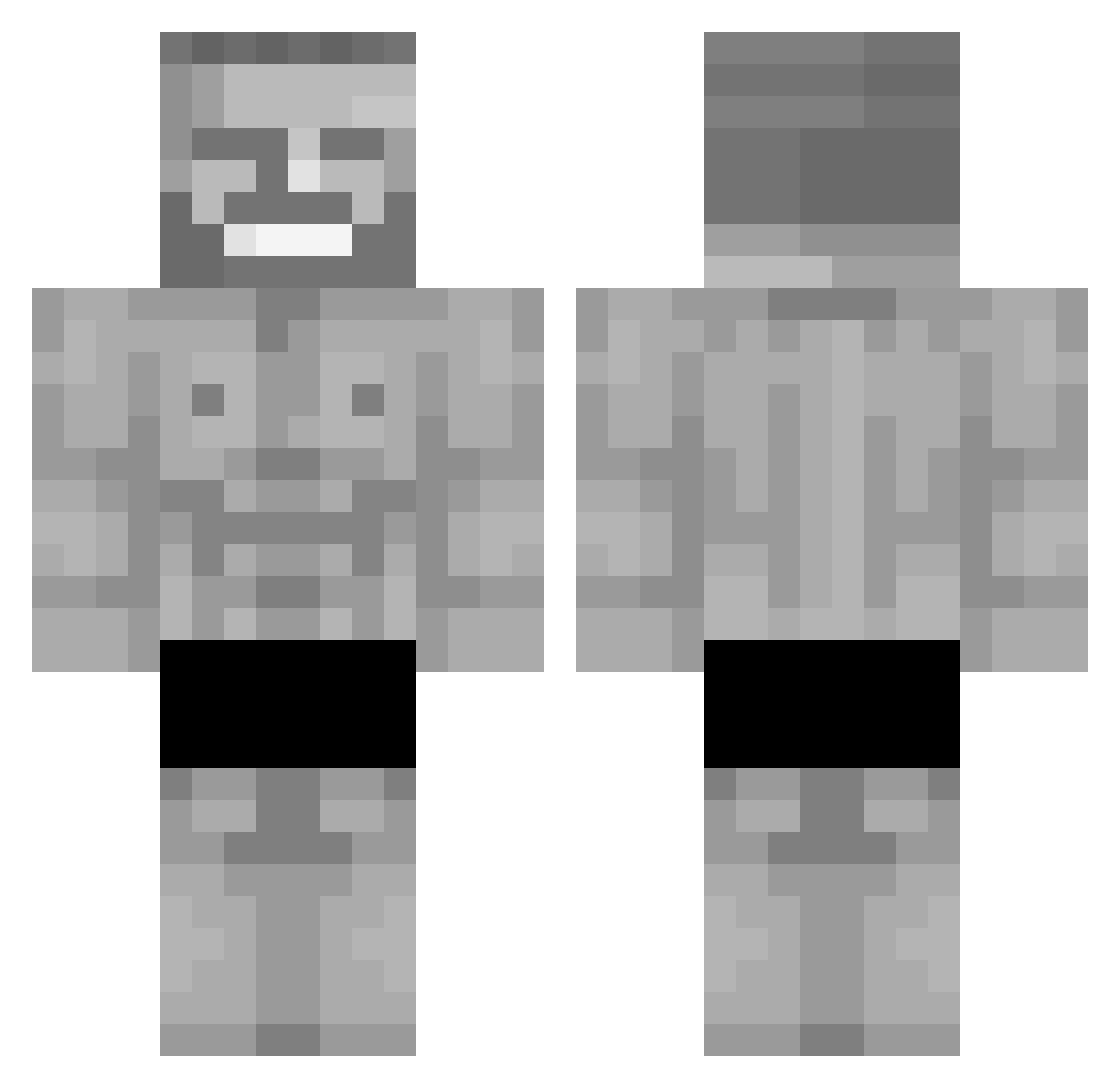
Current Minecraft skin of the player JustNec, loaded from the official Mojang API. Rotate the 3D model with your mouse or finger, then download the skin as a PNG file and use it in Minecraft: Bedrock Edition or Java Edition for free. When JustNec changes their skin, this page updates automatically and the old skin stays in the history below.
Other players with this skin (366)
JustNec was the 317th player we have seen with this skin, first spotted on 05.11.2026. The same skin was seen on these players. Open a nickname to see their current skin and skin history.
 LetniZjadaczCip1 Caginege scorpion2331 MrMister92 Alexo6881 Jou_le ZAJDZISZ DTH459 mawwauo matthewplayzmin WeeklyChad UnbiasedBug7821 ZaXxOo VoidKnight51 SERENKIY_MC 6Rmant9 sisnb1 Lulle98 isma5234 Satari55 VasMax00 thyhobomage NorthVVG TK4pa_ SzayeII Palmexgammer babadude2004 Beykwai jordiPA94 Makuro_kuro DerekBazo PeKsiok ArtikMastik rodijsje Astr0range KozackiKox Idr4x Aqu_9 Fingerpomugger69 Vadra Error_code9081 GodzilaFr Rocklegend2912 Attila2442 BNG250 SirPickleton_ reithatchillguy jenny199546 SigWettBrett MadLittleJoey BigPPWez YodaDard LieuweDaGoat Devsteve48 alitascubicas Tart0Fiac The69420 o1nvincibl3_ Udayveer_ Omireake
More Gigachad Minecraft skins
How to install the JustNec skin
- Press the Download button above to save the skin as a PNG file.
- Minecraft: Bedrock Edition (PE): open the Dressing Room from the main menu (or tap your character → Edit Character), go to Classic Skins → Owned, press the + (new skin) button, choose the downloaded PNG and pick the Classic (Steve) model. Works on PC and mobile; consoles cannot import custom skins.
- Minecraft: Java Edition: open the Minecraft Launcher, go to the Skins tab, click New Skin, load the PNG, pick the Classic (Steve) model and press Save & Use. You can also upload it at minecraft.net → Profile → Change Skin.
The skin does not show up after import - what should I do?
Restart Minecraft and open the Dressing Room again - imported skins sometimes appear only after a restart. Also make sure you selected the imported skin and picked the Classic (Steve) model.
Which model should I choose, Classic or Slim?
This skin is designed for the Classic (Steve) model. If you pick the wrong model, the arms of the skin will look stretched or squeezed.
Is the skin of JustNec free to download?
Yes. Press Download, save the PNG file and use it in Minecraft: Bedrock Edition or Java Edition - no payment or registration needed. The skin also works on multiplayer servers and Realms.
More skins
Looking for more? Go back to all Minecraft skins and check the top skins of the week, month and all time, or find any player's skin by nickname.