
JustB1ackTea - Minecraft Skins & Skin History
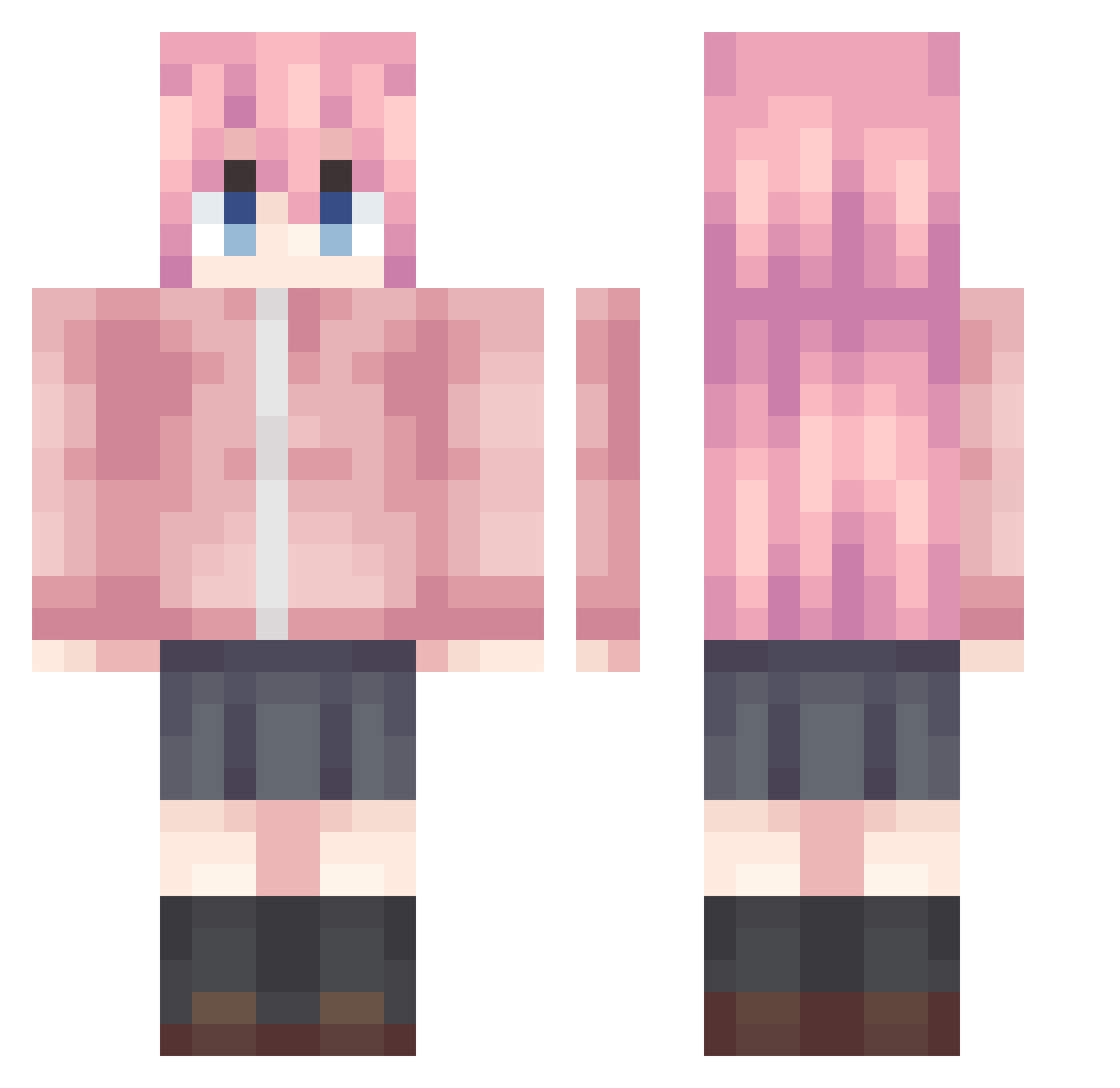
Current Minecraft skin of the player JustB1ackTea, loaded from the official Mojang API. Rotate the 3D model with your mouse or finger, then download the skin as a PNG file and use it in Minecraft: Bedrock Edition or Java Edition for free. When JustB1ackTea changes their skin, this page updates automatically and the old skin stays in the history below.
Other players with this skin (1222)
JustB1ackTea was the 1136th player we have seen with this skin, first spotted on 13.11.2026. The same skin was seen on these players. Open a nickname to see their current skin and skin history.
 ranran___ HyoNuk ZUIYE666 BAERKCJ Shang_Xuan GongYXun Mourner_DK luminous_3 cry415 _PeterPan wbx8848 fanwan_123 black_gem wuwei233 mxxxyz Hao_Keai Violet_000 11345wq Lxtwd KuraYuU512 electroniko4 Thetudu genderparty1337 PRSaymone Re_Fiel Gyooh South_ CutegirlZZH fffftz Nox0627 Mikuei MXSSHP ROB0T_ FYF7 MuyuWind MMM9Z a1ways_d kuikui2333 Violet_WL ojckero sakamotoqvq Murphy_126 kurisu13 K1kiiiii yuanfeng_nya jiuchen0223 playhutao wsef6 Charlotte4_ dongguri02 MS152 Doragep JOZIHAO li_ming_2234 Ruzits s0R_Ry SEILEY RNinn L14M_SG dysphoriaaa
More Bocchi Minecraft skins
How to install the JustB1ackTea skin
- Press the Download button above to save the skin as a PNG file.
- Minecraft: Bedrock Edition (PE): open the Dressing Room from the main menu (or tap your character → Edit Character), go to Classic Skins → Owned, press the + (new skin) button, choose the downloaded PNG and pick the Classic (Steve) model. Works on PC and mobile; consoles cannot import custom skins.
- Minecraft: Java Edition: open the Minecraft Launcher, go to the Skins tab, click New Skin, load the PNG, pick the Classic (Steve) model and press Save & Use. You can also upload it at minecraft.net → Profile → Change Skin.
The skin does not show up after import - what should I do?
Restart Minecraft and open the Dressing Room again - imported skins sometimes appear only after a restart. Also make sure you selected the imported skin and picked the Classic (Steve) model.
Which model should I choose, Classic or Slim?
This skin is designed for the Classic (Steve) model. If you pick the wrong model, the arms of the skin will look stretched or squeezed.
Is the skin of JustB1ackTea free to download?
Yes. Press Download, save the PNG file and use it in Minecraft: Bedrock Edition or Java Edition - no payment or registration needed. The skin also works on multiplayer servers and Realms.
More skins
Looking for more? Go back to all Minecraft skins and check the top skins of the week, month and all time, or find any player's skin by nickname.