
Jusoeng - Minecraft Skins & Skin History
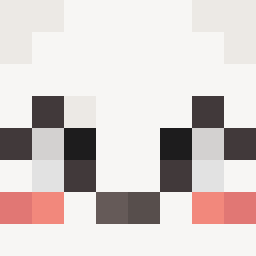
Current Minecraft skin of the player Jusoeng, loaded from the official Mojang API. Rotate the 3D model with your mouse or finger, then download the skin as a PNG file and use it in Minecraft: Bedrock Edition or Java Edition for free. When Jusoeng changes their skin, this page updates automatically and the old skin stays in the history below.

Other players with this skin (721)
Jusoeng was the 198th player we have seen with this skin, first spotted on 20.08.2026. The same skin was seen on these players. Open a nickname to see their current skin and skin history.
 Squasey hi_phive NullFate Souperrrrrr evkrs JustADutchy4lyfe AKA_KingOf_Fanzi NOZONE6591 kptkurczak hyun0323 KlainARK Szaki0 Car_Doori Tonali__ 7az0 burrrrrrrrrrrrr BobbyShmurdaNY Hiltzee LukB66 TheSmallBrain Ajadan06 Bielcu snowestorme Suprady Hairless_Dolphin
 ximple221 TwinGames979 Ryan7926 Quoerp Jamesboned123 WavyAI Mordr3d_Lover RoboHobo222 Esanahka420 Eallimatal1234 dio_drando LunarEclipse658 Alexoshka Cartaga PepeTheToad420 DANXIO67 BOBSAUCE12345 Squibboe2 MSL_Myopia Conversion_xD
 iwiksus ant2996 pinkleshteen dtl_mine
 VegaPunkAKD Negus007 Seongge_2 Idonto Lidl_Scrappy nutswowzers Yohansky MiloMelone WillyJ3 L0VEU1 JamesBlunt1
More Stickman Minecraft skins
How to install the Jusoeng skin
- Press the Download button above to save the skin as a PNG file.
- Minecraft: Bedrock Edition (PE): open the Dressing Room from the main menu (or tap your character → Edit Character), go to Classic Skins → Owned, press the + (new skin) button, choose the downloaded PNG and pick the Classic (Steve) model. Works on PC and mobile; consoles cannot import custom skins.
- Minecraft: Java Edition: open the Minecraft Launcher, go to the Skins tab, click New Skin, load the PNG, pick the Classic (Steve) model and press Save & Use. You can also upload it at minecraft.net → Profile → Change Skin.
The skin does not show up after import - what should I do?
Restart Minecraft and open the Dressing Room again - imported skins sometimes appear only after a restart. Also make sure you selected the imported skin and picked the Classic (Steve) model.
Which model should I choose, Classic or Slim?
This skin is designed for the Classic (Steve) model. If you pick the wrong model, the arms of the skin will look stretched or squeezed.
Is the skin of Jusoeng free to download?
Yes. Press Download, save the PNG file and use it in Minecraft: Bedrock Edition or Java Edition - no payment or registration needed. The skin also works on multiplayer servers and Realms.
More skins
Looking for more? Go back to all Minecraft skins and check the top skins of the week, month and all time, or find any player's skin by nickname.