
Junji42 - Minecraft Skins & Skin History
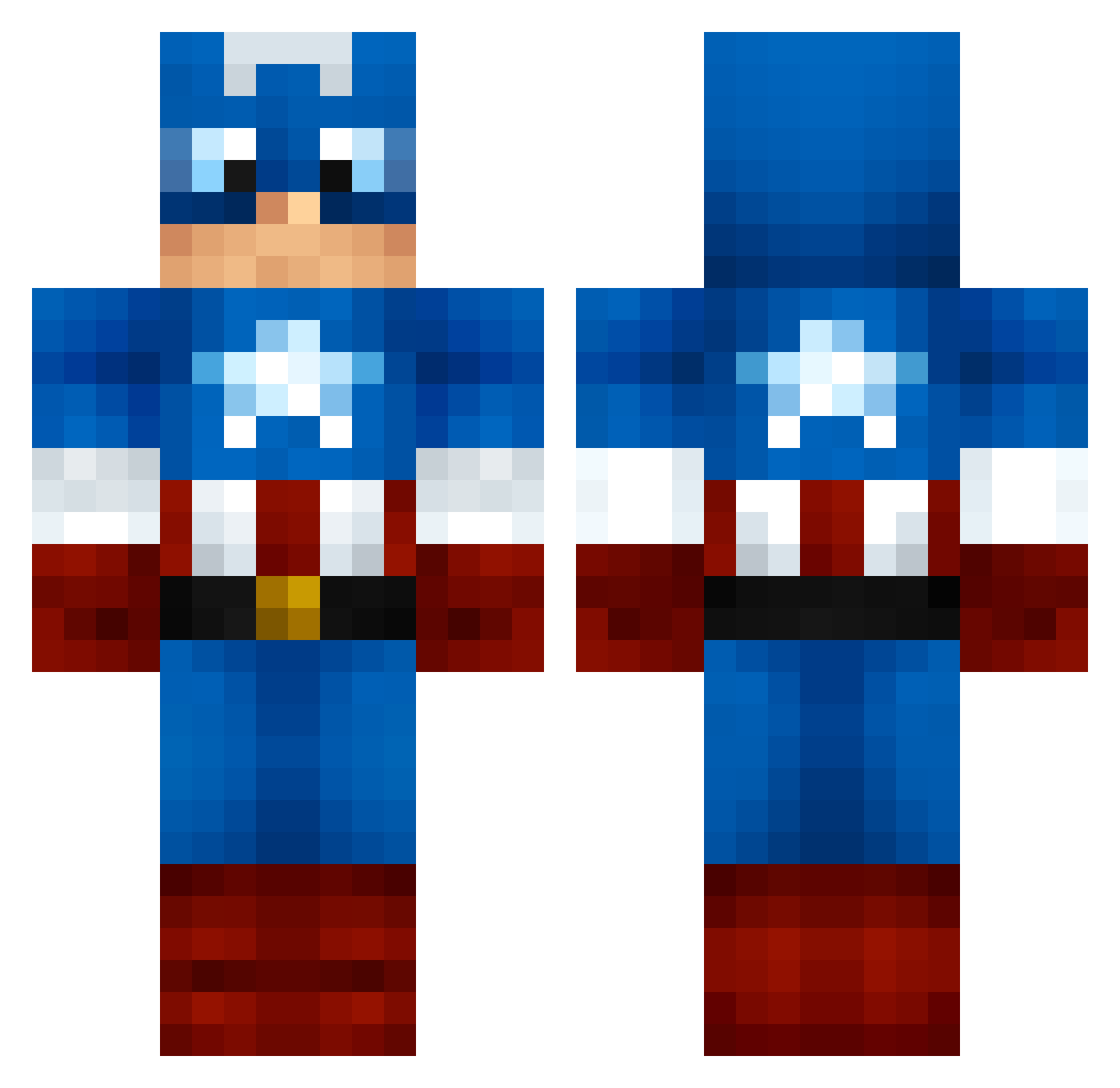
Current Minecraft skin of the player Junji42, loaded from the official Mojang API. Rotate the 3D model with your mouse or finger, then download the skin as a PNG file and use it in Minecraft: Bedrock Edition or Java Edition for free. When Junji42 changes their skin, this page updates automatically and the old skin stays in the history below.
Other players with this skin (55)
Junji42 was the 27th player we have seen with this skin, first spotted on 01.10.2026. The same skin was seen on these players. Open a nickname to see their current skin and skin history.
 SHICE007 Someooone DonGigi909 Khonsu6974 GERMANMANI SEHOOOK FoxTRysx HecameIV Coffeepiccio botjov FloverStack PINK_RG KapDoRi68 CQWUs Joshua7611 dof0106 YTciccio07 CAN_SON oz555oz huyouTT YUBEEN94 dendenn1 RafDante blueyoung1211 Golden_Ghostfj fioriiii Fernando78734 wsgbcm David0893 IsFWH ibuki0624 SadeceTaha Black_Eyed_Piece kiti25 rekap HoodieMelo347 Marcelex06 44nh29l44 RTeixeira16 coco274 yu9n OdenSummer7 lectar Tuborg_Gold angelSR97 SuperJack1986 VikramCraft ShomWon whytesmurf OrinJuice XxloreXx12 TomasPV10 CruisePeninsular Yofu_nemu Dafkein
More Captain America Minecraft skins
See all 163 Captain America skins
How to install the Junji42 skin
- Press the Download button above to save the skin as a PNG file.
- Minecraft: Bedrock Edition (PE): open the Dressing Room from the main menu (or tap your character → Edit Character), go to Classic Skins → Owned, press the + (new skin) button, choose the downloaded PNG and pick the Classic (Steve) model. Works on PC and mobile; consoles cannot import custom skins.
- Minecraft: Java Edition: open the Minecraft Launcher, go to the Skins tab, click New Skin, load the PNG, pick the Classic (Steve) model and press Save & Use. You can also upload it at minecraft.net → Profile → Change Skin.
The skin does not show up after import - what should I do?
Restart Minecraft and open the Dressing Room again - imported skins sometimes appear only after a restart. Also make sure you selected the imported skin and picked the Classic (Steve) model.
Which model should I choose, Classic or Slim?
This skin is designed for the Classic (Steve) model. If you pick the wrong model, the arms of the skin will look stretched or squeezed.
Is the skin of Junji42 free to download?
Yes. Press Download, save the PNG file and use it in Minecraft: Bedrock Edition or Java Edition - no payment or registration needed. The skin also works on multiplayer servers and Realms.
More skins
Looking for more? Go back to all Minecraft skins and check the top skins of the week, month and all time, or find any player's skin by nickname.