
Jung_Eh - Minecraft Skins & Skin History
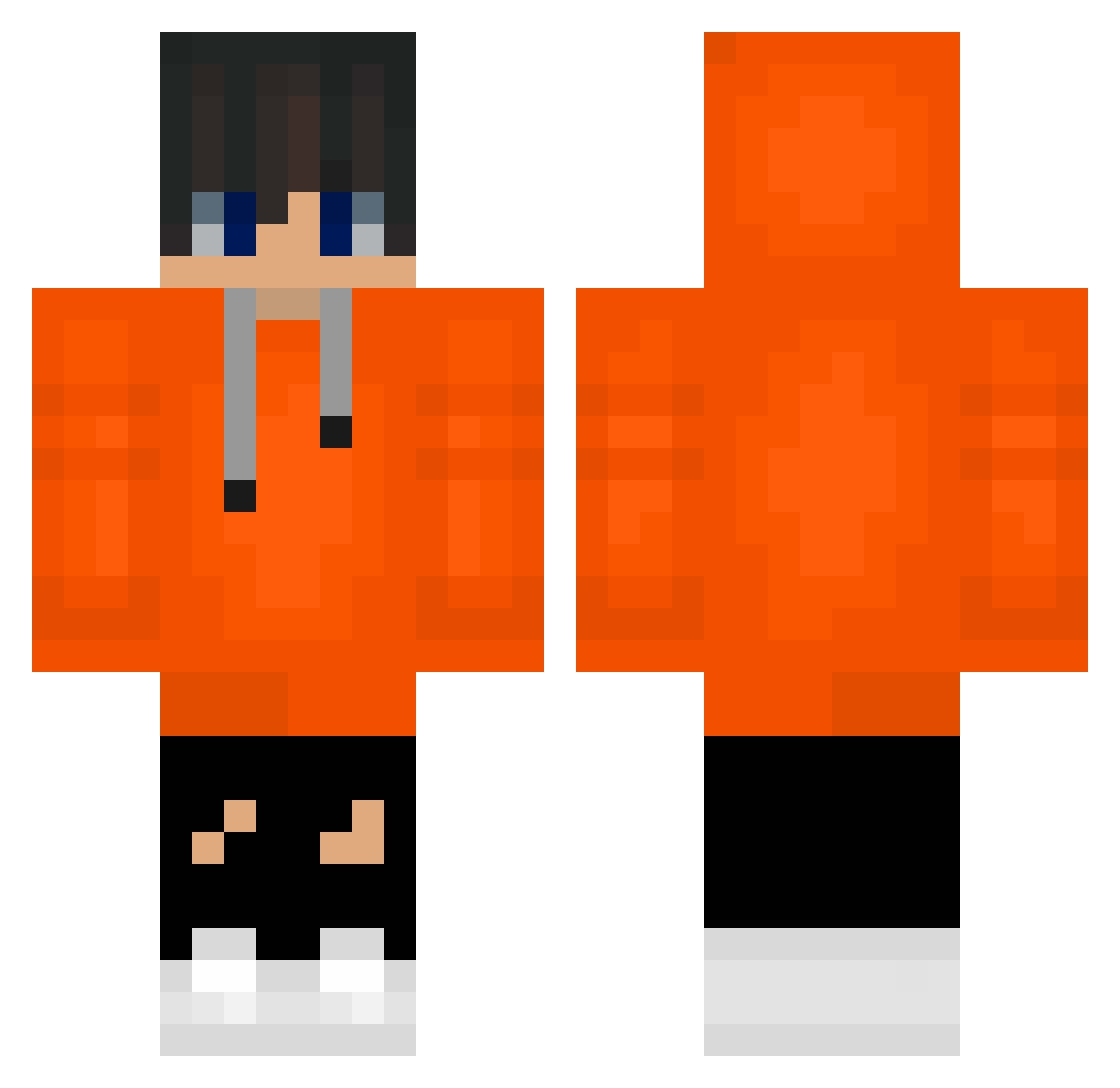
Current Minecraft skin of the player Jung_Eh, loaded from the official Mojang API. Rotate the 3D model with your mouse or finger, then download the skin as a PNG file and use it in Minecraft: Bedrock Edition or Java Edition for free. When Jung_Eh changes their skin, this page updates automatically and the old skin stays in the history below.
Other players with this skin (488)
Jung_Eh was the 310th player we have seen with this skin, first spotted on 01.10.2026. The same skin was seen on these players. Open a nickname to see their current skin and skin history.
 i_am_Lukas lasan5699 jAn31sT_ inha0512 koreanbobae unjimaster0523 MinecraftYejun rlasnrnrp123241 Kimkangmin9518 royal0613 _____komq______ sumesi777 kellypro1324 moonchaehong Parksungmin0219 myguitar11 pvpleader gusdn10 Yeidark jon_jonw BlueDinagram parkinsoo1234 _ko14_ pihckgss komp2 cuteyoon99 sun_again Crf_James_ mango1732 Sehyeon_0927 _Love_Koma_ Beanie0327 moyaaaaaa dylanbaylacq5608 Owjannn_ imhappybro3 lQN0709 koma3176 happykhs harambabo seominki07 pprpaull abc123l park092619 Tomwot adsfadsfgah Jake_Schindler _darknessG Imsokomq WordoN0 Eroem_Aien FAKER4518 DayMar_22 Absolute_Subie g_hyun1203 RedLizardMan lmj49 Middle_SW LEVIJUON mouse_123
How to install the Jung_Eh skin
- Press the Download button above to save the skin as a PNG file.
- Minecraft: Bedrock Edition (PE): open the Dressing Room from the main menu (or tap your character → Edit Character), go to Classic Skins → Owned, press the + (new skin) button, choose the downloaded PNG and pick the Classic (Steve) model. Works on PC and mobile; consoles cannot import custom skins.
- Minecraft: Java Edition: open the Minecraft Launcher, go to the Skins tab, click New Skin, load the PNG, pick the Classic (Steve) model and press Save & Use. You can also upload it at minecraft.net → Profile → Change Skin.
The skin does not show up after import - what should I do?
Restart Minecraft and open the Dressing Room again - imported skins sometimes appear only after a restart. Also make sure you selected the imported skin and picked the Classic (Steve) model.
Which model should I choose, Classic or Slim?
This skin is designed for the Classic (Steve) model. If you pick the wrong model, the arms of the skin will look stretched or squeezed.
Is the skin of Jung_Eh free to download?
Yes. Press Download, save the PNG file and use it in Minecraft: Bedrock Edition or Java Edition - no payment or registration needed. The skin also works on multiplayer servers and Realms.
More skins
Looking for more? Go back to all Minecraft skins and check the top skins of the week, month and all time, or find any player's skin by nickname.