
Juke7 - Minecraft Skins & Skin History
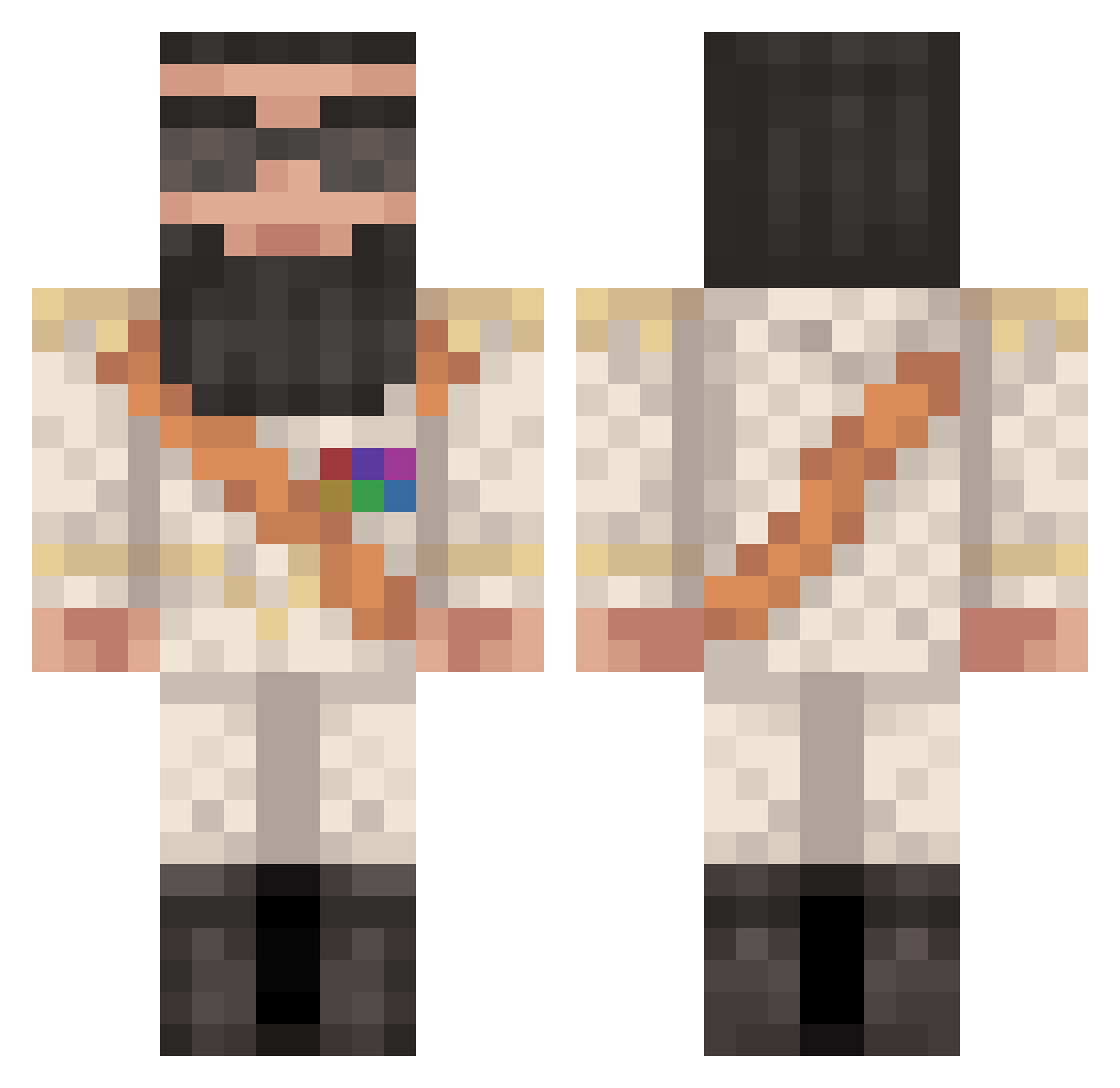
Current Minecraft skin of the player Juke7, loaded from the official Mojang API. Rotate the 3D model with your mouse or finger, then download the skin as a PNG file and use it in Minecraft: Bedrock Edition or Java Edition for free. When Juke7 changes their skin, this page updates automatically and the old skin stays in the history below.
Other players with this skin (371)
Juke7 was the 121st player we have seen with this skin, first spotted on 25.08.2026. The same skin was seen on these players. Open a nickname to see their current skin and skin history.
 kiddykiddykid JohKar LucidBeats baconinja007 jarojord Mack1234 Steini79 Tomasoxx Deaths JordzB baluca joeryde tobiaskock45 cheese123burgerz ASH97 ReconXXX Space___Cadet Uchubroski DiiZz silver_weat_2012 RyanButkowski St3v3n1998 MrWubble Miltas Faze_censor TheGeneral226 cmill911 PenguinoDabino _POOP_ KrupaPatel BrentS timemurderer199 TommCR7 Its_Locus Wildthing92001 afidefoe ChubbyJuanKenobi abir121 123mystery456 JurrassicGucci N30nxMAGz BJIudJi Tarmidi darkninja141 Hoez121 inFAMOUS_Treyy bludragon9 assator Army5128 EdwardBlom C3M3NT samydu38 FaKe_MeXiCaN Gedekids vasilijevb AskRR ScezHunter haiman5000 VFK PresidentAladeen
More General Minecraft skins
How to install the Juke7 skin
- Press the Download button above to save the skin as a PNG file.
- Minecraft: Bedrock Edition (PE): open the Dressing Room from the main menu (or tap your character → Edit Character), go to Classic Skins → Owned, press the + (new skin) button, choose the downloaded PNG and pick the Classic (Steve) model. Works on PC and mobile; consoles cannot import custom skins.
- Minecraft: Java Edition: open the Minecraft Launcher, go to the Skins tab, click New Skin, load the PNG, pick the Classic (Steve) model and press Save & Use. You can also upload it at minecraft.net → Profile → Change Skin.
The skin does not show up after import - what should I do?
Restart Minecraft and open the Dressing Room again - imported skins sometimes appear only after a restart. Also make sure you selected the imported skin and picked the Classic (Steve) model.
Which model should I choose, Classic or Slim?
This skin is designed for the Classic (Steve) model. If you pick the wrong model, the arms of the skin will look stretched or squeezed.
Is the skin of Juke7 free to download?
Yes. Press Download, save the PNG file and use it in Minecraft: Bedrock Edition or Java Edition - no payment or registration needed. The skin also works on multiplayer servers and Realms.
More skins
Looking for more? Go back to all Minecraft skins and check the top skins of the week, month and all time, or find any player's skin by nickname.