
Juink4i - Minecraft Skins & Skin History
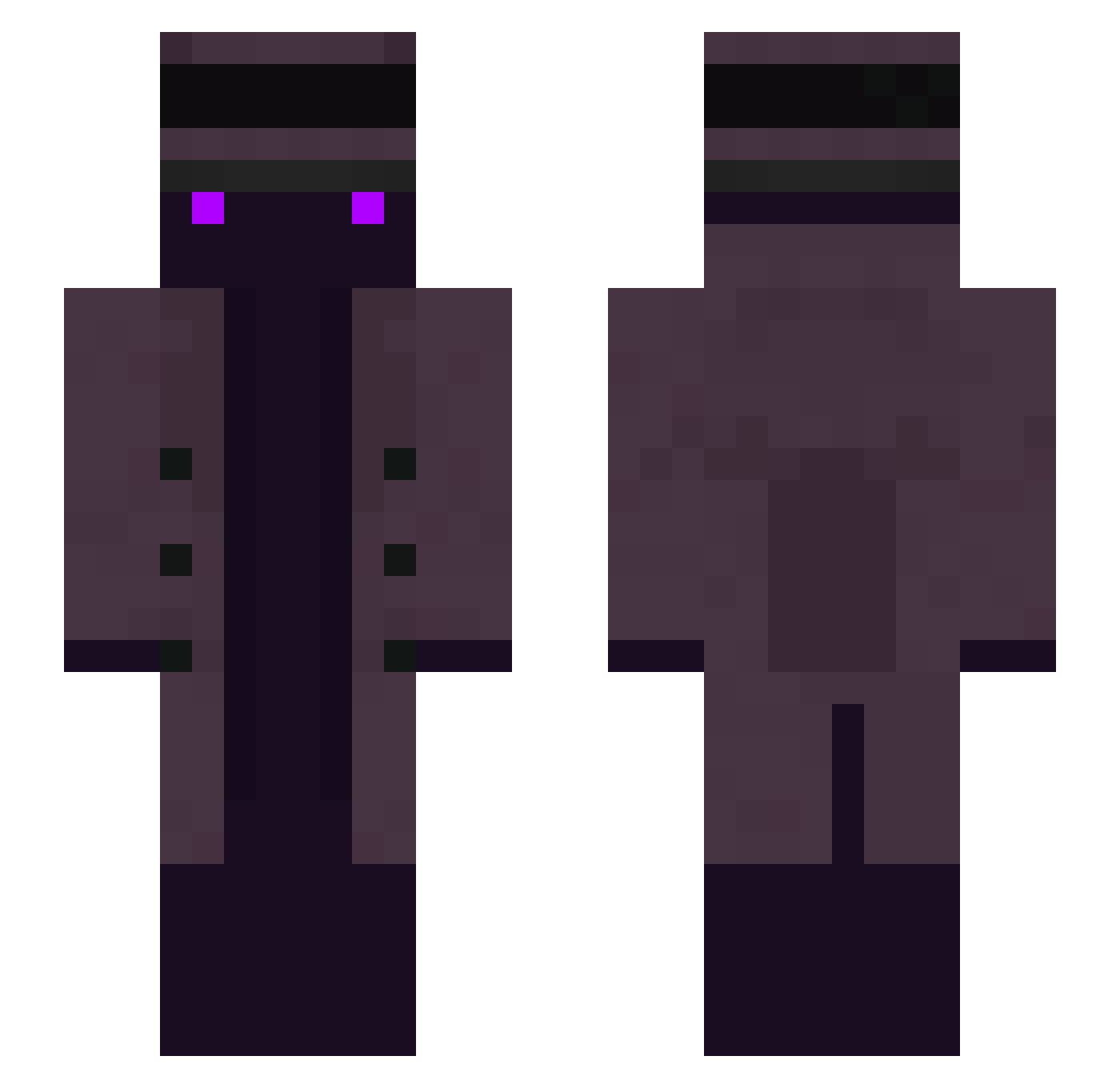
Current Minecraft skin of the player Juink4i, loaded from the official Mojang API. Rotate the 3D model with your mouse or finger, then download the skin as a PNG file and use it in Minecraft: Bedrock Edition or Java Edition for free. When Juink4i changes their skin, this page updates automatically and the old skin stays in the history below.
Other players with this skin (258)
Juink4i was the 82nd player we have seen with this skin, first spotted on 31.08.2026. The same skin was seen on these players. Open a nickname to see their current skin and skin history.
 OoHappy Rinatka_228 The_FrostPower ksh4688 Enpituu THyman420 gusltogtog Dvilzp Sebi_2002 Sailit_Earth DarkeeperBR THE_ZOMbErs Sugarybread Ref_resh monkey421 batnight9007 Lite0065Joker World_of_Pants Ambroize cyberfool Scynoth Noirgad CaptainOuzeal morekowatt Wii_Zocker 3PHughes HisDudenesss Oswald83 worwor1026 Drbob021 OkSonoPasche Aion120 GIBMIREMOTES JuanLopez3012 DanielHero2102 KOPOHA _GasterPlay_ Tim_Norton LiL_Windex420 Edwin_RV Whaorex
 Bogi15 Giipzy12 Kamedu KISUN0203 Snowboardcatdisc John_Ivanovich musa99dc _Immunity_ Loki_READY tlffl RegalSquare MaximusCrispus LoliconBearX SharpK RSRedSteel Onlinex08 RitxiRibers _ISL_777 MrPanana
More Top Hat Minecraft skins
How to install the Juink4i skin
- Press the Download button above to save the skin as a PNG file.
- Minecraft: Bedrock Edition (PE): open the Dressing Room from the main menu (or tap your character → Edit Character), go to Classic Skins → Owned, press the + (new skin) button, choose the downloaded PNG and pick the Slim (Alex) model. Works on PC and mobile; consoles cannot import custom skins.
- Minecraft: Java Edition: open the Minecraft Launcher, go to the Skins tab, click New Skin, load the PNG, pick the Slim (Alex) model and press Save & Use. You can also upload it at minecraft.net → Profile → Change Skin.
The skin does not show up after import - what should I do?
Restart Minecraft and open the Dressing Room again - imported skins sometimes appear only after a restart. Also make sure you selected the imported skin and picked the Slim (Alex) model.
Which model should I choose, Classic or Slim?
This skin is designed for the Slim (Alex) model. If you pick the wrong model, the arms of the skin will look stretched or squeezed.
Is the skin of Juink4i free to download?
Yes. Press Download, save the PNG file and use it in Minecraft: Bedrock Edition or Java Edition - no payment or registration needed. The skin also works on multiplayer servers and Realms.
More skins
Looking for more? Go back to all Minecraft skins and check the top skins of the week, month and all time, or find any player's skin by nickname.