
JuicyJakub - Minecraft Skins & Skin History
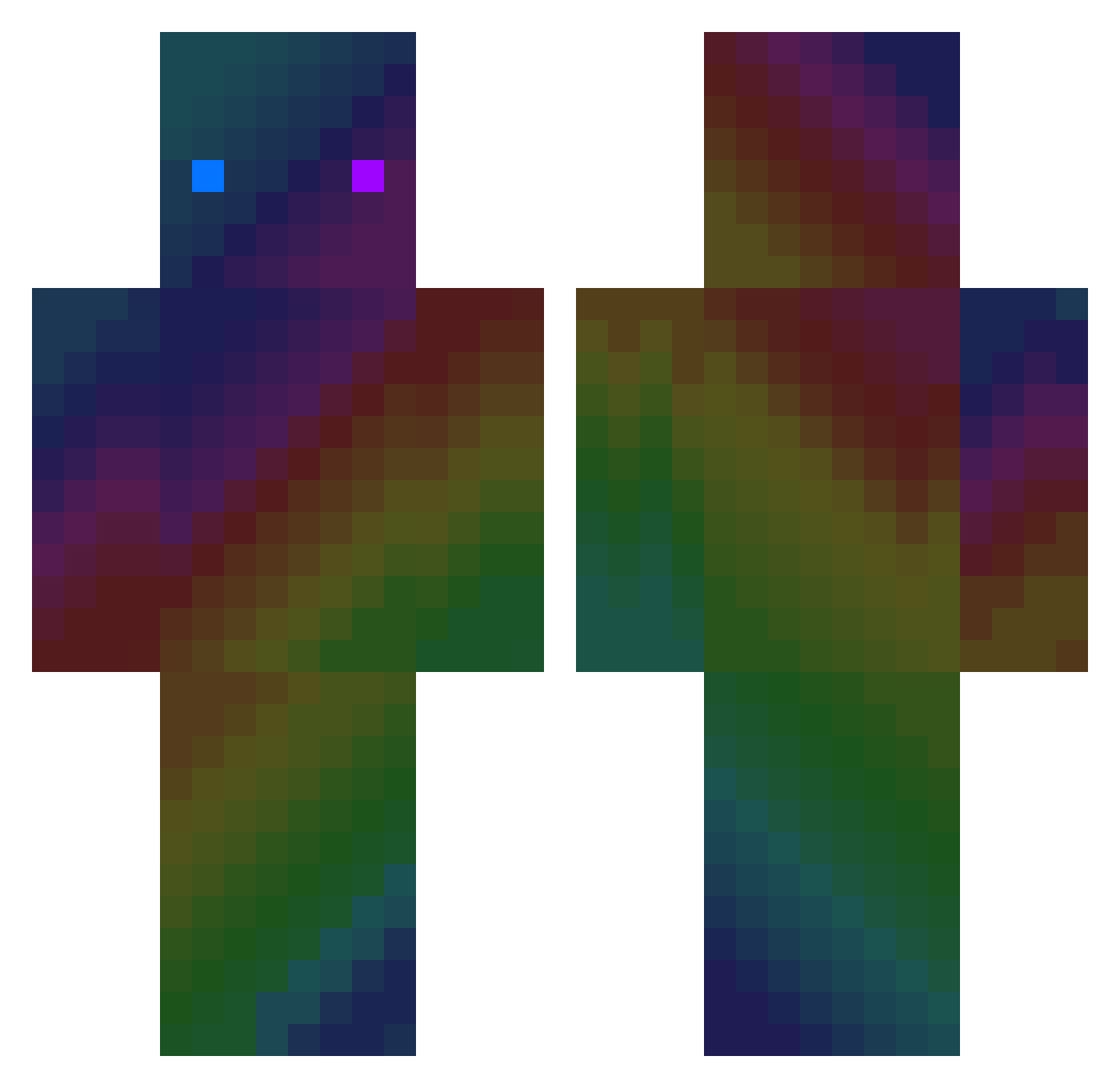
Current Minecraft skin of the player JuicyJakub, loaded from the official Mojang API. Rotate the 3D model with your mouse or finger, then download the skin as a PNG file and use it in Minecraft: Bedrock Edition or Java Edition for free. When JuicyJakub changes their skin, this page updates automatically and the old skin stays in the history below.
Other players with this skin (412)
JuicyJakub was the 183rd player we have seen with this skin, first spotted on 22.09.2026. The same skin was seen on these players. Open a nickname to see their current skin and skin history.
 Moses_2k21 LeTsuko_ WBBEAR91 XxAlexandre59xX FaKeGor Monolto DonSimon1 Hwoo_atmirage Paullll84 Draik_22 Creafer RafaRap Ka3sooo GuarDian0721 osomabinlagginX jihoo0619 kpail GelberGubla yoshikoop GunterFox PotatoEXE07 IZCZI ttakara slime_smile itsLukas_21 taroyy GGC_EZ HeyCuteWantReese driessiau xLiL_Peep Onexis Kemyt125 Omer_PvP_31 keylo85 VOIDNiasse NOMENCY Baumeistertim9 Kwaiidan MacaraStar5 CuzImSamuele TwiXca Stxrmcast Cute_Danbi Jackson54300 HayvanLetsPlay LOVEAPEACH Kreol wisniaez fufeybi t1nzzz ZhangYong diaodiao186 Yael08975 Melisyou Xzzang Th3cubeCreatuRE_ haryge tiantian321 UGNL2 capeta1430
How to install the JuicyJakub skin
- Press the Download button above to save the skin as a PNG file.
- Minecraft: Bedrock Edition (PE): open the Dressing Room from the main menu (or tap your character → Edit Character), go to Classic Skins → Owned, press the + (new skin) button, choose the downloaded PNG and pick the Classic (Steve) model. Works on PC and mobile; consoles cannot import custom skins.
- Minecraft: Java Edition: open the Minecraft Launcher, go to the Skins tab, click New Skin, load the PNG, pick the Classic (Steve) model and press Save & Use. You can also upload it at minecraft.net → Profile → Change Skin.
The skin does not show up after import - what should I do?
Restart Minecraft and open the Dressing Room again - imported skins sometimes appear only after a restart. Also make sure you selected the imported skin and picked the Classic (Steve) model.
Which model should I choose, Classic or Slim?
This skin is designed for the Classic (Steve) model. If you pick the wrong model, the arms of the skin will look stretched or squeezed.
Is the skin of JuicyJakub free to download?
Yes. Press Download, save the PNG file and use it in Minecraft: Bedrock Edition or Java Edition - no payment or registration needed. The skin also works on multiplayer servers and Realms.
More skins
Looking for more? Go back to all Minecraft skins and check the top skins of the week, month and all time, or find any player's skin by nickname.