
JuiccyW - Minecraft Skins & Skin History
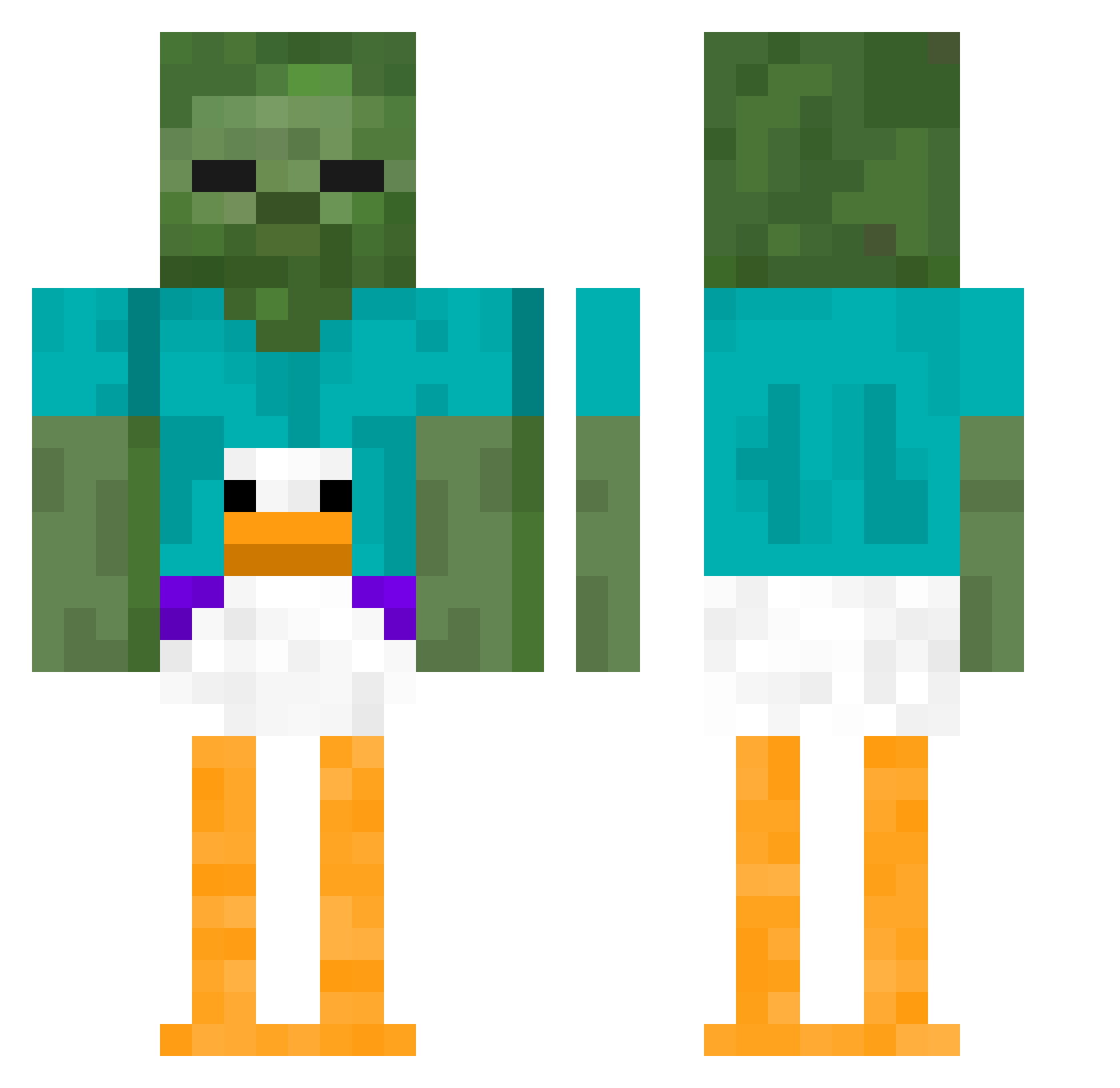
Current Minecraft skin of the player JuiccyW, loaded from the official Mojang API. Rotate the 3D model with your mouse or finger, then download the skin as a PNG file and use it in Minecraft: Bedrock Edition or Java Edition for free. When JuiccyW changes their skin, this page updates automatically and the old skin stays in the history below.
Other players with this skin (410)
JuiccyW was the 356th player we have seen with this skin, first spotted on 22.10.2026. The same skin was seen on these players. Open a nickname to see their current skin and skin history.
 apples082 JelloJoe Fabrego plugyo MasterTotSlayer T1ny_Angel NIG4M4N TurkoDad420 bree_03 koningkick2009 Memo_39 DROFFY_02 orangelizard352 EP02 FRBD_FireBird lol1345 subwaysandwich45 EFKLASVEGAS8 thisisallineed 100fim NastyNastas AL333333 Mettwurst73 Tony739 Will_nye07 Nashy29 _niesmaczny_ thesmallchild06 seoyun101 NikoRisk1301 Jakulele AthenaFatRatCat Deex2 ChadThunderman_ SoggyFritto Kbear2x xx2m2xx gamergrlbathwatr XxADHDx SimplyKona 1TungTungSahur1 ytx242 UnawareSashimi YouTasteGreat PSWeebGo21 DrGold cashmariscal Mac8e_ WaddleBott i_h8_ap_stats littleboys4life erickch Goonman16 centifollia PANTTOM Dokja10 lovvoissa Efertmit2 FieneK48 StrandedSnow221
More Funny Minecraft skins
How to install the JuiccyW skin
- Press the Download button above to save the skin as a PNG file.
- Minecraft: Bedrock Edition (PE): open the Dressing Room from the main menu (or tap your character → Edit Character), go to Classic Skins → Owned, press the + (new skin) button, choose the downloaded PNG and pick the Classic (Steve) model. Works on PC and mobile; consoles cannot import custom skins.
- Minecraft: Java Edition: open the Minecraft Launcher, go to the Skins tab, click New Skin, load the PNG, pick the Classic (Steve) model and press Save & Use. You can also upload it at minecraft.net → Profile → Change Skin.
The skin does not show up after import - what should I do?
Restart Minecraft and open the Dressing Room again - imported skins sometimes appear only after a restart. Also make sure you selected the imported skin and picked the Classic (Steve) model.
Which model should I choose, Classic or Slim?
This skin is designed for the Classic (Steve) model. If you pick the wrong model, the arms of the skin will look stretched or squeezed.
Is the skin of JuiccyW free to download?
Yes. Press Download, save the PNG file and use it in Minecraft: Bedrock Edition or Java Edition - no payment or registration needed. The skin also works on multiplayer servers and Realms.
More skins
Looking for more? Go back to all Minecraft skins and check the top skins of the week, month and all time, or find any player's skin by nickname.