
Juanetro - Minecraft Skins & Skin History
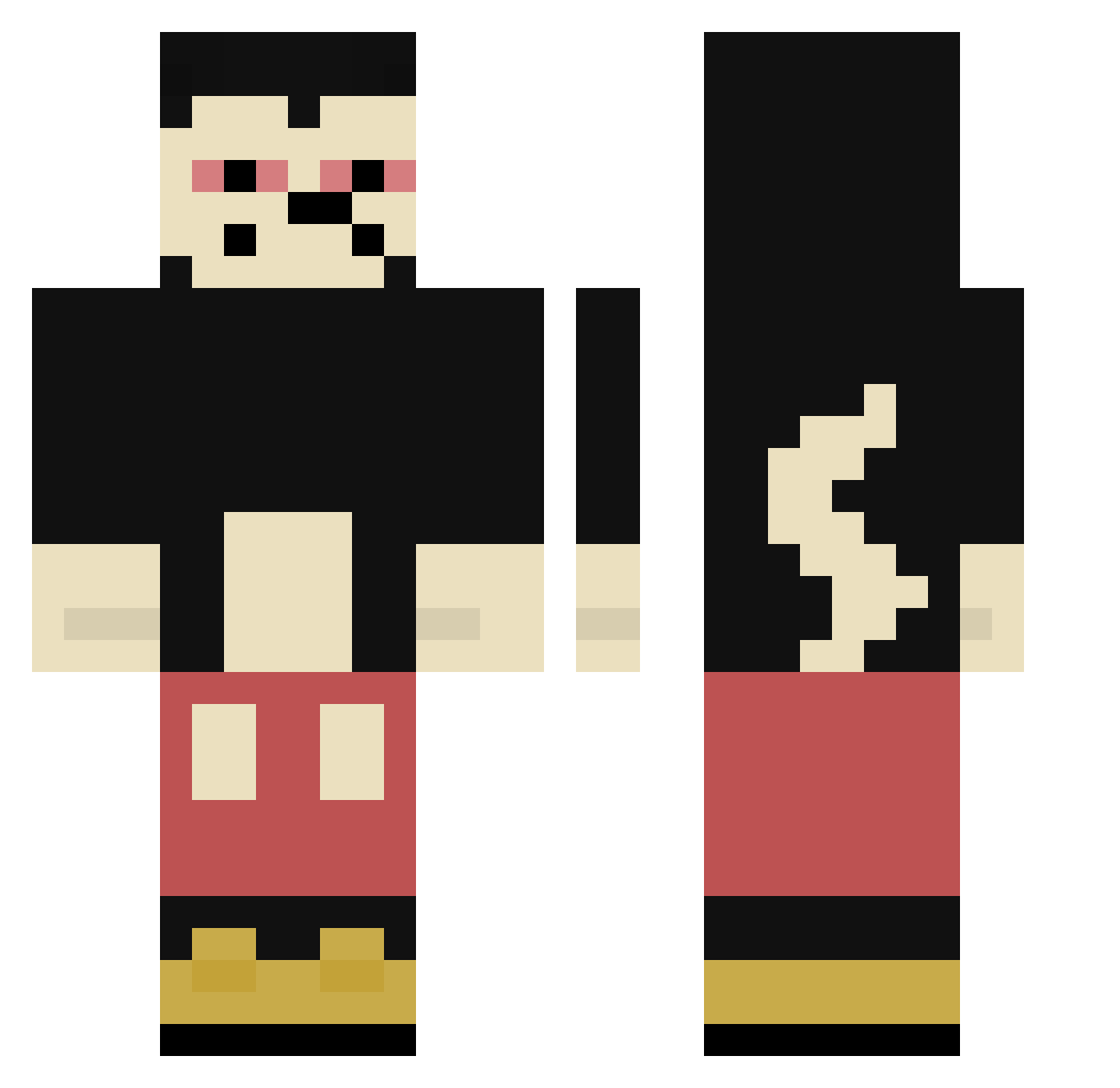
Current Minecraft skin of the player Juanetro, loaded from the official Mojang API. Rotate the 3D model with your mouse or finger, then download the skin as a PNG file and use it in Minecraft: Bedrock Edition or Java Edition for free. When Juanetro changes their skin, this page updates automatically and the old skin stays in the history below.
Other players with this skin (304)
Juanetro was the 151st player we have seen with this skin, first spotted on 11.09.2026. The same skin was seen on these players. Open a nickname to see their current skin and skin history.
 Gelato669 Azmeren _alexplw CrxmeWave ttom209 Monkeys2193 defnotsusy Ott4Pothead Tydera Derrjan SlyEnD Hermanitoz ElMikeQuiros ByPapy
 AzonFires tptjazz AlanGazebo Tom__York iLynch999 Miggithy Fuhrer_Morpheus4 Miguel01707 cxwsg DrqidGamer mglicorne ermich_ kxlo_ KingHatto TallishBeans orfeas_butNot madecao pauloba17 LiLMousebaby Cheirao T4SKM4STEI2 szymon_wJc soygayxdxddd epicbradley1 stoner_potential callmeJiku Daikum Poohryn nuumse AdoptMe PapaSpieltAmWili Ayz22 Vxnillq_ Vikaver corviboof Nuckssy2 Juwr ToHighForMc 64609534 mzbzb kpt520 antosiovski karolek69 CernuGod Hoskar2137 Exceedas
More Mickey Mouse Minecraft skins
See all 146 Mickey Mouse skins
How to install the Juanetro skin
- Press the Download button above to save the skin as a PNG file.
- Minecraft: Bedrock Edition (PE): open the Dressing Room from the main menu (or tap your character → Edit Character), go to Classic Skins → Owned, press the + (new skin) button, choose the downloaded PNG and pick the Classic (Steve) model. Works on PC and mobile; consoles cannot import custom skins.
- Minecraft: Java Edition: open the Minecraft Launcher, go to the Skins tab, click New Skin, load the PNG, pick the Classic (Steve) model and press Save & Use. You can also upload it at minecraft.net → Profile → Change Skin.
The skin does not show up after import - what should I do?
Restart Minecraft and open the Dressing Room again - imported skins sometimes appear only after a restart. Also make sure you selected the imported skin and picked the Classic (Steve) model.
Which model should I choose, Classic or Slim?
This skin is designed for the Classic (Steve) model. If you pick the wrong model, the arms of the skin will look stretched or squeezed.
Is the skin of Juanetro free to download?
Yes. Press Download, save the PNG file and use it in Minecraft: Bedrock Edition or Java Edition - no payment or registration needed. The skin also works on multiplayer servers and Realms.
More skins
Looking for more? Go back to all Minecraft skins and check the top skins of the week, month and all time, or find any player's skin by nickname.